9SUMMIT
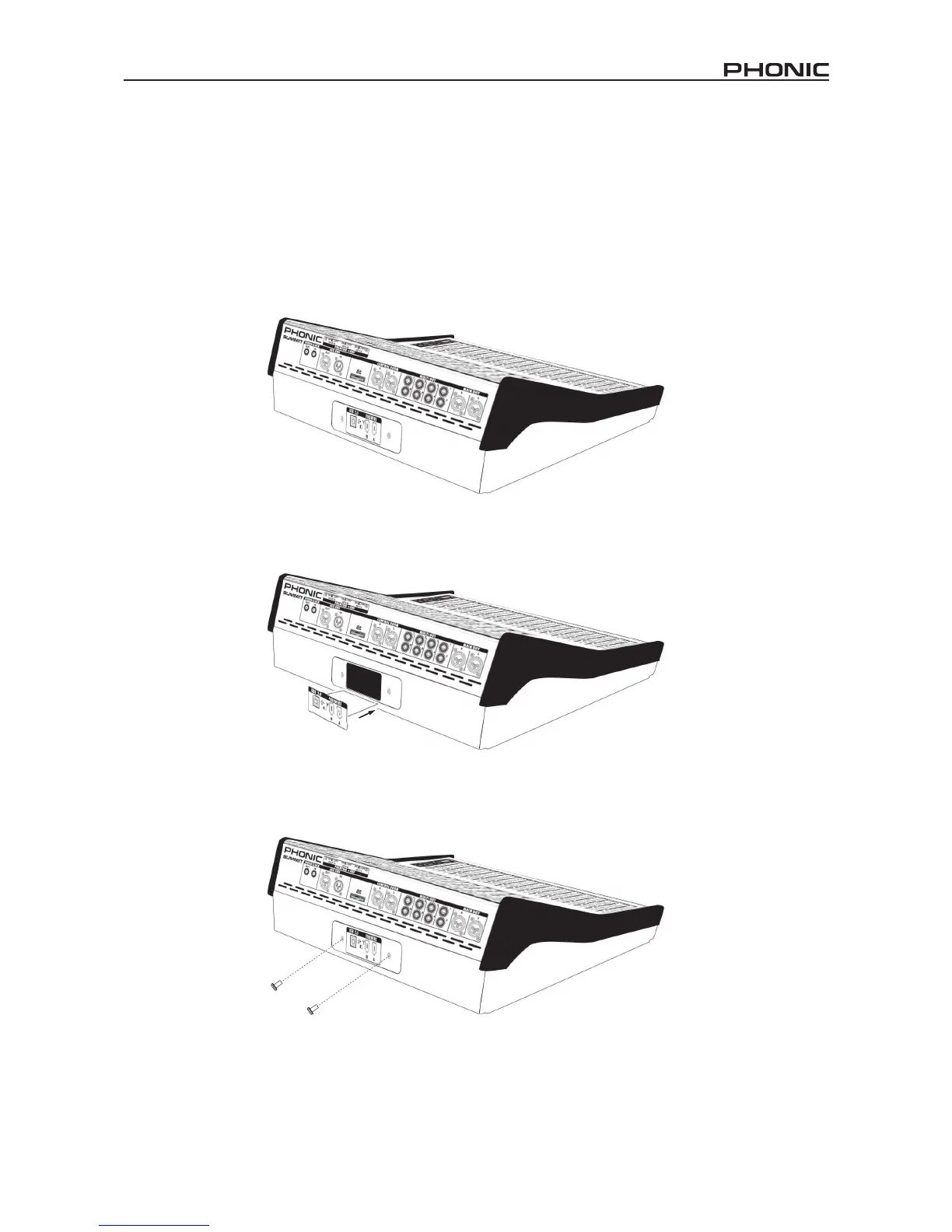
Installing The Optional FireWire + USB Expansion Card
1. First ensure all power is off on your SUMMIT mixer and the power cable is disconnected.
2. Remove the back protective cover on the SUMMIT by unscrewing the two support screws.
3. Remove the free end of the ribbon cable located within the expansion card slot.
4. Connect the ribbon cable to the appropriate connection on the expansion card.
5. Insert the expansion card into the expansion card slot and screw into place.


 To Next Page