37
Using the ISO connector
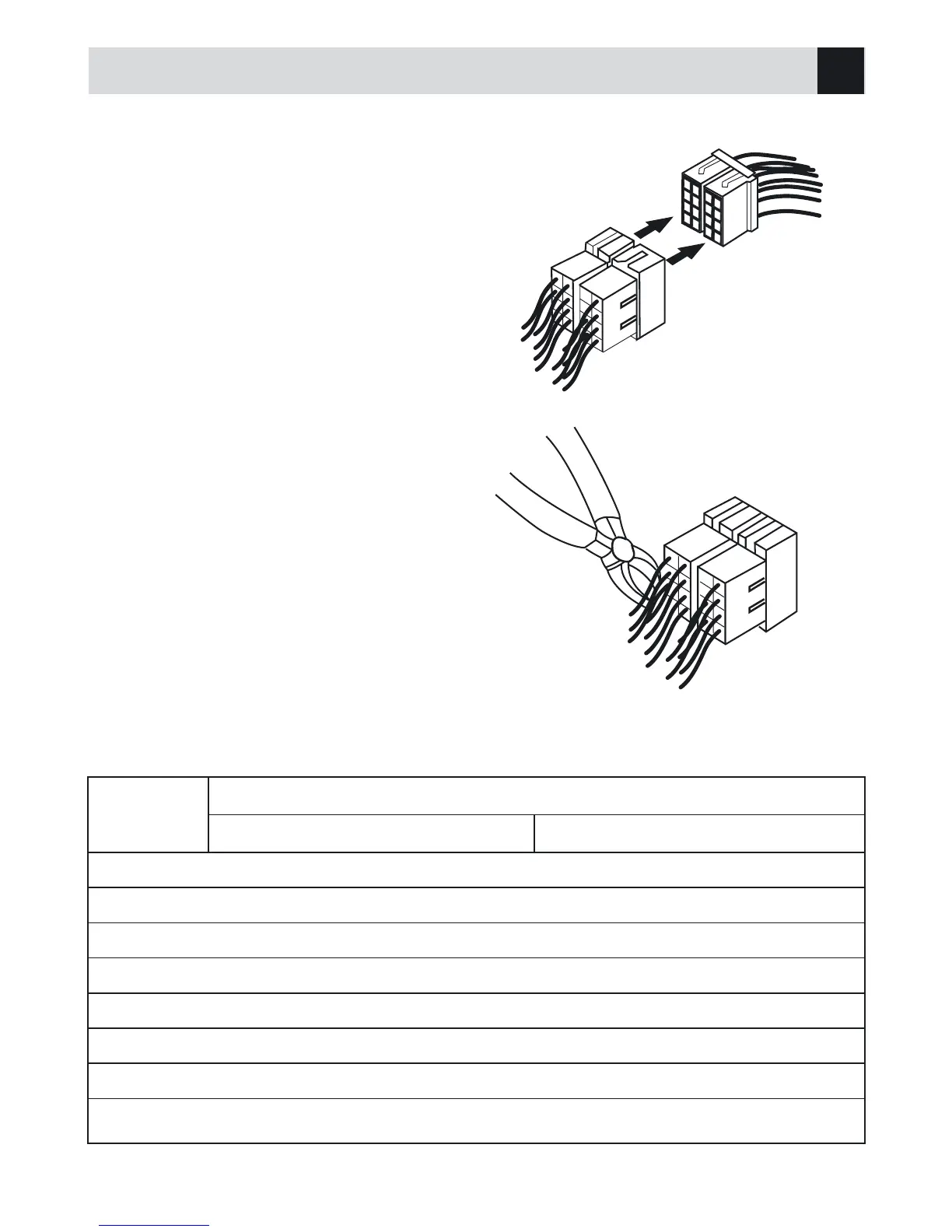
1. If your car is equipped with the ISO connector,
then connect the ISO connectors as illustrated.
2. For connections without the ISO connectors,
check the wiring in the vehicle carefully before
connecting, incorrect connection may cause
serious damage to this unit. Cut the connector,
connect the colored leads of the power cord
to the car battery, as shown in the colour code
table below for speaker and power cable con-
nections.
ISO Connector
Location
Function
Connector A Connector B
1 Rear right (+)--- Purple
2 S.W. Control/Brown Rear right (-)--- Purple/Black
3 Front right (+)--- Grey
4 ACC + / red Front right (-)--- Grey/Black
5 Auto antenne / Blue Front left (+)--- White
6 Front left (-)--- White/Black
7 Battery 12V (+) / Yellow Rear left (+)--- Green
8 Ground / Black Rear left (-)--- Green/Black
GB



 To Next Page