39
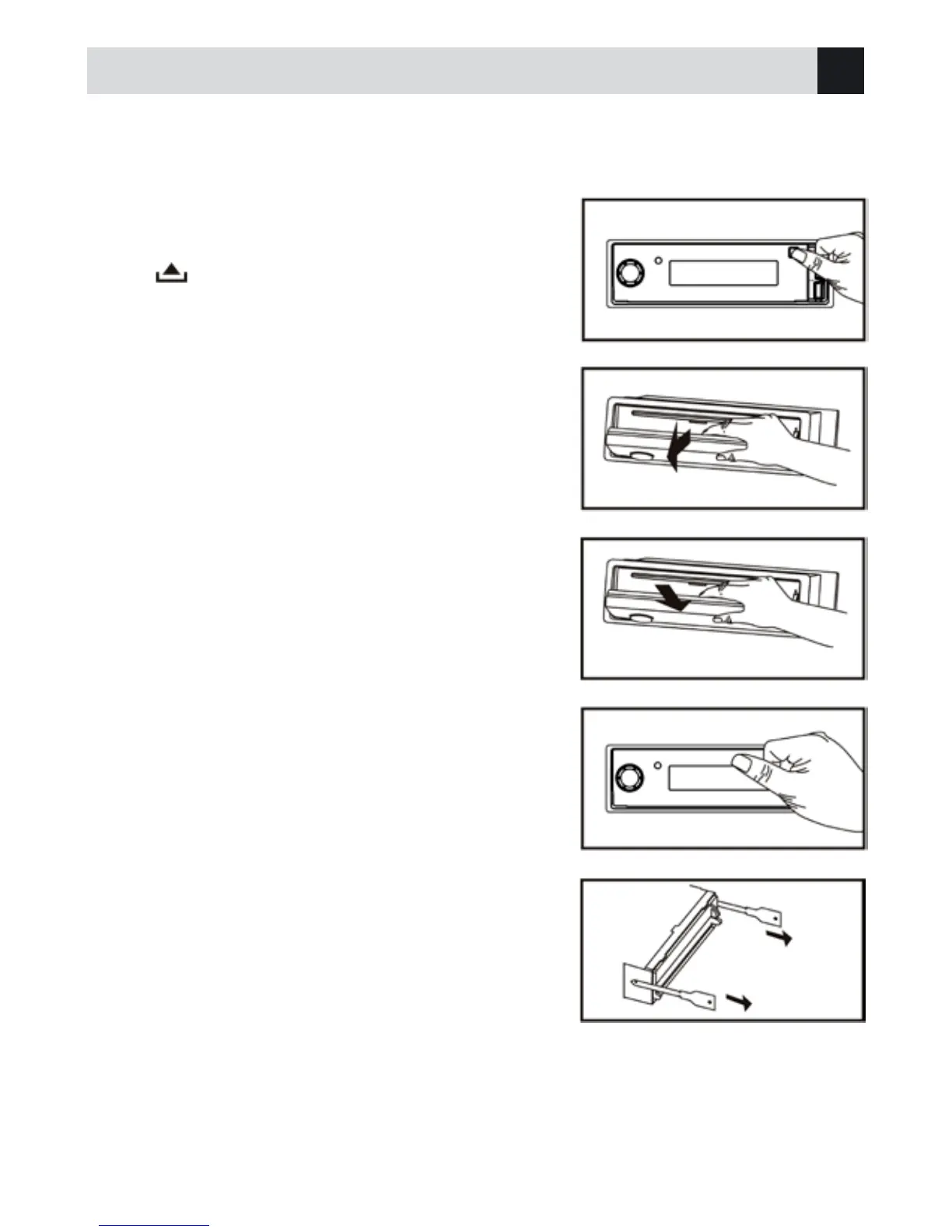
This unit is designed with a flip-down detachable panel.
The panel can be detached and taken with you, helping to deter theft.
Anti-Theft System
Removing the unit
1 - Remove the panel and the trim plate.
2 - Insert both T-Keys into hole on the front of the set until they
lock.
3 - Pull out the unit.
Installing the panel
1 - Hold the panel and ensure the panel faces toward you, and at
an angle set the right side of the panel in the panel bracket.
2 - Press the left side of the panel until it locks.
Removing the panel
1 - Press PWR to switch off the power of the unit.
2 - Press to flip down the panel.
3 - At an angle hold the panel to pull it out.
4 - Place the panel into the case and take it with you when you
leave the car.
Pull
Insert
GB



 To Next Page