General Operation
On the unit panel:
Press T/P button briey to turn AF on/off.
Hold T/P button more than 2 seconds to turn PTY on/off.
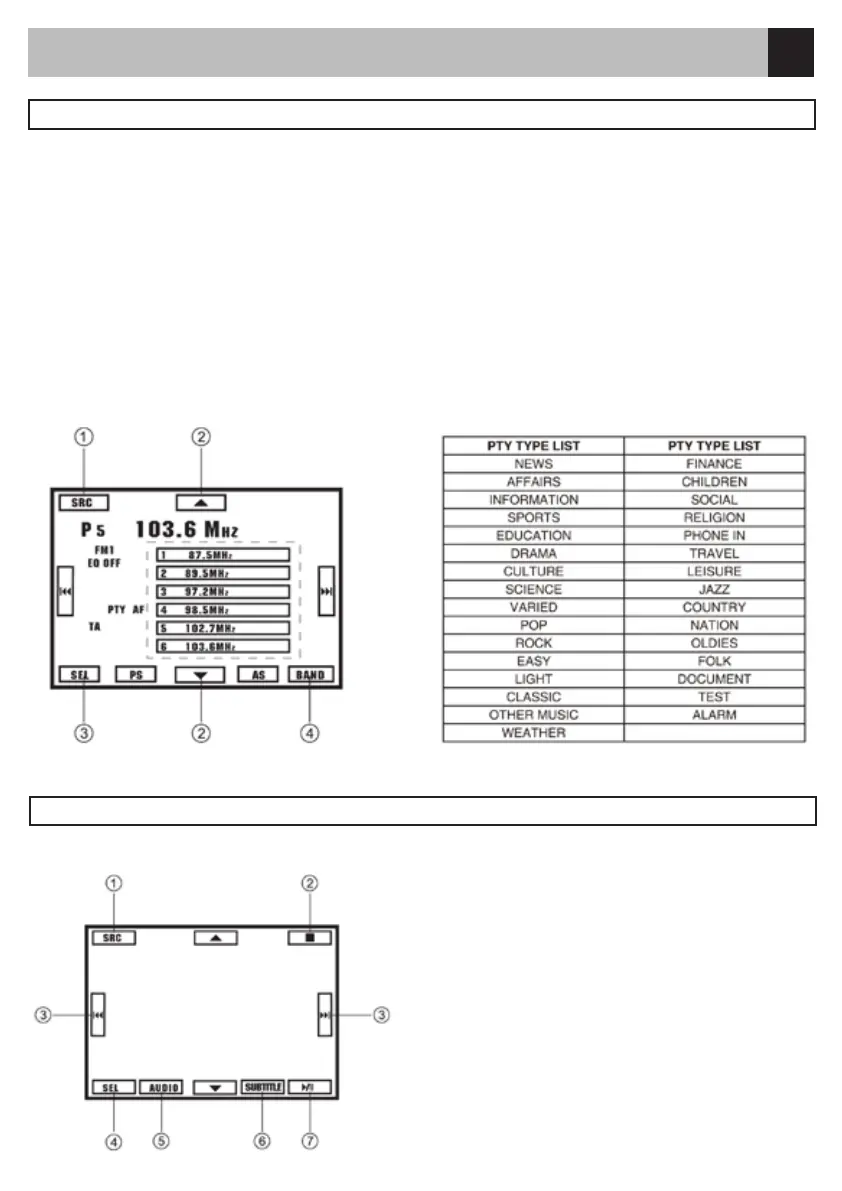
On the PTY screen menu:
Touch to access desired function.
1. Display source menu.
2. PTY list up/down.
3. Display select menu.
4. Band switch.
On the Setup menu: Turn AF on/off.
Touch the center of the screen, then control icons appear:
Touch the icon to access desired function.
1. Display source menu.
2. Stop.
3. Track skip/seek.
4. Display select menu.
5. Audio select.
6. Subtitle select.
7. Play/Pause/Enter
Hidden Touch:
Touch directly the position of the icon to access
function.
RDS
DVD Playback



 To Next Page