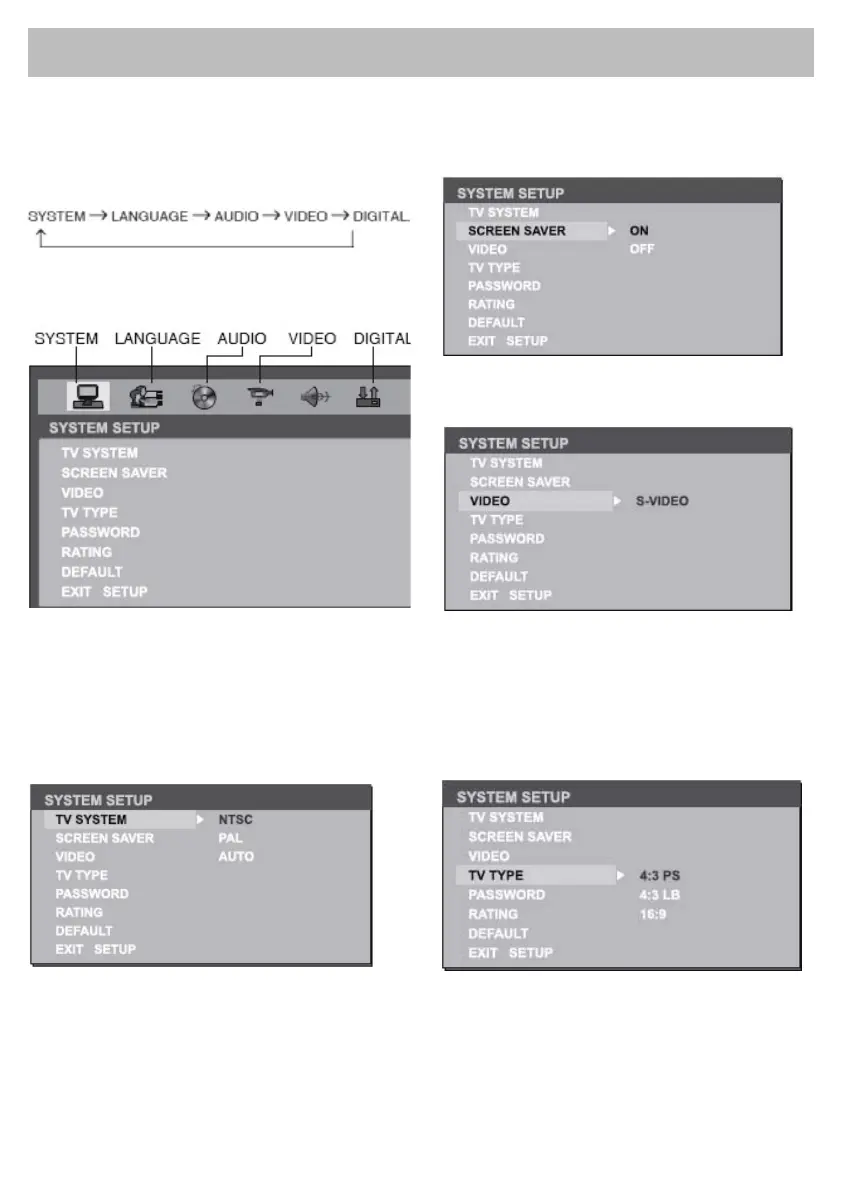
Press DVD SETUP button on the remote control to
display setup menu on the screen.
Use / to select setup items:
Use / , / to select and ENTER to conrm.
TV System
Select the TV system in the setting menu.
Screen Saver
The screen saver appears if disc stop last more
than 3 minutes. Original setting: ON
Video Output Mode
Original setting: S-VIDEO.
DVD System Setup
Setting TV type
Select TV type to watch wide screen movies.
4:3 Pan Scan: For 4:3 TV, left and right edges
will be cut.
4:3 Letter Box: For 4:3 TV, black bars will appear
on top and bottom.
16:9: For 16:9 wide screen TV.



 To Next Page