01_07
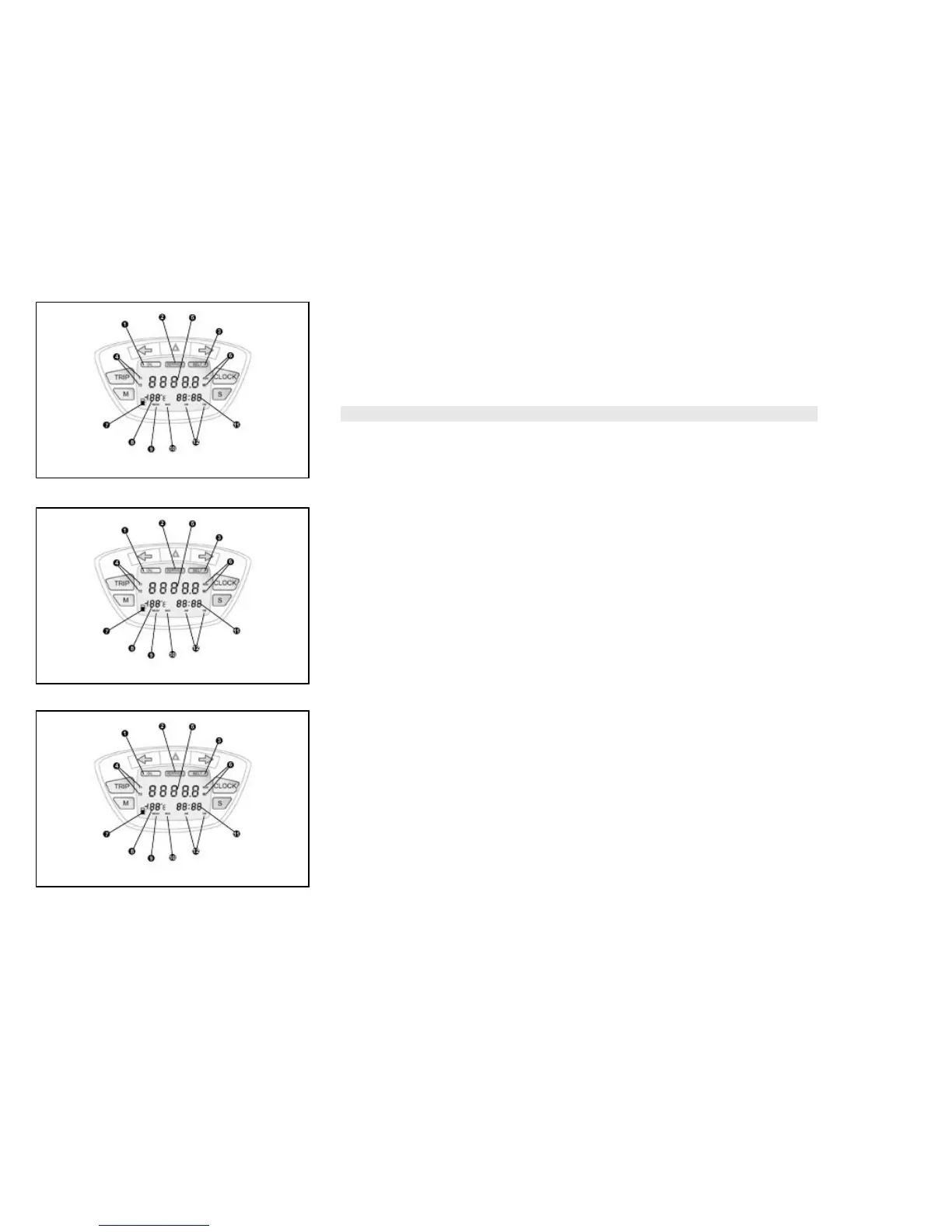
Maintenance icons (01_07)
The icons warn the user when the scheduled maintenance interventions are required.
The «OIL» icon flashes when 1,000 Km are reached, after that every 3,000 Km. The
«SERVICE» icon flashes the first time at 1,000 Km or after 1 year, after that every
6,000 Km or after 1 year. The «BELT» icon flashes every 12,000 Km.
WARNING
REFER TO THE «SCHEDULED MAINTENANCE TABLE» FOR FURTHER MAIN-
TENANCE OPERATIONS
01_08
Setting the total and trip odometers (01_08)
The «TRIP» button displays partial distances «T1» and «T2» and the total distance,
if pressed repeatedly for less than 1 second.
Press it for over 3 seconds to reset the trip odometer. Press «TRIP» again to return
to the total odometer «5».
01_09
Setting the outside temperature display (01_09)
The temperature value «8» updates automatically at every variation of ± 1 °C. When
the external temperature reaches +3 °C, the display flashes for 40 seconds; the same
occurs at every decrease of temperature.
Press «M» to display the mean speed, identified by symbol «MEAN», which updates
automatically every 30 seconds even if the key is set to «OFF». Press «M» to display
the maximum speed reached by the vehicle and identified by the symbol «MAX»,
press again to display the kilometres traveled in reserve; the value is stored also with
key set to «OFF». Press «M» again to return to the outside temperature display. Keep
11



 To Next Page