OPERATION
3-2 / Husky 3 Foam System
© 2022 Pierce Manufacturing Inc. All Rights Reserved.
3-1.2 Class A Foam - Drafting
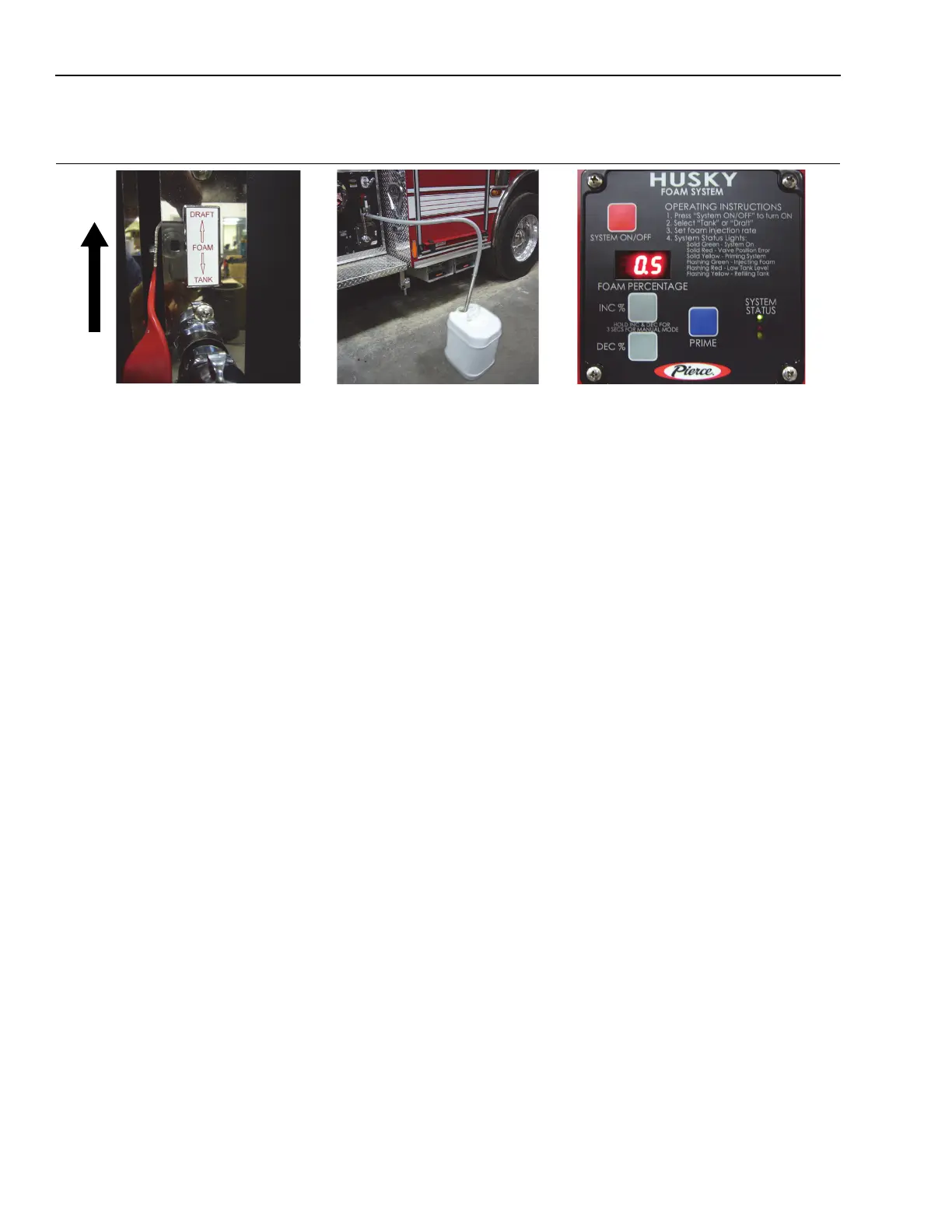
Figure 3-2: Class A Foam Drafting Mode
1333, 1323, 1311, 1335, 1350
1. Set up for drafting operation.
NOTE: Always make sure the Foam Tank/Draft handle is completely moved to the handle stops. A partially
open valve can drain the on-board foam tank.
2. Move Foam Tank/Draft handle UP to the Draft position before removing cap.
NOTE: Make sure that gasket is in place on the pick-up swivel connector on the panel to prevent any
vacuum leaks.
3. Connect the flexible pick up hose to the contector on the panel and position pick up tube in foam bucket.
4. The default percentage will remain the same as the on-board Class A tank current setting.
NOTE: • Make sure you are flowing water out of a foam discharge or open foam pump discharge drain
when using foam system prime.
• The Prime button may be used to prime (pump) air out of the pick-up tubing) when you first
start to draft.
5. Use the INC % or DEC % buttons to change percentage (if needed).
6. See Para 3-2.1, General Flushing Information.


 To Next Page