© 2022 Pierce Manufacturing Inc. All Rights Reserved. Husky 3 Foam System / 4-5
MAINTENANCE
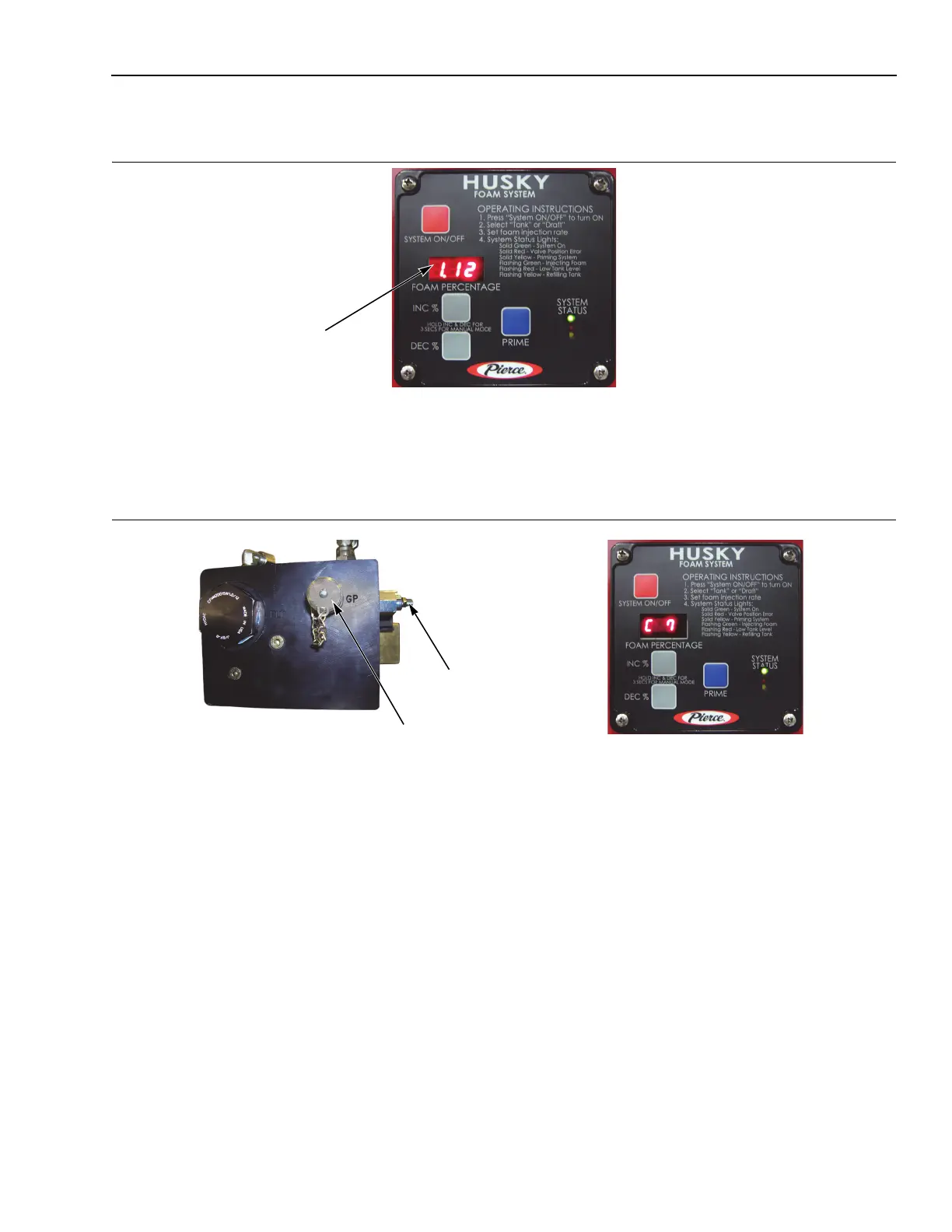
4-2.1b Check Current Software Revision
Figure 4-1: Control Head showing Software Revision
1311, 1335, 1363
This information is also displayed when the system is first turned ON and also after storing (STR) the program by
pressing the PRIME button.
4-2.1c Checking Hydraulic System Pressure
Figure 4-2: Checking Hydraulic System Pressure
1311, 1335, 1346, 1361
1. Remove cap from the GP test port on the pumping cylinder of the Husky 3 and install a 0-3000 PSI pressure
gauge (a higher range is acceptable).
2. Go to address (C7) in the calibration menu on the Husky 3 Control Head. See “Configuration Procedure” on
page 4-2.
3. Press the PRIME button once.
4. Then hold down either the INC % or DEC % button to dead-head the pumping cylinder.
5. While holding either INC % or DEC % buttons down, observe the pressure on gauge.
6. If pressure is not at 2000 PSI, adjust the pressure relief valve in until 2000 PSI is achieved.
7. Remove the pressure gauge from the GP test port and install cap.
GP Test Port
Pressure Relief
Valve


 To Next Page