© 2022 Pierce Manufacturing Inc. All Rights Reserved. Husky 3 Foam System / 3-11
OPERATION
3-5. Manual Mode
This mode of operation is the NFPA required manual override. This mode is used to activate the foam pump without
the flowmeter operating.
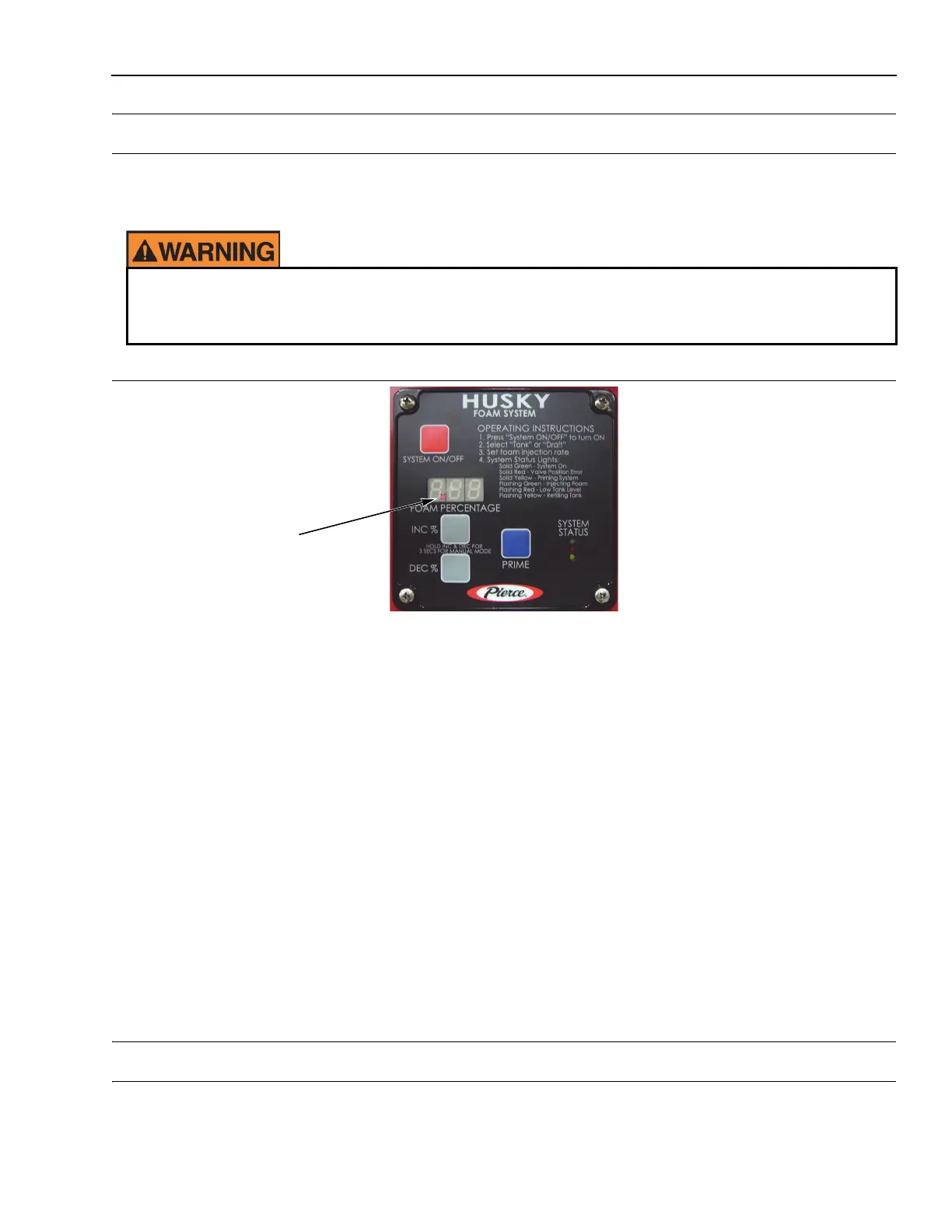
Figure 3-9: Control Head in Manual Mode
1311, 1357
NOTE: Manual mode is based on 100 GPM flow rate of water, i.e.; .5% = 1/2 GPM concentrate. If you know
your hand line flows 200 GPM and you want .5% injection; you would:
• divide 200 by 100 which equals 2.
• 2 times .5% equals 1%.
• 1% is your setting.
1. Turn system ON (green LED will illuminate).
2. Press and hold the INC % and the DEC % buttons until the first LED decimal point (to the left) is flashing for 3
seconds.
NOTE: Adjusting percentage to zero will stop the foam pump from flowing, but will leave system in manual
mode.
3. Monitor and adjust for estimated water flow rate changes.
4. Turn foam pump OFF to stop manual mode OR turn the battery switch OFF.
3-6. Set-up Mode
Refer to Para 4-2.1, Set-up Mode for Set-up Mode information.
In this mode, the foam pump will run regardless of water flow. If discharges are closed, these lines may
be charged to over 300 PSI. At least one discharge or manifold drain must be open before entering this
mode.
Flashing decimal
point when in
Manual Mode


 To Next Page