MAINTENANCE
4-2 / Husky 3 Foam System
© 2022 Pierce Manufacturing Inc. All Rights Reserved.
3. Blowing Out After Testing
a. After blowing out the main water pump, attach shop air (90 psi or less) directly to the foam inlet.
b. Open Manifold Drain Valve on pump panel.
c. Move Foam Tank/Draft handle UP to the Draft position (air and water will discharge out of manifold drain
hose).
d. Make sure foam pump is ON and run the foam pump through a couple of cycles to get the water out by
pressing and holding down the PRIME button.
e. Open and close the foam pump drain(s).
f. Move the 2-way Foam Injection/Fill valve UP and Down two or three times.
g. Remove shop air and return all valve to normal operating modes.
h. After moving truck to its destination, cycle the foam tank valves again to get any residual water out of the
lines.
i. Recharge foam tanks and system as needed.
4-2. Set-up & Calibration
4-2.1 Set-up Mode
1358, 1359
4-2.1a Configuration Procedure
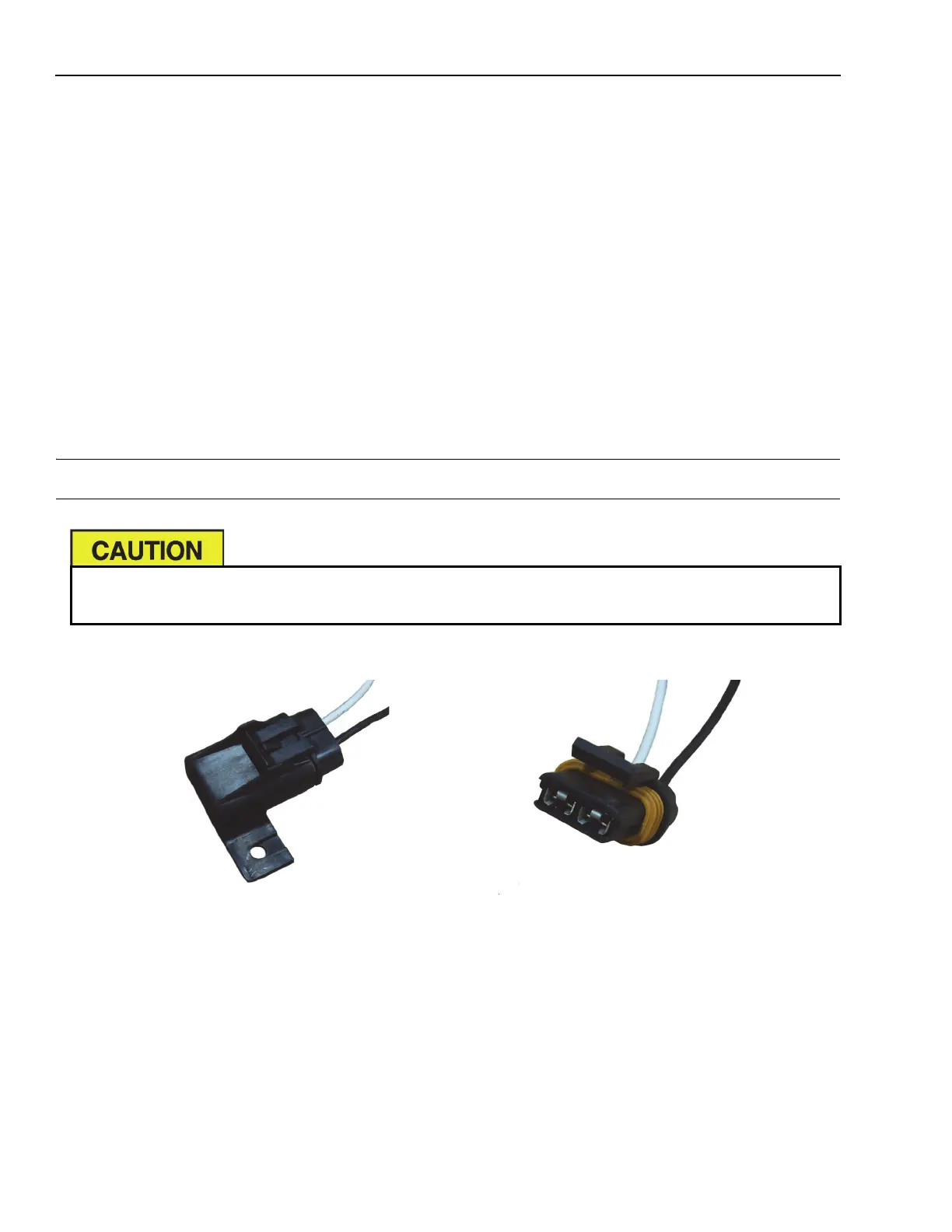
1. Locate configuration plug behind the Inject/Fill selector valve access door.
2. Remove the fuse plug cover from the two-pin connector on cable.
3. Momentarily ground out the two pins on the cable.
4. The display head should now be in configuration mode and reading “C1”.
Set-up and Calibration Modes should only be used by qualified personnel, as any changes made while
in the Set-up or Calibration Modes may adversely affect the system performance.


 To Next Page