Functiondescription
OperatingManualPNOZmESProfinet
1003386EN02
11
4 Functiondescription
4.1 Operation
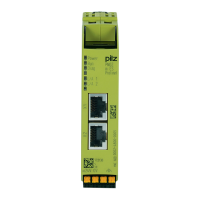
ThevirtualinputsandoutputsthataretobetransferredviaPROFINETareselectedand
configuredinthePNOZmultiConfigurator.ThebaseunitandtheexpansionmodulePNOZ
mESProfinetareconnectedviaajumper.
AfterthesupplyvoltageisswitchedonorthePNOZmulti2isreset,theexpansionmodule
PNOZmESProfinetisconfiguredandstartedautomatically.
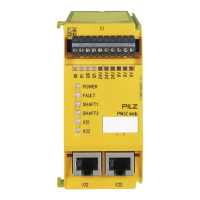
LEDsindicatethestatusofthefieldbusmodulePROFINET.
TheconfigurationisdescribedindetailinthePNOZmultiConfigurator'sonlinehelp.
INFORMATION
TheGSDMLfileisavailableontheInternetatwww.pilz.de.
4.2 Dataaccess
Thedataisstructuredasfollows:
} Virtualdata
– InputareaPNOZmESProfinet
ThevaluesfortheinputsaresetasanoutputintheMasterandtransferredtothe
PNOZmulti2.
– OutputrangePNOZmESProfinet
TheoutputsareconfiguredinthePNOZmultiConfiguratorandtransferredtothe
Master.
} StatusofLEDs:
Bit0…4:StatusofLEDsonthePNOZmulti2
– Bit0:OFAULT
– Bit1:IFAULT
– Bit2:FAULT
– Bit3:DIAG
– Bit4:RUN
} DataexchangeisdisplayedinBit5.
} Pollingtheusabledata:2Byteswiththetablenumberandsegmentnumberaresentby
theMasterforaccesstotheusabledatatable(15BytesarereturnedtotheMaster).
Detailedinformationondataexchange(tables,segments)isavailableinthedocument
"CommunicationInterfaces"inthesectionentitled"Fieldbusmodules".


 To Next Page
 Loading...