Installation
OperatingManualPNOZmESProfinet
1003386EN02
13
5 Installation
5.1 Generalinstallationguidelines
} Theunitshouldbeinstalledinasinglemountingareawithaprotectiontypeofatleast
IP54.
} Fitthesafetysystemtoahorizontalmountingrail.Theventingslotsmustfaceupwards
anddownwards.Othermountingpositionscoulddestroythesafetysystem.
} Usethelockingslideontherearoftheunittoattachittoamountingrail.
} Inenvironmentsexposedtoheavyvibration,theunitshouldbesecuredusingafixing
element(e.g.retainingbracketorendangle).
} Openthelockingslidebeforeliftingtheunitfromthemountingrail.
} TocomplywithEMCrequirements,themountingrailmusthavealowimpedancecon
nectiontothecontrolcabinethousing.
} TheambienttemperatureofthePNOZmultiunitsinthecontrolcabinetmustnotexceed
thefigurestatedinthetechnicaldetails,otherwiseairconditioningwillberequired.
NOTICE
Damageduetoelectrostaticdischarge!
Electrostaticdischargecandamagecomponents.Ensureagainstdischarge
beforetouchingtheproduct,e.g.bytouchinganearthed,conductivesur
faceorbywearinganearthedarmband.
5.2 Connectthebaseunitandexpansionmodules
Connectthebaseunitandtheexpansionmoduleasdescribedintheoperatinginstructions
forthebaseunits.
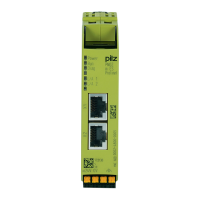
} Connecttheblack/yellowterminatortotheexpansionmodule.
} InstalltheexpansionmoduleinthepositioninwhichitisconfiguredinthePNOZmulti
Configurator.


 To Next Page
 Loading...