5-7
PSS WIN-PRO Service Version: Getting Started
Dynamic program display
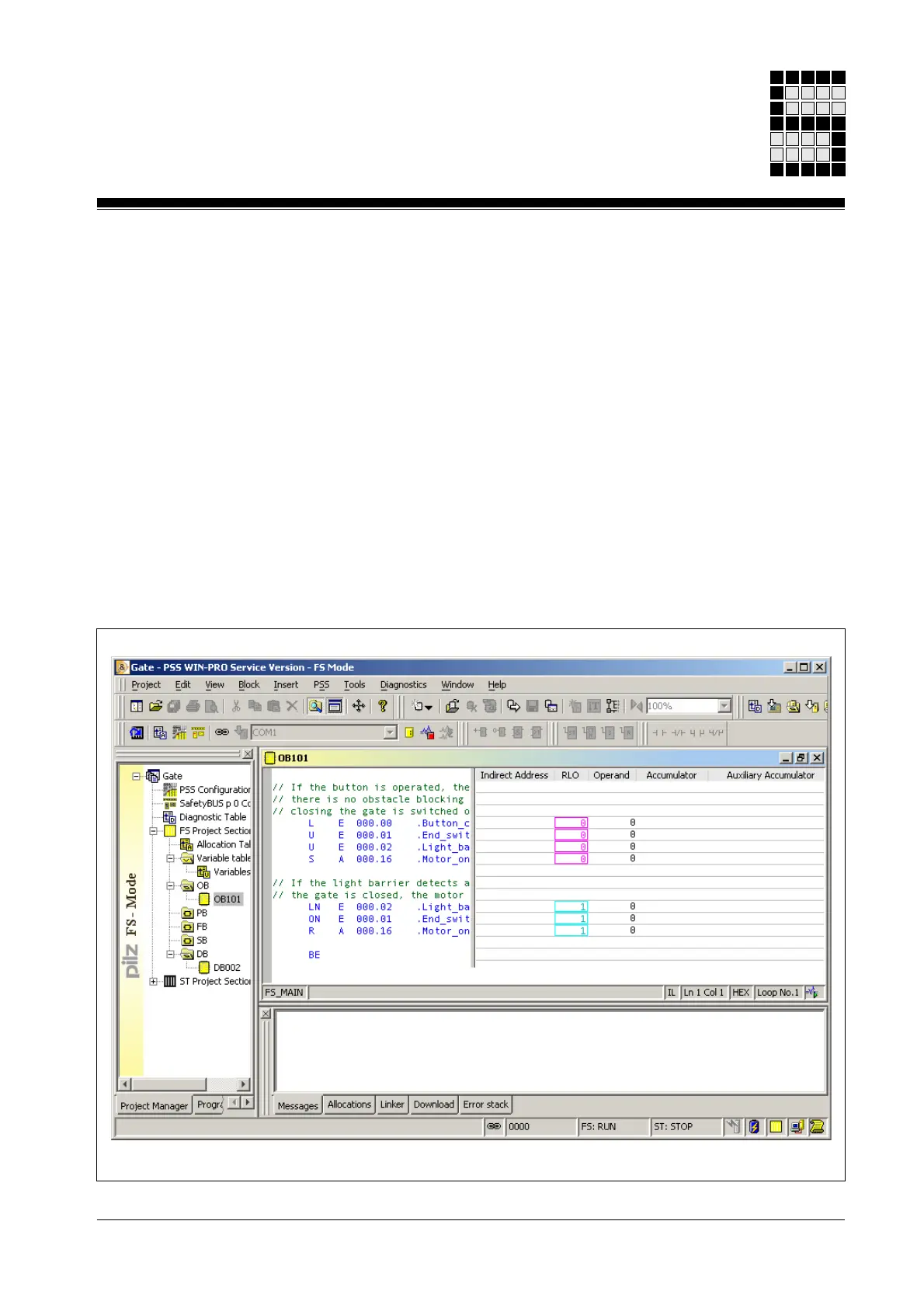
Alongside the display of variables, dynamic program display is another
useful aid when searching for programming errors. When a block is shown
in dynamic program display, the contents of the indirect addresses,
operands, RLO, accumulator and auxiliary accumulator can be viewed.
Dynamic program display can be run across one or more segments:
• Dynamic program display across one segment
Dynamic program display starts in the segment containing the cursor and
finishes at the start of the following segment; if there is no segment to
follow, it finishes at the end of the block.
• Dynamic program display across several segments (only on PSS
with an FS operating system version ≥ 39)
Dynamic program display applies to the whole of the block area that is
visible in the block editor
Fig. 5-3: Dynamic program display



 To Next Page