EasyManua.ls Logo

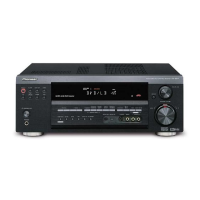
Pioneer VSX-D714 - User Manual

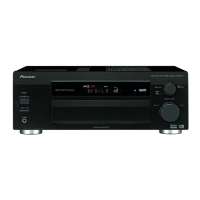
Pioneer VSX-D714
146 pages
Print Icon
To Next Page IconTo Next Page
Loading...
AUDIO/VIDEO MULTI-CHANNEL
RECEIVER
SINTOAMPLIFICATORE
AUDIO/VIDEO MULTICANALE
VSX-D714
VSX-D814
Operating Instructions
Istruzioni per l’uso
cover_anki.fm 1 ページ 2004年1月28日 水曜日 午後2時47分

Table of Contents

Question and Answer IconNeed help?

Do you have a question about the Pioneer VSX-D714 and is the answer not in the manual?

Summary

Safety and Important Precautions

General Safety Warnings

Alerts about electric shock, opening the unit, and handling hazards.

Mains Plug and Wiring

Instructions for UK mains lead wiring and plug replacement.

Environmental and Fire Safety

Warnings against water, fire hazards, and proper ventilation.

Operational Guidelines

Advice on power, placement, and environment.

Before You Start

Checking Supplied Accessories

List of items to verify in the box.

Making Cable Connections

Instructions to prevent humming noise.

Loading Batteries

Visual guide for battery insertion.

Remote Control Operation Range

Effective range and conditions for the remote.

5 Minute Guide Introduction

Introduction to Home Theater

Concept of surround sound systems.

Quick Surround Sound Setup

Automatic Acoustic Calibration (MCACC)

Explains MCACC for room calibration.

Connecting Up Your System

Audio and Video Connections

Covers various cable types (AV, S-Video, Component, Digital Audio).

Digital Component Connection

Connecting digital sources.

Analog Audio Component Connection

Connecting analog sources.

DVD 5.1 Channel Connection

Connecting multichannel analog audio.

Video Component Connection

Connecting video sources.

Front Panel Video Connection

Using front panel terminals.

Antenna Connections

Connecting AM and FM antennas.

External Antenna Setup

Improving reception with external antennas.

Before You Start Procedures

Checking Supplied Accessories

List of items to verify in the box.

Making Cable Connections

Instructions to prevent humming noise.

Loading Batteries

Visual guide for battery insertion.

Battery Usage Precautions

Remote Control Operation Range

5 Minute Guide

Introduction to Home Theater

Concept of surround sound systems.

5 Minute Guide

Listening to Surround Sound

Guide on connecting for surround sound playback.

5 Minute Guide

Connecting Speakers (VSX-D714)

Diagrams and instructions for connecting speakers.

5 Minute Guide

Connecting Speakers (VSX-D814)

Diagrams and instructions for connecting speakers for VSX-D814.

5 Minute Guide

Using the Quick Setup

Steps for using the quick setup feature.

5 Minute Guide

Using the Quick Setup

Detailed steps and table for quick speaker setup configuration.

5 Minute Guide

Using the Quick Setup

Continued steps for setting room size and listening position.

Quick Surround Sound Setup

Automatic Acoustic Calibration (MCACC)

Explains MCACC for room calibration.

Quick Surround Sound Setup

Automatic Acoustic Calibration (MCACC)

Troubleshooting ERR messages and note on MCACC usage.

Connecting Up Your System

Audio;Video Cables

How to connect audio/video cables.

S-Video Cables

Using S-video cables for better picture quality.

Component Video Cables

Using component video cables for optimal color reproduction.

Digital Audio Cables

Connecting digital audio components.

Connecting Up Your System

Connecting Digital Components

Connecting digital sources via coaxial or optical cables.

Connecting Up Your System

Connecting Audio Components

Connecting analog audio sources like cassette decks.

Connecting Up Your System

Connecting DVD 5.1 Channel Components

Connecting decoders or DVD players with multichannel analog outputs.

Connecting Up Your System

Connecting Video Components

Connecting video sources like DVD players and TV tuners.

Front Panel Video Terminal

Using front panel terminals.

Connecting Up Your System

Connecting Antennas

Connecting AM loop and FM wire antennas.

Antenna Snap Connectors

How to use antenna snap connectors.

Using External Antennas

Improving reception with external antennas.

Connecting Up Your System

Connecting Speakers (VSX-D714)

Diagram and instructions for connecting speakers to VSX-D714.

Connecting Up Your System

Connecting Speakers (VSX-D814)

Diagram and instructions for connecting speakers to VSX-D814.

Connecting Up Your System

A and B Speaker Systems

Explanation of speaker system A and B functionality.

Hints on Speaker Placement

Tips for optimal speaker placement.

Connecting Up Your System

Speaker Placement Guidelines

More tips on speaker placement and cautions.

Connecting Up Your System

Connecting Additional Amplifiers

Connecting external amplifiers for more power.

Connecting Up Your System

Operating Other Pioneer Components

Using control cords to operate other Pioneer products.

Power Cord Safety

Safety advice for handling the power cord.

Connecting Up Your System

Using with Pioneer Plasma Display

Connecting and using with a Pioneer plasma display via SR+ cable.

Controls and Displays

Front Panel Overview

Identification of front panel controls and indicators.

Controls and Displays

Front Panel Controls Detailed

Detailed explanation of front panel buttons and functions.

Controls and Displays

Receiver Display Indicators

Explanation of the receiver's front panel display indicators.

Controls and Displays

Remote Control Overview

Identification of buttons on the remote control.

Controls and Displays

Remote Control Functions (Receiver)

Detailed explanation of receiver control buttons on the remote.

Controls and Displays

Remote Control Functions (Components)

Explanation of component, tuner, and TV control buttons.

Listening to Your System

Listening in Surround Sound

How to listen to sources in surround sound.

Using Advanced Surround Effects

Utilizing advanced surround sound modes for enhanced audio.

Listening to Your System

Advanced Surround Effect Modes

Details on various advanced surround modes and their uses.

Listening in Stereo

How to listen in stereo mode, with or without effects.

Listening to Your System

Choosing the Input Signal

Selecting analog or digital inputs for various sources.

Listening to Your System

Using Surround Back Channel (SB CH)

Enabling and using surround back channels for 6.1 decoding.

Listening to Your System

Using Virtual Surround Back Mode (VSB)

Creating a virtual surround back channel effect.

Listening to Your System

Midnight and Loudness Listening

Features for low-volume listening enhancement.

Using Tone Controls

Adjusting bass and treble for audio output.

Listening to Your System

Playing Other Sources

Steps to play audio/video from other components.

Selecting Multichannel Analog Inputs

Choosing multichannel analog inputs for surround sound.

Using the Sleep Timer

Setting the receiver to turn off automatically.

Setting Up the Receiver

Choosing Your Receiver Setup

Overview of essential setup operations for optimal surround sound.

Setting Up the Receiver

Speaker Settings

Configuring speaker number, size, and connections.

Surround Back Speaker Settings

Specifying surround back speaker configuration.

Subwoofer Settings

Configuring subwoofer usage and bass output.

Crossover Frequency Settings

Setting frequencies for subwoofer or large speakers.

LFE Attenuator Settings

Adjusting the LFE channel level for bass tones.

Front Left Speaker Distance

Setting the distance for the front left speaker.

Setting Up the Receiver

Surround Back Speaker Distance

Setting the distance for surround back speakers.

Surround Left Speaker Distance

Setting the distance for surround left speakers.

Subwoofer Distance Settings

Setting the distance for the subwoofer.

Setting Up the Receiver

Crossover Frequency Settings

Details on setting crossover frequencies for small speakers.

LFE Attenuator Settings

Adjusting LFE attenuation levels.

Front Left Speaker Distance

Setting front left speaker distance.

Center Speaker Distance Settings

Setting the distance for the center speaker.

Setting Up the Receiver

Front Right Speaker Distance

Setting the distance for the front right speaker.

Surround Right Speaker Distance

Setting the distance for the surround right speaker.

Surround Back Speaker Distance

Setting the distance for surround back speakers.

Surround Left Speaker Distance

Setting the distance for surround left speakers.

Subwoofer Distance Settings

Setting the distance for the subwoofer.

Setting Up the Receiver

Dynamic Range Control Settings

Compressing dynamic range for better low-level sound.

Dual Mono Settings

Selecting audio channels for dual mono sources.

Component Video Input Settings

Assigning components to component video inputs.

Digital Input Settings

Assigning components to digital coaxial and optical inputs.

Setting Up the Receiver

Coaxial Digital Input Assignment

Assigning components to coaxial digital inputs.

Optical Digital Input Assignment

Assigning components to optical digital inputs.

SR+ Control for Plasma Displays

Settings for controlling Pioneer plasma displays via SR+ cable.

Setting Up the Receiver

DVR;VCR and Video Input Functions

Assigning DVR/VCR and VIDEO inputs to plasma display video inputs.

Manual Listening Area Calibration (MCACC)

Manually adjusting speaker levels and channel delay.

Setting Up the Receiver

Manual Calibration Steps

Steps for adjusting speaker levels and channel delay.

Setting Channel Levels for Listening Modes

Adjusting channel levels for different listening modes.

Setting Up the Receiver

Using SR+ Mode with Plasma Display

Activating and using SR+ mode features with a Pioneer plasma display.

Setting Up the Receiver

SR+ Mode Usage Notes

Notes on SR+ cable disconnection and error indicators.

Using the Tuner

Listening to the Radio

Guide to tuning FM and AM radio stations.

Improving FM Stereo Sound

Using MPX button for mono reception for weak signals.

Tuning Directly to a Station

Direct tuning using number buttons for specific frequencies.

Using the Tuner

Saving Station Presets

Memorizing radio station frequencies for easy recall.

Naming Station Presets

Assigning custom names to stored radio presets.

Using the Tuner

Listening to Station Presets

Recalling stored radio presets.

Introduction to RDS

Explanation of Radio Data System features and information.

Using the Tuner

Displaying RDS Information

Cycling through RDS information displays (RT, PS, PTY).

Using the Tuner

Searching for RDS Programs

Searching for radio programs by type using RDS.

Using the Tuner

Using EON

Utilizing Enhanced Other Network information for broadcasts.

Clearing RDS and EON Search Data

Erasing registered PI codes for RDS and EON searches.

Making Recordings

Making Audio or Video Recordings

Steps for recording audio or video from sources to a recorder.

Controlling Your System

Setting Remote for Other Components

Assigning preset codes to control other system components.

Selecting Preset Codes Directly

Method for directly selecting preset codes for components.

Controlling Your System

Programming Remote Control Signals

Teaching the remote to learn commands from other remotes.

Controlling Your System

Erasing Programmed Settings

Resetting programmed remote control settings to factory defaults.

Clearing All Remote Control Settings

Clearing all remote control presets and restoring factory defaults.

Direct Function Operation

Controlling one component while operating another.

Controlling Your System

TV Control Functions

Remote control functions for TV and DTV operation.

Controlling Your System

TV Control Functions (Continued)

Further TV control functions and notes.

Other Component Control Functions

Remote control functions for various audio/video components.

Controlling Your System

Other Component Control Functions (Continued)

Detailed list of remote functions for components.

Controlling Your System

Other Component Control Functions (Continued)

Remote control functions for DVD/DVR players and VCRs.

Controlling Your System

Preset Code List (VSX-D714)

List of preset codes for controlling various manufacturers' devices.

Controlling Your System

Preset Code List (VSX-D814)

List of preset codes for controlling various manufacturers' devices.

Additional Information

Troubleshooting Common Issues

Common problems and their solutions.

Additional Information

Troubleshooting Audio;Signal Issues

Further troubleshooting for audio and signal problems.

Additional Information

Troubleshooting Remote;Display Issues

Solutions for remote control and display problems.

Resetting the Main Unit

Procedure to reset receiver settings to factory defaults.

Switching Speaker Impedance

Adjusting speaker impedance settings (6 ohm or 8 ohm).

Additional Information

Technical Specifications (Amplifier;Video)

Specs for amplifier, video, and component sections.

Additional Information

Technical Specifications (Tuner;Miscellaneous)

Specs for tuner, misc, and parts.

Cleaning the Unit

Instructions for cleaning the receiver's exterior.

Summary

Safety and Important Precautions

General Safety Warnings

Alerts about electric shock, opening the unit, and handling hazards.

Mains Plug and Wiring

Instructions for UK mains lead wiring and plug replacement.

Environmental and Fire Safety

Warnings against water, fire hazards, and proper ventilation.

Operational Guidelines

Advice on power, placement, and environment.

Before You Start

Checking Supplied Accessories

List of items to verify in the box.

Making Cable Connections

Instructions to prevent humming noise.

Loading Batteries

Visual guide for battery insertion.

Remote Control Operation Range

Effective range and conditions for the remote.

5 Minute Guide Introduction

Introduction to Home Theater

Concept of surround sound systems.

Quick Surround Sound Setup

Automatic Acoustic Calibration (MCACC)

Explains MCACC for room calibration.

Connecting Up Your System

Audio and Video Connections

Covers various cable types (AV, S-Video, Component, Digital Audio).

Digital Component Connection

Connecting digital sources.

Analog Audio Component Connection

Connecting analog sources.

DVD 5.1 Channel Connection

Connecting multichannel analog audio.

Video Component Connection

Connecting video sources.

Front Panel Video Connection

Using front panel terminals.

Antenna Connections

Connecting AM and FM antennas.

External Antenna Setup

Improving reception with external antennas.

Before You Start Procedures

Checking Supplied Accessories

List of items to verify in the box.

Making Cable Connections

Instructions to prevent humming noise.

Loading Batteries

Visual guide for battery insertion.

Battery Usage Precautions

Remote Control Operation Range

5 Minute Guide

Introduction to Home Theater

Concept of surround sound systems.

5 Minute Guide

Listening to Surround Sound

Guide on connecting for surround sound playback.

5 Minute Guide

Connecting Speakers (VSX-D714)

Diagrams and instructions for connecting speakers.

5 Minute Guide

Connecting Speakers (VSX-D814)

Diagrams and instructions for connecting speakers for VSX-D814.

5 Minute Guide

Using the Quick Setup

Steps for using the quick setup feature.

5 Minute Guide

Using the Quick Setup

Detailed steps and table for quick speaker setup configuration.

5 Minute Guide

Using the Quick Setup

Continued steps for setting room size and listening position.

Quick Surround Sound Setup

Automatic Acoustic Calibration (MCACC)

Explains MCACC for room calibration.

Quick Surround Sound Setup

Automatic Acoustic Calibration (MCACC)

Troubleshooting ERR messages and note on MCACC usage.

Connecting Up Your System

Audio;Video Cables

How to connect audio/video cables.

S-Video Cables

Using S-video cables for better picture quality.

Component Video Cables

Using component video cables for optimal color reproduction.

Digital Audio Cables

Connecting digital audio components.

Connecting Up Your System

Connecting Digital Components

Connecting digital sources via coaxial or optical cables.

Connecting Up Your System

Connecting Audio Components

Connecting analog audio sources like cassette decks.

Connecting Up Your System

Connecting DVD 5.1 Channel Components

Connecting decoders or DVD players with multichannel analog outputs.

Connecting Up Your System

Connecting Video Components

Connecting video sources like DVD players and TV tuners.

Front Panel Video Terminal

Using front panel terminals.

Connecting Up Your System

Connecting Antennas

Connecting AM loop and FM wire antennas.

Antenna Snap Connectors

How to use antenna snap connectors.

Using External Antennas

Improving reception with external antennas.

Connecting Up Your System

Connecting Speakers (VSX-D714)

Diagram and instructions for connecting speakers to VSX-D714.

Connecting Up Your System

Connecting Speakers (VSX-D814)

Diagram and instructions for connecting speakers to VSX-D814.

Connecting Up Your System

A and B Speaker Systems

Explanation of speaker system A and B functionality.

Hints on Speaker Placement

Tips for optimal speaker placement.

Connecting Up Your System

Speaker Placement Guidelines

More tips on speaker placement and cautions.

Connecting Up Your System

Connecting Additional Amplifiers

Connecting external amplifiers for more power.

Connecting Up Your System

Operating Other Pioneer Components

Using control cords to operate other Pioneer products.

Power Cord Safety

Safety advice for handling the power cord.

Connecting Up Your System

Using with Pioneer Plasma Display

Connecting and using with a Pioneer plasma display via SR+ cable.

Controls and Displays

Front Panel Overview

Identification of front panel controls and indicators.

Controls and Displays

Front Panel Controls Detailed

Detailed explanation of front panel buttons and functions.

Controls and Displays

Receiver Display Indicators

Explanation of the receiver's front panel display indicators.

Controls and Displays

Remote Control Overview

Identification of buttons on the remote control.

Controls and Displays

Remote Control Functions (Receiver)

Detailed explanation of receiver control buttons on the remote.

Controls and Displays

Remote Control Functions (Components)

Explanation of component, tuner, and TV control buttons.

Listening to Your System

Listening in Surround Sound

How to listen to sources in surround sound.

Using Advanced Surround Effects

Utilizing advanced surround sound modes for enhanced audio.

Listening to Your System

Advanced Surround Effect Modes

Details on various advanced surround modes and their uses.

Listening in Stereo

How to listen in stereo mode, with or without effects.

Listening to Your System

Choosing the Input Signal

Selecting analog or digital inputs for various sources.

Listening to Your System

Using Surround Back Channel (SB CH)

Enabling and using surround back channels for 6.1 decoding.

Listening to Your System

Using Virtual Surround Back Mode (VSB)

Creating a virtual surround back channel effect.

Listening to Your System

Midnight and Loudness Listening

Features for low-volume listening enhancement.

Using Tone Controls

Adjusting bass and treble for audio output.

Listening to Your System

Playing Other Sources

Steps to play audio/video from other components.

Selecting Multichannel Analog Inputs

Choosing multichannel analog inputs for surround sound.

Using the Sleep Timer

Setting the receiver to turn off automatically.

Setting Up the Receiver

Choosing Your Receiver Setup

Overview of essential setup operations for optimal surround sound.

Setting Up the Receiver

Speaker Settings

Configuring speaker number, size, and connections.

Surround Back Speaker Settings

Specifying surround back speaker configuration.

Subwoofer Settings

Configuring subwoofer usage and bass output.

Crossover Frequency Settings

Setting frequencies for subwoofer or large speakers.

LFE Attenuator Settings

Adjusting the LFE channel level for bass tones.

Front Left Speaker Distance

Setting the distance for the front left speaker.

Setting Up the Receiver

Surround Back Speaker Distance

Setting the distance for surround back speakers.

Surround Left Speaker Distance

Setting the distance for surround left speakers.

Subwoofer Distance Settings

Setting the distance for the subwoofer.

Setting Up the Receiver

Crossover Frequency Settings

Details on setting crossover frequencies for small speakers.

LFE Attenuator Settings

Adjusting LFE attenuation levels.

Front Left Speaker Distance

Setting front left speaker distance.

Center Speaker Distance Settings

Setting the distance for the center speaker.

Setting Up the Receiver

Front Right Speaker Distance

Setting the distance for the front right speaker.

Surround Right Speaker Distance

Setting the distance for the surround right speaker.

Surround Back Speaker Distance

Setting the distance for surround back speakers.

Surround Left Speaker Distance

Setting the distance for surround left speakers.

Subwoofer Distance Settings

Setting the distance for the subwoofer.

Setting Up the Receiver

Dynamic Range Control Settings

Compressing dynamic range for better low-level sound.

Dual Mono Settings

Selecting audio channels for dual mono sources.

Component Video Input Settings

Assigning components to component video inputs.

Digital Input Settings

Assigning components to digital coaxial and optical inputs.

Setting Up the Receiver

Coaxial Digital Input Assignment

Assigning components to coaxial digital inputs.

Optical Digital Input Assignment

Assigning components to optical digital inputs.

SR+ Control for Plasma Displays

Settings for controlling Pioneer plasma displays via SR+ cable.

Setting Up the Receiver

DVR;VCR and Video Input Functions

Assigning DVR/VCR and VIDEO inputs to plasma display video inputs.

Manual Listening Area Calibration (MCACC)

Manually adjusting speaker levels and channel delay.

Setting Up the Receiver

Manual Calibration Steps

Steps for adjusting speaker levels and channel delay.

Setting Channel Levels for Listening Modes

Adjusting channel levels for different listening modes.

Setting Up the Receiver

Using SR+ Mode with Plasma Display

Activating and using SR+ mode features with a Pioneer plasma display.

Setting Up the Receiver

SR+ Mode Usage Notes

Notes on SR+ cable disconnection and error indicators.

Using the Tuner

Listening to the Radio

Guide to tuning FM and AM radio stations.

Improving FM Stereo Sound

Using MPX button for mono reception for weak signals.

Tuning Directly to a Station

Direct tuning using number buttons for specific frequencies.

Using the Tuner

Saving Station Presets

Memorizing radio station frequencies for easy recall.

Naming Station Presets

Assigning custom names to stored radio presets.

Using the Tuner

Listening to Station Presets

Recalling stored radio presets.

Introduction to RDS

Explanation of Radio Data System features and information.

Using the Tuner

Displaying RDS Information

Cycling through RDS information displays (RT, PS, PTY).

Using the Tuner

Searching for RDS Programs

Searching for radio programs by type using RDS.

Using the Tuner

Using EON

Utilizing Enhanced Other Network information for broadcasts.

Clearing RDS and EON Search Data

Erasing registered PI codes for RDS and EON searches.

Making Recordings

Making Audio or Video Recordings

Steps for recording audio or video from sources to a recorder.

Controlling Your System

Setting Remote for Other Components

Assigning preset codes to control other system components.

Selecting Preset Codes Directly

Method for directly selecting preset codes for components.

Controlling Your System

Programming Remote Control Signals

Teaching the remote to learn commands from other remotes.

Controlling Your System

Erasing Programmed Settings

Resetting programmed remote control settings to factory defaults.

Clearing All Remote Control Settings

Clearing all remote control presets and restoring factory defaults.

Direct Function Operation

Controlling one component while operating another.

Controlling Your System

TV Control Functions

Remote control functions for TV and DTV operation.

Controlling Your System

TV Control Functions (Continued)

Further TV control functions and notes.

Other Component Control Functions

Remote control functions for various audio/video components.

Controlling Your System

Other Component Control Functions (Continued)

Detailed list of remote functions for components.

Controlling Your System

Other Component Control Functions (Continued)

Remote control functions for DVD/DVR players and VCRs.

Controlling Your System

Preset Code List (VSX-D714)

List of preset codes for controlling various manufacturers' devices.

Controlling Your System

Preset Code List (VSX-D814)

List of preset codes for controlling various manufacturers' devices.

Additional Information

Troubleshooting Common Issues

Common problems and their solutions.

Additional Information

Troubleshooting Audio;Signal Issues

Further troubleshooting for audio and signal problems.

Additional Information

Troubleshooting Remote;Display Issues

Solutions for remote control and display problems.

Resetting the Main Unit

Procedure to reset receiver settings to factory defaults.

Switching Speaker Impedance

Adjusting speaker impedance settings (6 ohm or 8 ohm).

Additional Information

Technical Specifications (Amplifier;Video)

Specs for amplifier, video, and component sections.

Additional Information

Technical Specifications (Tuner;Miscellaneous)

Specs for tuner, misc, and parts.

Cleaning the Unit

Instructions for cleaning the receiver's exterior.

Pioneer VSX-D714 Specifications

General IconGeneral
BrandPioneer
ModelVSX-D714
CategoryReceiver
LanguageEnglish

Related product manuals