EasyManua.ls Logo

Pioneer XR-P310 - MEMORIZING STATIONS (Recall); Station Call Procedure; Scanning Memorized Stations

Pioneer XR-P310
36 pages
Print Icon
To Next Page IconTo Next Page
To Previous Page IconTo Previous Page
Loading...
ae
atrandom.
memorized.
iting
can
be
‘y
mode.
JNER
UP
emorized
s
for
about
5
s
for
about
5
stted
stetion
ze
up
to
24
MEMORIZING
STATIONS
XII;
DOWN-TUNER-UP
TUNER
~~
STATION
+
/7
|
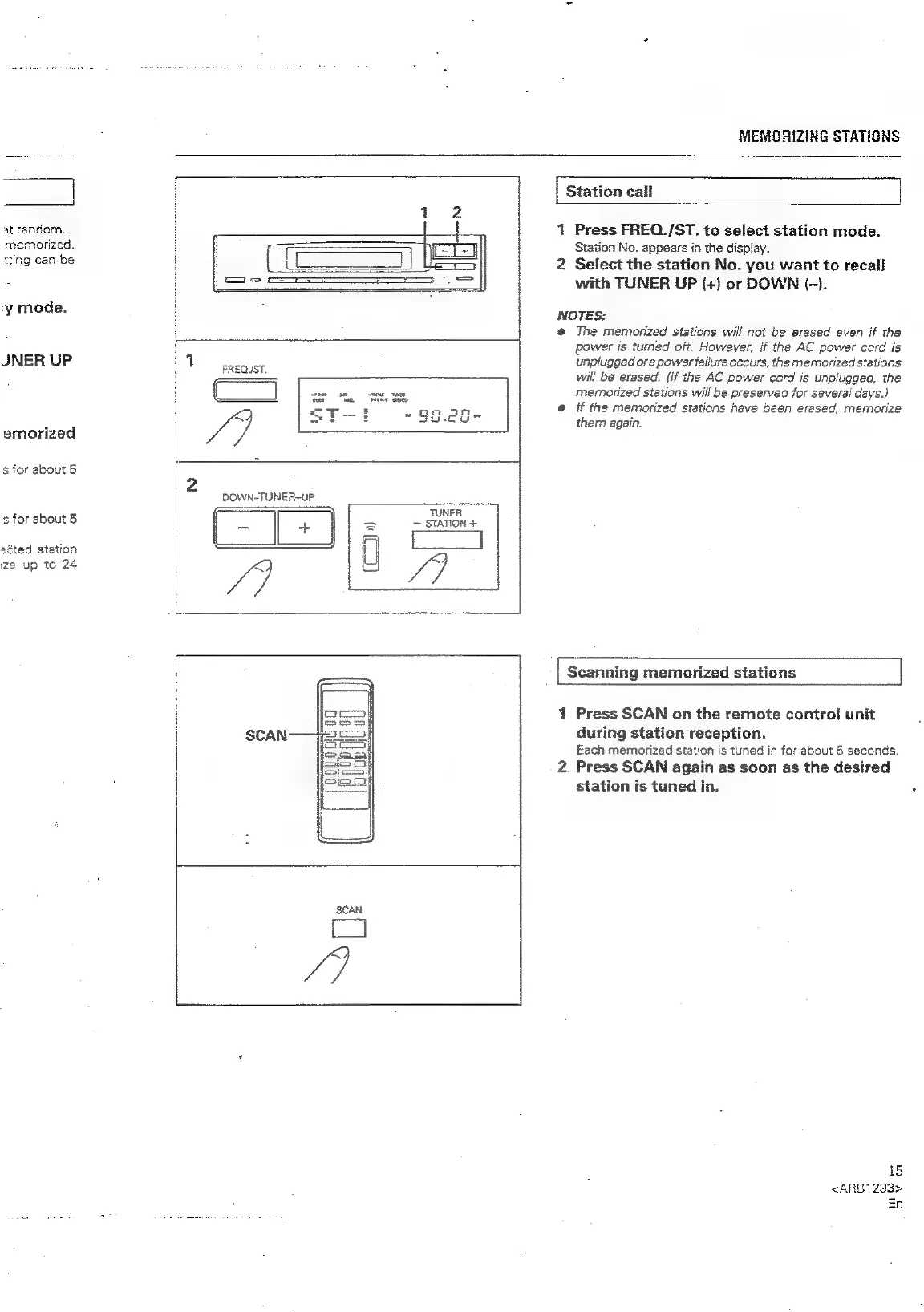
Station
call
1
Press
FREO./ST.
to
select
station
mode.
Station
No.
appears
in
the
display.
2
Select
the
station
No.
you
want
to
recall
with
TUNER
UP
(+)
or
DOWN
(-).
NOTES:
@
The
memorized
stations
will
not
be
erased
even
if
the
power
is
turned
off.
However,
if
the
AC
power
cord
is
unplugged
or
a
power
failure
occurs,
the
memorized
stations
will
be
erased.
(if
the
AC
power
cord
is
unplugged,
the
memorized
stations
will
be
preserved
for
several
days.)
@
if
the
memorized
stations
have
been
erased,
memorize
them
again.
1
Press
SCAN
on
the
remote
control
unit
during
station
reception.
Each
memorized
station
is
tuned
in
for
about
5
seconds.
2.
Press
SCAN
again
as
soon
as
the
desired
station
is
tuned
in.
15
<ARB1293>
En

Related product manuals