EasyManua.ls Logo

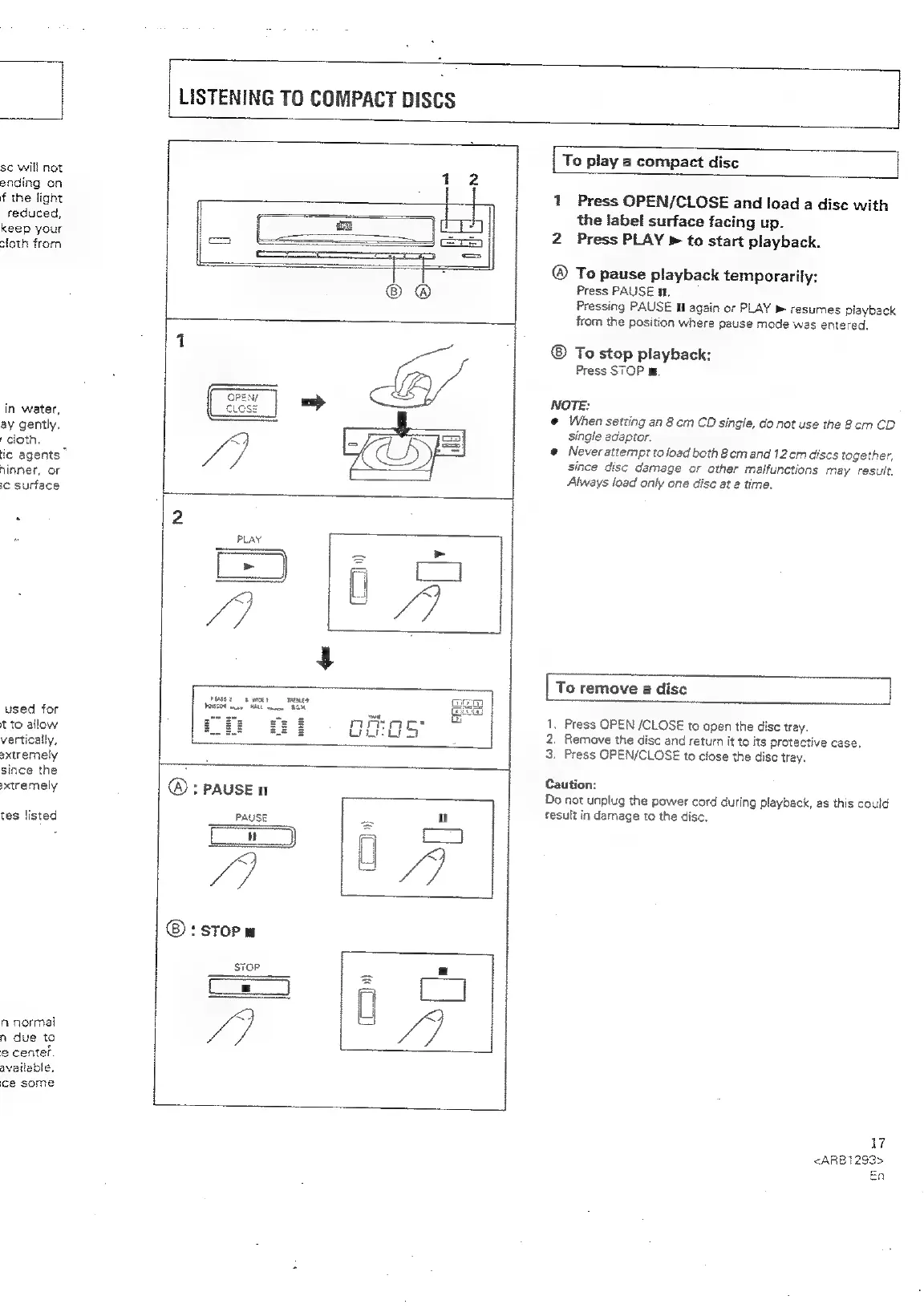
Pioneer XR-P310 - LISTENING TO COMPACT DISCS; Loading and Playing a Disc; Pausing and Stopping Playback; Removing a Disc Safely

Pioneer XR-P310
36 pages
Print Icon
To Next Page IconTo Next Page
To Previous Page IconTo Previous Page
Loading...
sc
Will
not
ending
on
f
the
light
reduced,
keep
your
sloth
from
in
water,
ay
gently,
cloth.
ic
agents”
ninner,
or
cc
surface
used
for
t
to
allow
vertically,
sxtremely
since
the
xtremely
tes
listed
n
normal
n
due
to
@
center.
available,
ce
some
LISTENING
TO
COMPACT
DISCS
pers?
s
wiey
Taeaet
POCO
may
MAL
vance
RM
@®:
PAUSE
n
PAUSE
=
u
\
m5
lA
7
iz
:
STOP
a
FOP
[
x
Cs)
A
(3
[
To
play
a
compact
dise
1
Press
OPEN/CLOSE
and
load
a
dise
with
the
label
surface
facing
up.
2
Press
PLAY
>
to
start
playback.
®
To
pause
playback
temporarily:
Press
PAUSE
it.
Pressing
PAUSE
tf
again
or
PLAY
»
resumes
playback
from
the
position
where
pause
mode
was
entered.
To
stop
playback:
Press
STOP
m
NOTE:
@
When
setting
an
8
cm
CO
single,
do
not
use
the
8com
CD
single
acaptor.
@
Never
attempt
to
load
both
8cmand
12cm
discs
together,
since
disc
damage
or
other
malfunctions
may
result.
Always
load
only
one
disc
at
2
time.
To
remove
a
disc
1,
Press
OPEN
/CLOSE
to
open
the
disc
tray.
2.
Remove
the
disc
and
return
it
to
its
protective
case.
3.
Press
OPEN/CLOSE
to
close
the
disc
tray.
Caution:
Do
not
unplug
the
power
cord
during
playback,
as
this
could
result
in
damage
to
the
disc.
17
<ARB1293>
En

Related product manuals