EasyManua.ls Logo

Pioneer XR-P310 - TIMER AND SLEEP FUNCTIONS; Checking and Changing Timer Settings; Timer Activation and Deactivation; Snooze Function

Pioneer XR-P310
36 pages
Print Icon
To Next Page IconTo Next Page
To Previous Page IconTo Previous Page
Loading...
ast
can
be
me
as
long
and
WAKE
he
INPUT
‘PEAT
and/
)
the
deck,
dorm
and
40
ta
8:15.
seconds)
E-UP
(-)/
VAKE-UP
eseconds,
time.
>
(~)/REC
P
(—)/REC
VAKE-UP
2!
settings.
vel
setting
eC!
me
e
setting
and
ry
WAKE-
DBY/ON.
ded
in
deck
ecks,
relay
TIMER
PLAYBACK
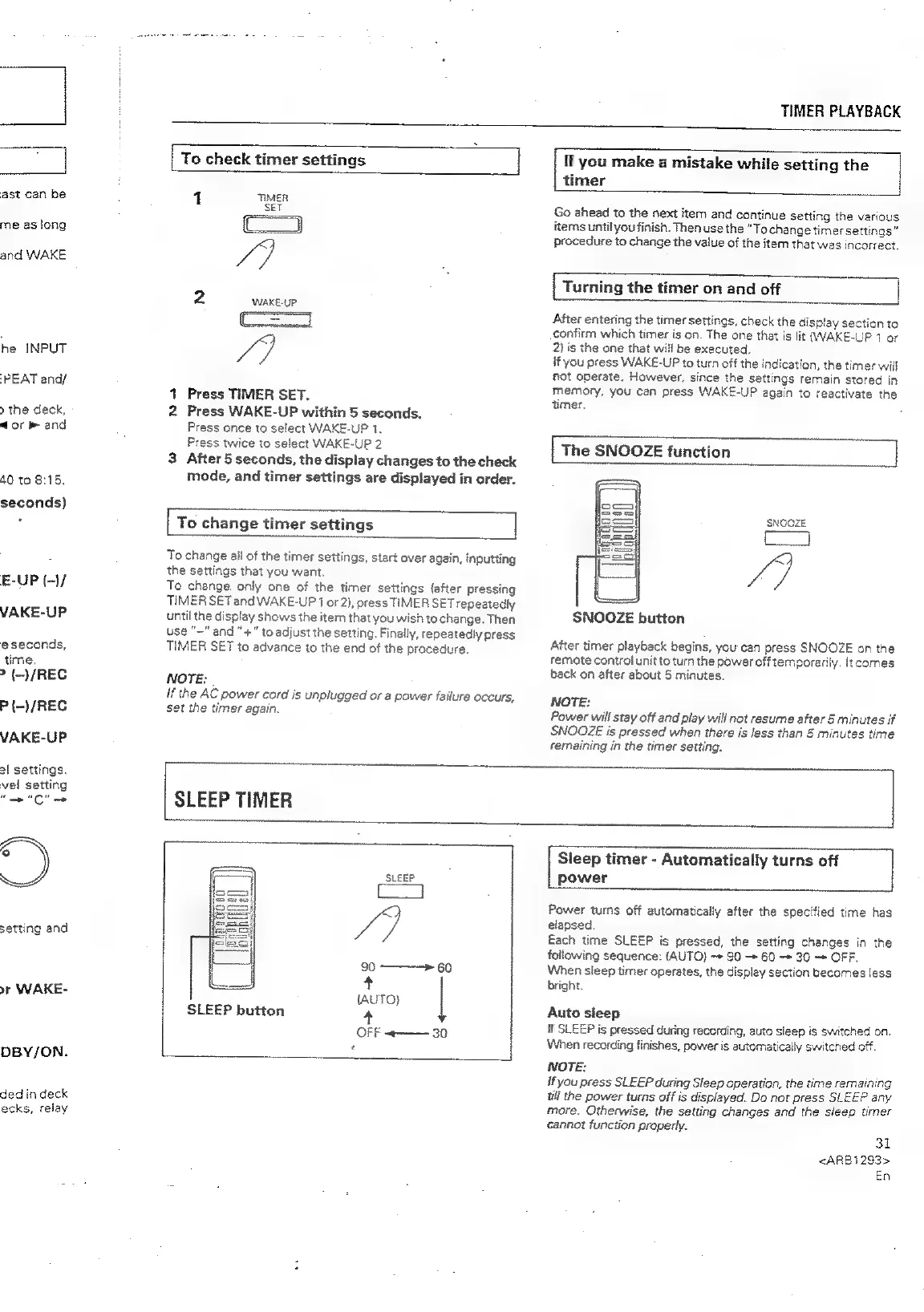
To
check
timer
settings
|
1
TIMER
va)
2
WAKE-UP
Co
/)
1
Press
TIMER
SET.
2
Press
WAKE-UP
within
5
seconds.
Press
once
to
select
WAKE-UP
1.
Press
twice
to
select
WAKE-UP
2
3
After
5
seconds,
the
display
changes
to
the
check
mode,
and
timer
settings
are
displayed
in
order.
[
To
change
timer
settings
To
change
ail
of
the
timer
settings,
start
over
again,
inputting
the
settings
that
you
want
To
change.
only
one
of
the
timer
settings
{after
pressing
TIMER
SET
and
WAKE-UP
7
or
2},
press
TIMER
SET
repeatedly
until
the
display
shows
the
item
that
you
wish
to
change.
Then
use
"~"
and
“+”
to
adjust
the
setting,
Finally,
repeatedly
press
TIMER
SET
to
advance
to
the
end
of
the
procedure.
NOTE:
ff
the
AC
power
cord
is
unplugged
or
a
power
failure
occurs,
set
the
timer
again.
If
you
make
a
mistake
while
setting
the
timer
Go
ahead
to
the
next
item
and
continue
setting
the
various
items
until
youfinish.
Then
use
the
“Tochange
timer
settings”
procedure
to
change
the
value
of
the
item
that
was
incorrect.
[
Turning
the
timer
on
and
off
|
After
entering
the
timer
settings,
check
the
display
section
to
confirm
which
timer
is
on.
The
one
that
is
fit
(WAKE-UP
1
or
2)
is
the
one
that
will
be
executed.
if
you
press
WAKE-UP
to
turn
off
the
indication,
the
timer
will
not
operate.
However,
since
the
settings
remain
stored
in
memory,
you
can
press
WAKE-UP
again
to
reactivate
the
timer.
|
The
SNOOZE
function
SNOOZE
Pe:
After
timer
playback
begins,
you
can
press
SNOOZE
on
the
semote
control
unit
to
turn
the
power
off
temporarily.
{tcomes
back
on
after
about
5
minutes.
SNOOZE
button
NOTE:
Power
will
stay
off
and
play
will
not
resume
after
5
minutes
if
SNOOZE
is
pressed
when
there
is
less
than
5
minutes
time
remaining
in
the
timer
setting.
SLEEP
TIMER
SLEEP
[a
4
90
——>
60
+
(AUTO)
SLEEP
button
4
OFF
«——
30
Sleep
timer
-
Automatically
turns
off
power
Power
turns
off
automatically
after
the
specified
time
has
elapsed.
Each
time
SLEEP
is
pressed,
the
setting
changes
in
the
following
sequence:
(AUTO}
->
90
60
30
OFF.
When
sleep
timer
operates,
the
display
section
becomes
‘ess
bright.
Auto
sleep
if
SLEEP
is
pressed
during
recording,
auto
sleep
is
switched
on.
When
recording
finishes,
power
is
automatically
switched
off.
NOTE:
if
you
press
SLEEP
during
Sleep
operation,
the
time
remaining
tli
the
power
turns
off
is
displayed.
Do
not
press
SLEEP
any
more.
Otherwise,
the
setting
changes
and
the
sleep
timer
cannot
function
property.
31
<ARB1293>
En

Related product manuals