EasyManua.ls Logo

Pit Boss PB1600PSE - User Manual

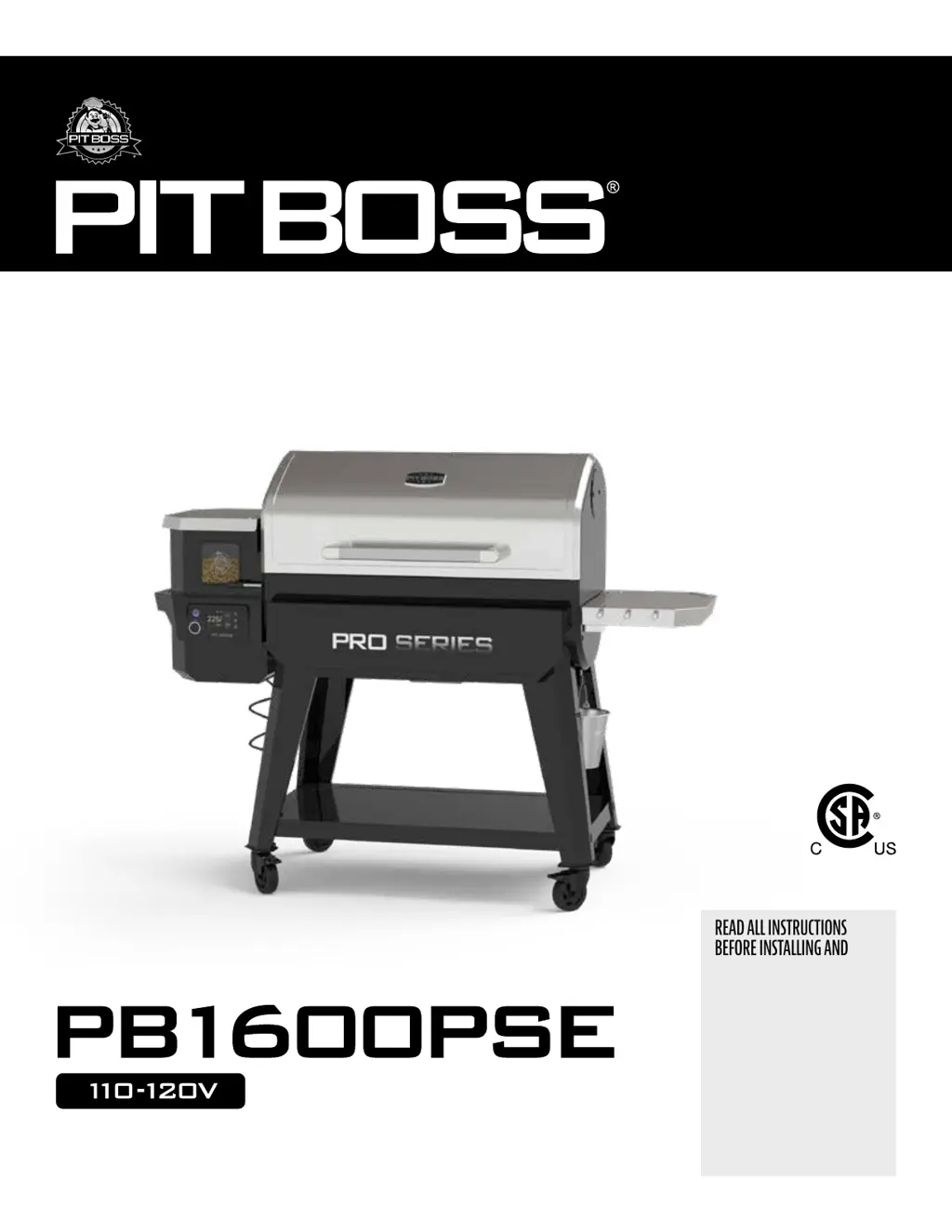
Pit Boss PB1600PSE
68 pages
Print Icon
To Next Page IconTo Next Page
Loading...
..
READ ALL INSTRUCTIONS
BEFORE INSTALLING AND
USING THE APPLIANCE,
SAVE THESE INSTRUCTIONS.
LISEZ TOUTES LES INSTRUCTIONS
AVANT D'INSTALLER ET
D'UTILISER L'APPAREIL,
CONSERVEZ CES INSTRUCTIONS.
LEA TODAS LAS INSTRUCCIONES
ANTES DE INSTALAR Y
UTILIZAR EL APARATO, GUARDE
ESTAS INSTRUCCIONES.
 5139521
10982
300522
Wi-Fi
®
+ Bluetooth
®

Questions and Answers

  • D
    Derrick BakerAug 19, 2025
    What to do if my Pit Boss PB1600PSE will not achieve or maintain stable temperature?
    • M
      Michael MendozaAug 19, 2025
      If your Pit Boss Grill isn't maintaining a stable temperature, check the burn pot for ash build-up or obstructions, and ensure the fan is working properly with unblocked air intake. Also, check the auger motor for proper operation and ensure there are no blockages in the auger tube. Make sure the ash box is properly installed and sealed. Finally, verify that the fuel level is sufficient and the wood pellets are of good quality, without obstructions in the feed system. After checking these, start the grill and wait 10 minutes to see if the flame is bright and vibrant.
  • K
    Kenneth CochranAug 21, 2025
    Why does my Pit Boss PB1600PSE produce excess or discolored smoke?
    • C
      corey40Aug 21, 2025
      Excess or discolored smoke from your Pit Boss Grill can be due to several reasons: grease build-up, poor wood pellet quality (if pellets are moist, remove them from the hopper and replace with dry ones), a blocked burn pot (clear it of moist wood pellets), or insufficient air intake for the fan (check the fan to ensure it's working properly and the air intake isn't blocked).
  • D
    Donald HartAug 23, 2025
    Why won't the pellets in the burn pot of my Pit Boss Grill light?
    • S
      Samuel AndersonAug 23, 2025
      If the pellets in the burn pot of your Pit Boss Grill won't light, it could be because the auger isn't primed. Before the first use, or after emptying the hopper, the auger must be primed to fill the auger tube; otherwise, the igniter will time out before pellets reach the burn pot. Follow the auger priming procedure.
  • A
    Andres FergusonAug 26, 2025
    What to do if my Pit Boss PB1600PSE shows an ErL Error Screen?
    • C
      catkinsonAug 26, 2025
      If your Pit Boss Grill displays an ErL error screen, check the positioning of cooking components, ensure sufficient fuel in the hopper, and clear any feed system obstructions. Inspect the grill probe for accuracy and cleanliness. Also, check the igniter's positioning and heating function. In very cold weather, a second start may be needed. Turn the grill off, wait, and then turn it on again.
  • D
    daniel99Aug 28, 2025
    What to do if my Pit Boss PB1600PSE Grill shows an ErH Error Screen?
    • A
      Adam JohnsonAug 28, 2025
      If your Pit Boss Grill shows an ErH error screen, press and hold the power button for three seconds to turn the unit off and allow the grill to cool. Then, follow the maintenance instructions. After maintenance, remove pellets and confirm the positioning of all component parts. Once cooled, press and hold the power button for three seconds to turn the unit on, then select the desired temperature. If the error screen is still displayed, no answer.
  • M
    Maria MccallAug 30, 2025
    What does it mean if my Pit Boss Grill shows a Pellet Error Screen?
    • L
      linda86Aug 30, 2025
      If your Pit Boss Grill displays a Pellet Error Screen, check the hopper to ensure the fuel level is sufficient and replenish if low. If the quality of hardwood pellets is poor, or the length of the pellets is too long, this may cause an obstruction in the feed system. Remove pellets and follow maintenance instructions.
  • L
    Lori DominguezSep 1, 2025
    What to do if my Pit Boss PB1600PSE Grill shows an ErP Error Screen?
    • J
      Jordan CollinsSep 1, 2025
      If your Pit Boss Grill shows an ErP Error Screen, check the status of the grill probe and its connection inside the hopper. Disconnect the connector and reconnect it. Follow the maintenance instructions if dirty. If damaged, no answer.
  • D
    Daniel SpencerSep 4, 2025
    How to fix frequent flare-ups in my Pit Boss Grill?
    • S
      Samantha JonesSep 4, 2025
      To reduce flare-ups in your Pit Boss Grill, try cooking at a lower temperature, keeping it under 176°C / 350°F when cooking greasy foods, as grease has a flash point.
  • C
    Christopher AlvarezSep 6, 2025
    Why is the readout of actual temperature not adjusting on my Pit Boss PB1600PSE Grill?
    • K
      Kelly CookeSep 6, 2025
      If the temperature readout on your Pit Boss Grill isn't adjusting, it might be due to a dirty or broken grill probe. Check the grill probe's status and follow the care and maintenance instructions if it's dirty. If the probe is broken, no answer.
  • C
    Charles HoweSep 8, 2025
    What to do if my Pit Boss Grill shows a Fan Error Screen?
    • J
      Julia JohnsonSep 8, 2025
      If your Pit Boss Grill displays a Fan Error Screen, check the fan to ensure it is working properly and that the air intake is not blocked. Remove the access panel and check for any damage to the fan wires. Follow the maintenance instructions if the fan blades are dirty. If not operating properly, no answer.

Summary

IMPORTANT SAFEGUARDS

Safety Listing

Details safety certifications and standards compliance.

Proposition 65 - California

California's warning about chemicals in the product.

Dangers and Warnings

Critical safety information, installation, and usage restrictions.

Disposal of Ashes

Proper procedures for disposing of ashes safely.

Hardwood Pellet Fuel

Guidelines for using approved hardwood pellet fuel and storage.

Creosote

Formation, risks, and removal of creosote buildup.

Carbon Monoxide Safety

Guidelines to prevent carbon monoxide poisoning.

FCC Compliance Statement

Regulatory compliance information for electronic components.

Specifications

Package Contents

Lists all items included in the grill package.

Technical Specifications

Details model, power, fuel, temperature range, dimensions, and weight.

Getting To Know Your Grill

Grill Components Overview

Identifies and describes major parts of the grill.

Cooking Area Dimensions

Provides the surface area of different cooking zones.

Control Board

Control Board Functions

Explains the buttons, knobs, and icons on the control panel.

Meat Probe Indicators

Details the display for programmable meat probes.

Operation

Setting Up

Initial steps for preparing the grill for use.

Connecting to the App

Instructions for connecting the grill to the Pit Boss mobile app.

Setting the Temperature

How to adjust the target cooking temperature.

Using a Meat Probe

Guidance on inserting and using meat probes for temperature monitoring.

Programming Meat Probe Temperatures

Steps to set desired temperatures for meat probes.

Auger Priming

Procedure to prime the auger system before first use or after pellet depletion.

First Use (Burn Off)

Initial burn-off procedure to clean the grill before cooking.

Regular Use

Steps for daily operation and starting the grill.

Cooking & Hot Smoking

Temperature and time guidelines for various meats.

Smoking at Low Temperatures

Adjusting settings for enhanced smoke flavor at lower temps.

Shut-Down Procedure

Safe steps to turn off and cool down the grill.

Additional Functions

Features like 'Prime for Quick Recovery' and overheat protection.

Care & Maintenance

Grill Interior Cleaning

Instructions for cleaning the ash clean-out and cooking grates.

Grill Exterior Cleaning

How to clean the grease bucket and outer surfaces.

Probe Care

Guidelines for cleaning and maintaining meat probes.

Hopper Assembly and Cleaning

Instructions for cleaning and maintaining the pellet hopper.

Troubleshooting

Common Operational Problems

Lists problems, causes, and solutions for grill operation.

Error Screen Explanations

Explains error codes (ErP, ErH, ErL, Pellet, Igniter, Auger, Fan) and their resolutions.

Wire Diagram

Component Connections

Visual representation of electrical component connections.

Replacement Parts Information

Guidance on finding and ordering replacement parts.

Warranty Terms & Conditions

Warranty Coverage

Details the 5-year warranty against defects and workmanship.

Warranty Exclusions

Lists conditions and usage that void the warranty.

Liability Limitations

Explains limitations on incidental or consequential damages.

Register Your Grill

Registration Process

Steps to register the product for warranty and knowledge access.

Showing Results

Encouragement to share creations on social media.

Customer Care

Contact Options

Provides options for phone, live chat, and app support.

Pit Boss PB1600PSE Specifications

General IconGeneral
BrandPit Boss
ModelPB1600PSE
CategoryGrill
LanguageEnglish

Related product manuals