.. 15 ®
ENGLISH
Explore a variety of
grilling accessories available
from our online store for
all cooking levels.
SHUT-DOWN
Follow these steps to safely turn off your grill:
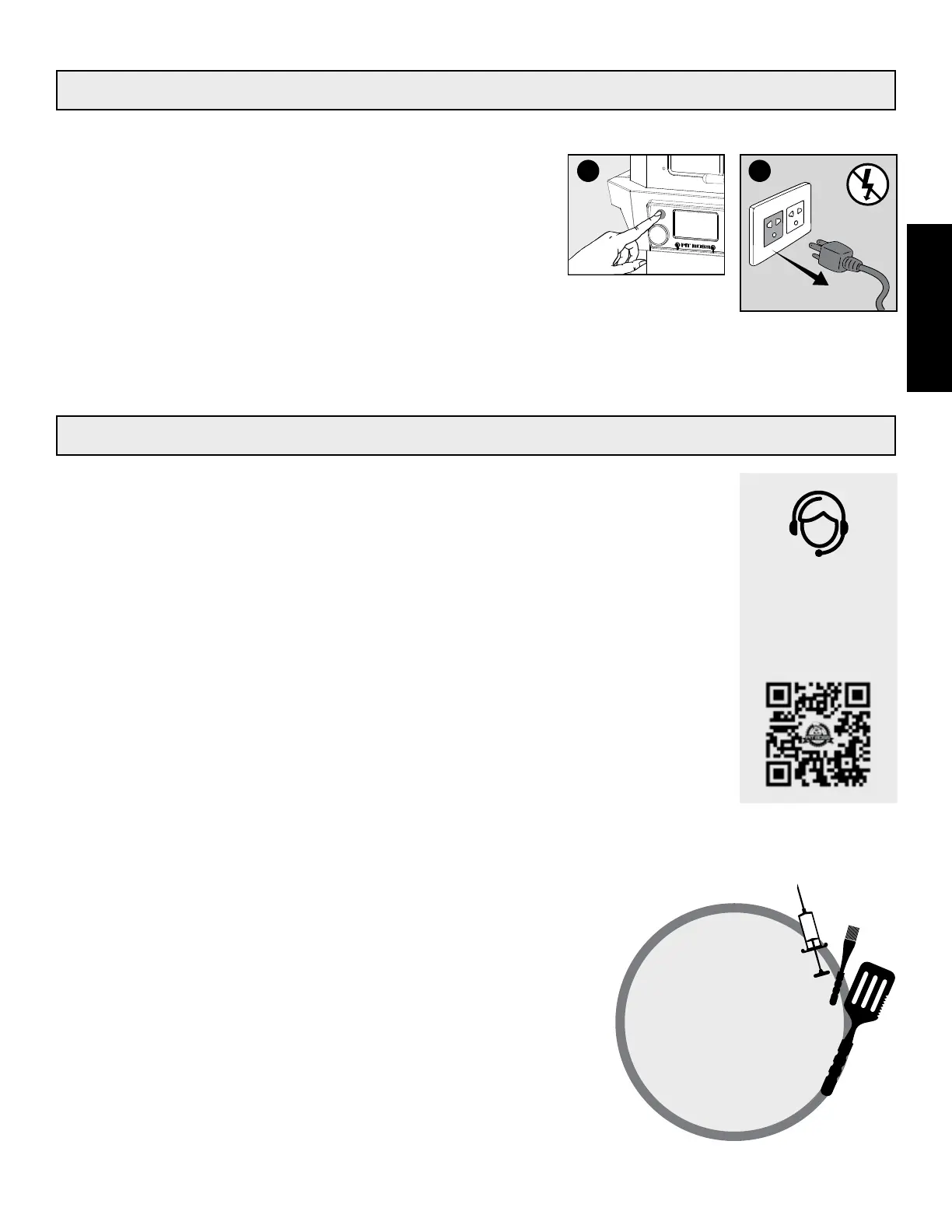
1. Press and hold the Power Button for three seconds to turn the unit
off. (A)
• The grill will begin its automatic cool-down cycle. The auger
system will stop feeding fuel, the flame will burn out, and the
fan will continue to run until the cool-down cycle is complete.
2. Once the shut-down cycle is complete (fan turns off), unplug the
power cord. (B)
IMPORTANT! Always power off the appliance and allow the
shut-down cycle to run. Unplug the appliance only once the
shut-down cycle is complete, and/or before cleaning. Failure
to follow this warning can cause damage, serious injury, fire,
electric shock, or death.
MORE FUNCTIONS
Meat Probe Tips
The meat probe measure the internal temp-
erature of your meat in the grill, similar to your
indoor oven. More meat probes means more
readouts!
• Place a meat probe into the thickest portion
of your meat.
• When not in use, disconnect from the meat
probe connection port and place aside to
keep protected and clean.
Overheat Protection
• If the grill overheats, it will automatically
produce an error code and shut-down as a
safety feature. This is often due to a grease
fire or an overfeed of fuel.
• See troubleshooting for more details.
Prime for Quick Recovery
Use the Prime Button to activate an extra feed of
pellets to the burn pot.
• This can be used to add more fuel to the fire
before opening the barrel lid, resulting in a
quick heat recovery time.
• Use when low smoking, to increase the in
-
tensity of clean smoke flavor. A extra feed of
pellets will add a burst of smoky goodness!
BA
Check out some
common FAQs online
or Live Chat with
Customer Care.
#12001





 To Next Page