10
and «►». For the proper functioning of the analyzer, the following parameters must be
configured:
• Language . Used language for user interface. Possible values are: English(USA),
Русский.
• Level units. Level units of measure. Possible values are dBuV, dBmV, dBm.
• Channel template. Channel allocation standard. Possible values are OIRT, CCIR,
Australian, Australian SBAND.
The purpose of the remaining parameters is described in section 4.5. After setting the parameters,
press the «F1/Save» to save the settings or «F3/Cancel» to restore the old values.
4.3 Measurement Procedure
4.3.1 General Information
IT-19C analyzer offers three measurement modes:
TV channel parameter measurement
Channel level, ripple and tilt measurement
Radio-frequency signal spectrum measurement
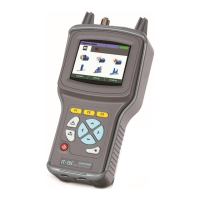
Set the icon of the required mode at the bottom of the screen by pressing and in the main
menu (Figure 4.1).
Figure 4.1
Press one of the buttons of the functional group (F1, F2, F3), above which there is the desired icon
for selecting the measurement mode. Return to the selection menu by pressing . For a quick
switch between measurement modes (without entering the menu) press . The line of the
function buttons (F1, F2, F3) will display names of measurement modes on a yellow background.
Click the desired button.
When selecting the measurement mode, the name of the selected channel plan (Section 4.4.2) is
displayed in the status bar for a few seconds.


 To Next Page