Operating the Display
Planar Simplicity M Series User Manual
020-1409-00A
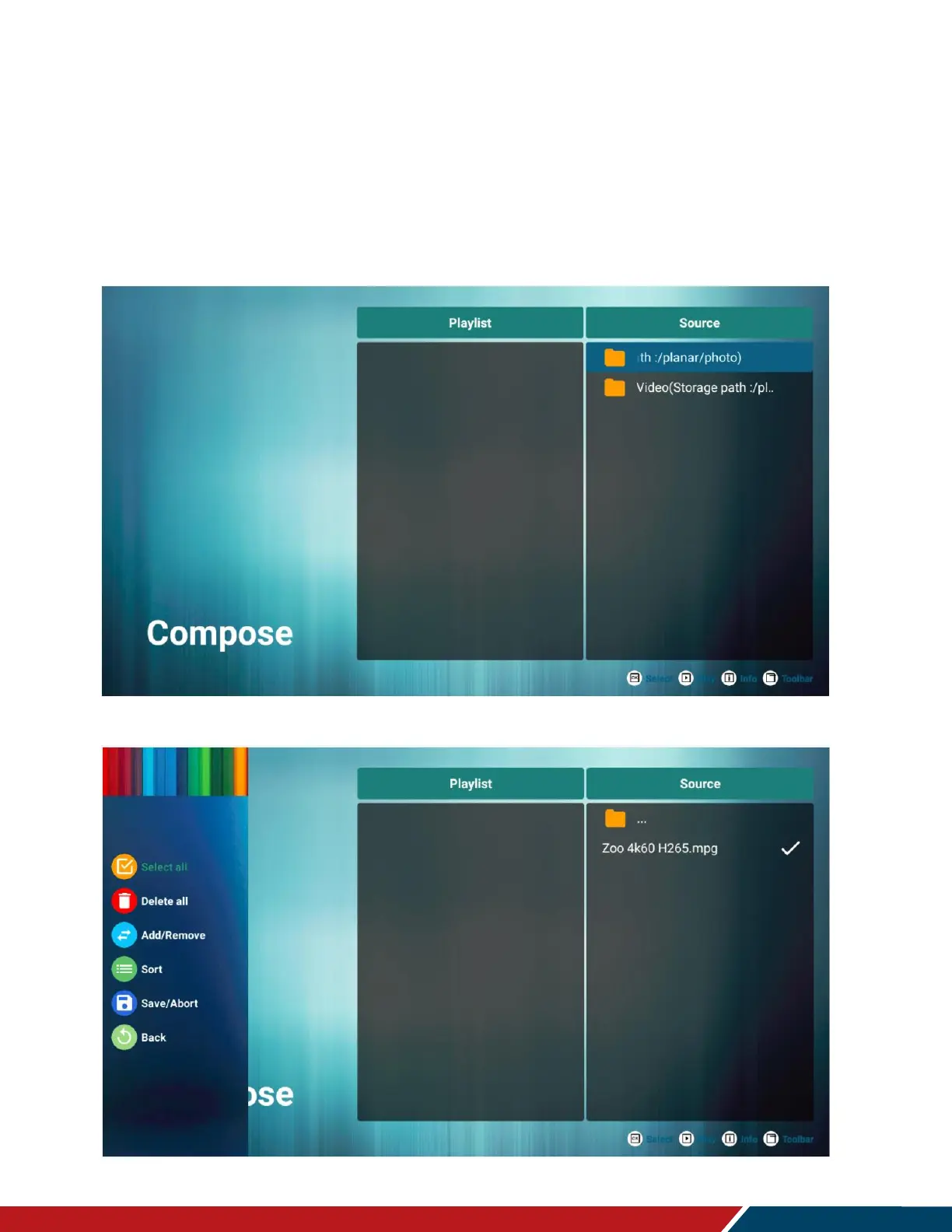
Compose
Use this menu to create a playlist of photos and/or videos.
Select media from
o Internal
o USB
o SD card
Photos must be in the following folder: /planar/photo
Videos must be in the following folder: /planar/video
Audio files must be in the following folder: /planar/music
Press the Options key on the remote to bring up the sidebar menu


 To Next Page