Operating the Display
Planar PS Series 4K Displays User Manual
020-1384-00C
。 Set DNS address
。 Options: 255.255.255.255
。 Default: 0.0.0.0
Second DNS
。 Set DNS address
。 Options: 255.255.255.255
。 Default: 0.0.0.0
WiFi Configuration
Enable a WiFi connection
Options: On, Off
Default: On
Hotspot Configuration
WiFi hotspot
。 Enable WiFi hotspot settings
。 Options: On, Off
。 Default: Off
Config WiFi hotspot
。 Configure WiFi hotspot settings
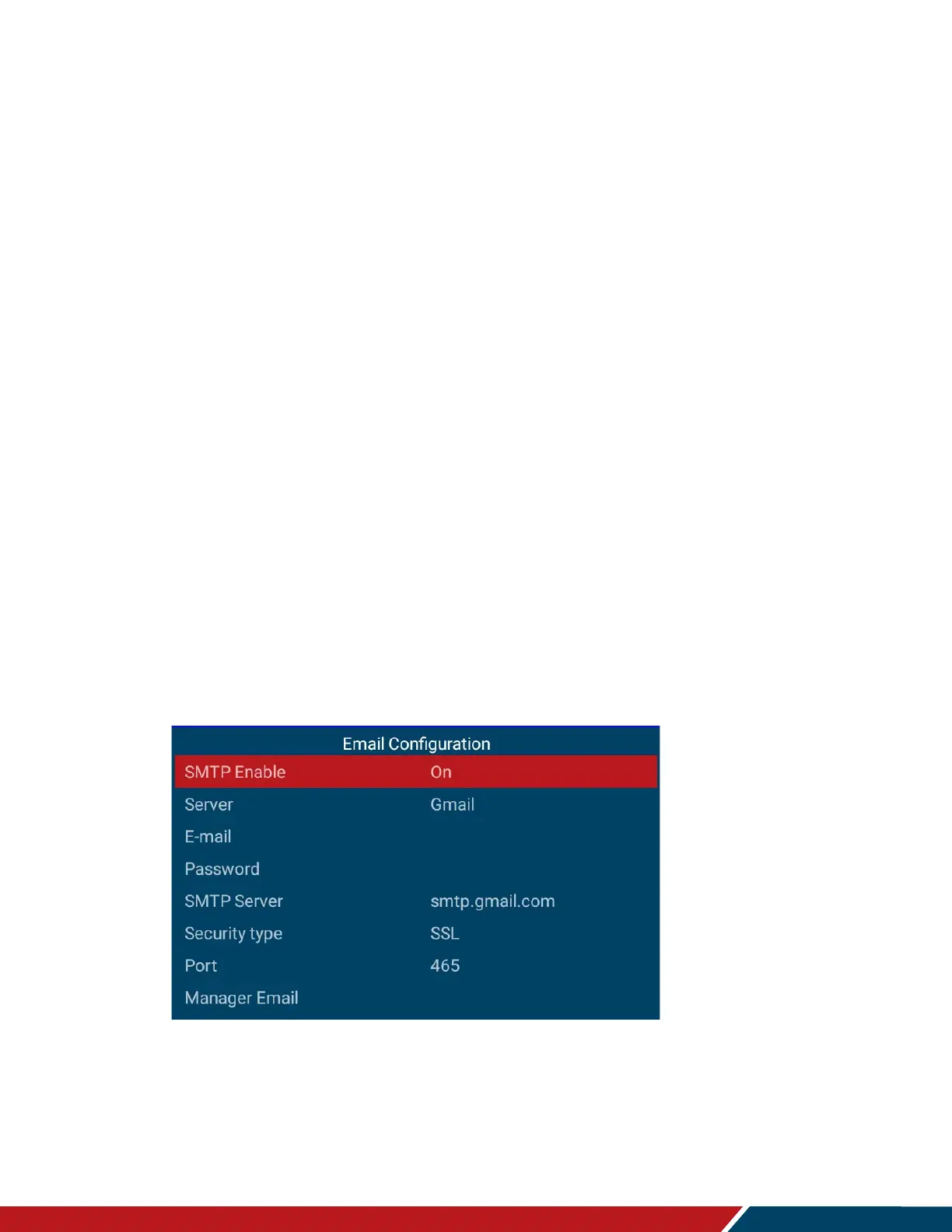
Email Configuration
This menu configures a Simple Mail Transfer Protocol (SMTP) server for sending status
information from the display via e-mail.
SMTP Enable
。 Use this menu to enter the Simple Mail Transfer Protocol (SMTP) server settings.
Ask your network administrator or ISP to provide the correct settings for the
following fields.
。 Options: On, Off



 To Next Page