13
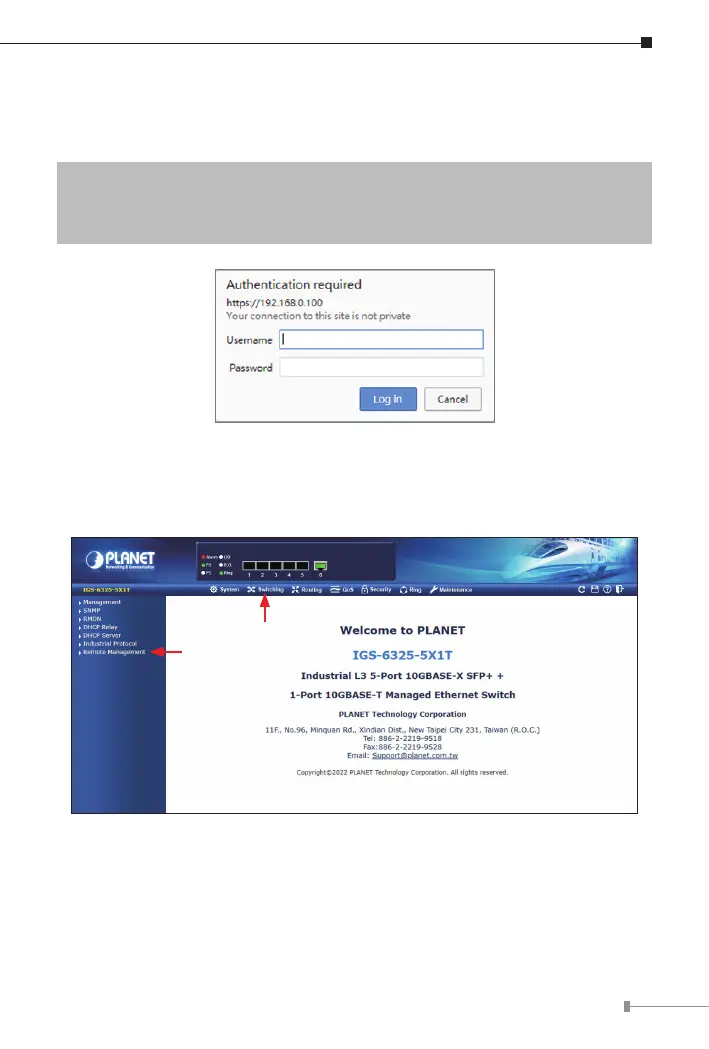
2. When the following dialog box appears, please enter the default user name
“admin” and password “admin” (or the password you have changed
before)asshowninFigure5-2.
DefaultIPAddress:192.168.0.100
DefaultUsername:admin
Default Password: admin
Figure 5-2: Login Screen
3.After entering the password, the main screen appears as shown in Figure
5-3.
Sub-menu
Switch-Menu
Figure 5-3: Web Main Screen of Industrial Managed Switch












 To Next Page