HDMI / Video Wall over IP with PoE
IHD-200PT / IHD-200PR
29
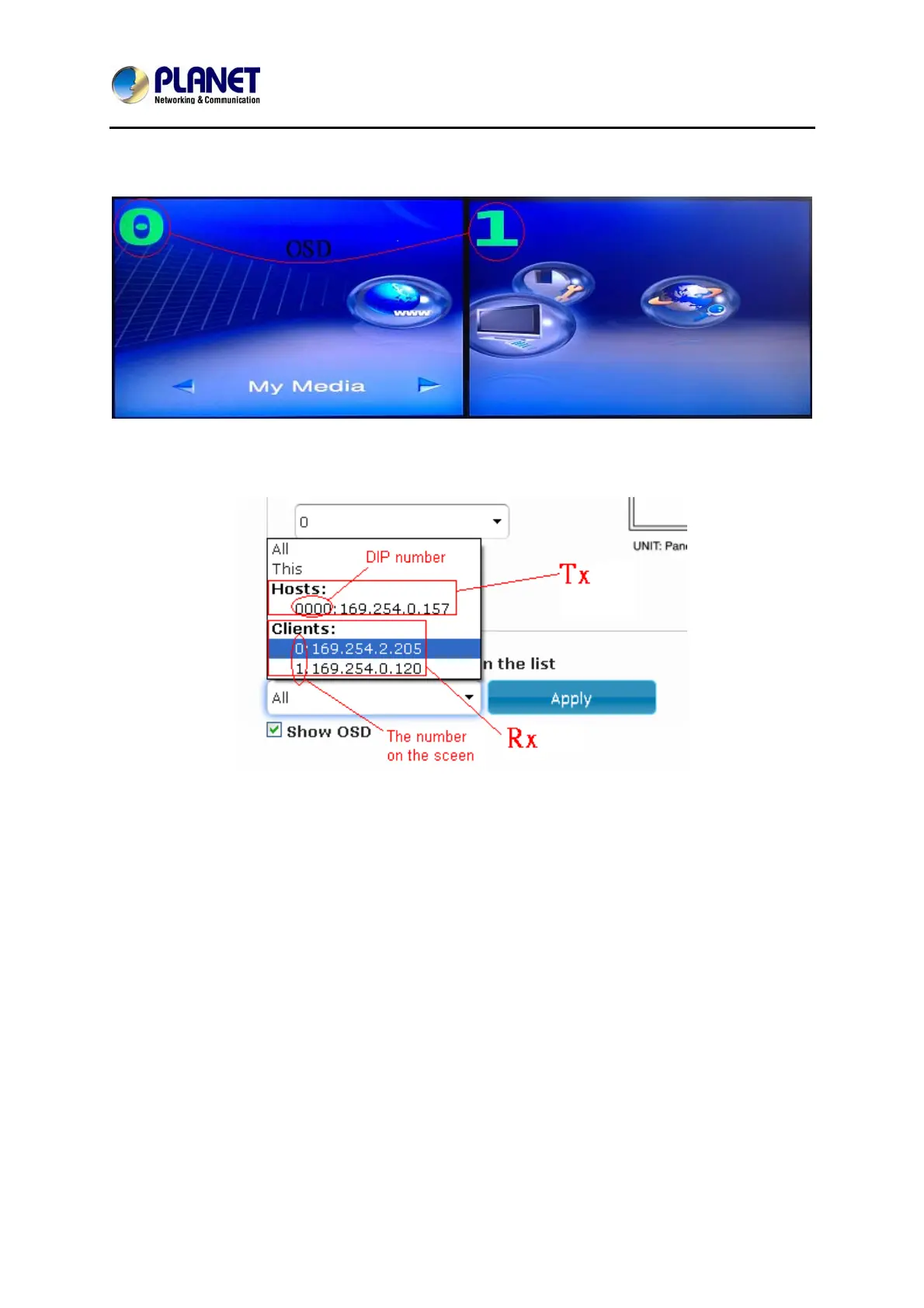
z OSD: On-Screen Display. The system automatically assigns a number to each
monitor.
User can according to the number do individual control with the corresponding
receiver’s IP.
z Vertical Monitor Count: The number of monitors on vertical line.
z Horizontal Monitor Count: The number of monitors on horizontal line.
z Row Position: Set up row position for a monitor. For example, if the monitor is
situated on the 1st row, the row position should be 0; if the monitor is situated on
the 2nd row, the row position should be 1.
z Column Position: Set up column position for a monitor. For example, if the monitor
is situated on the 1st column, the column position should be 0; if the monitor
situated is on the 2nd column, the column position should be 1.



 To Next Page