HDMI / Video Wall over IP with PoE
IHD-200PT / IHD-200PR
35
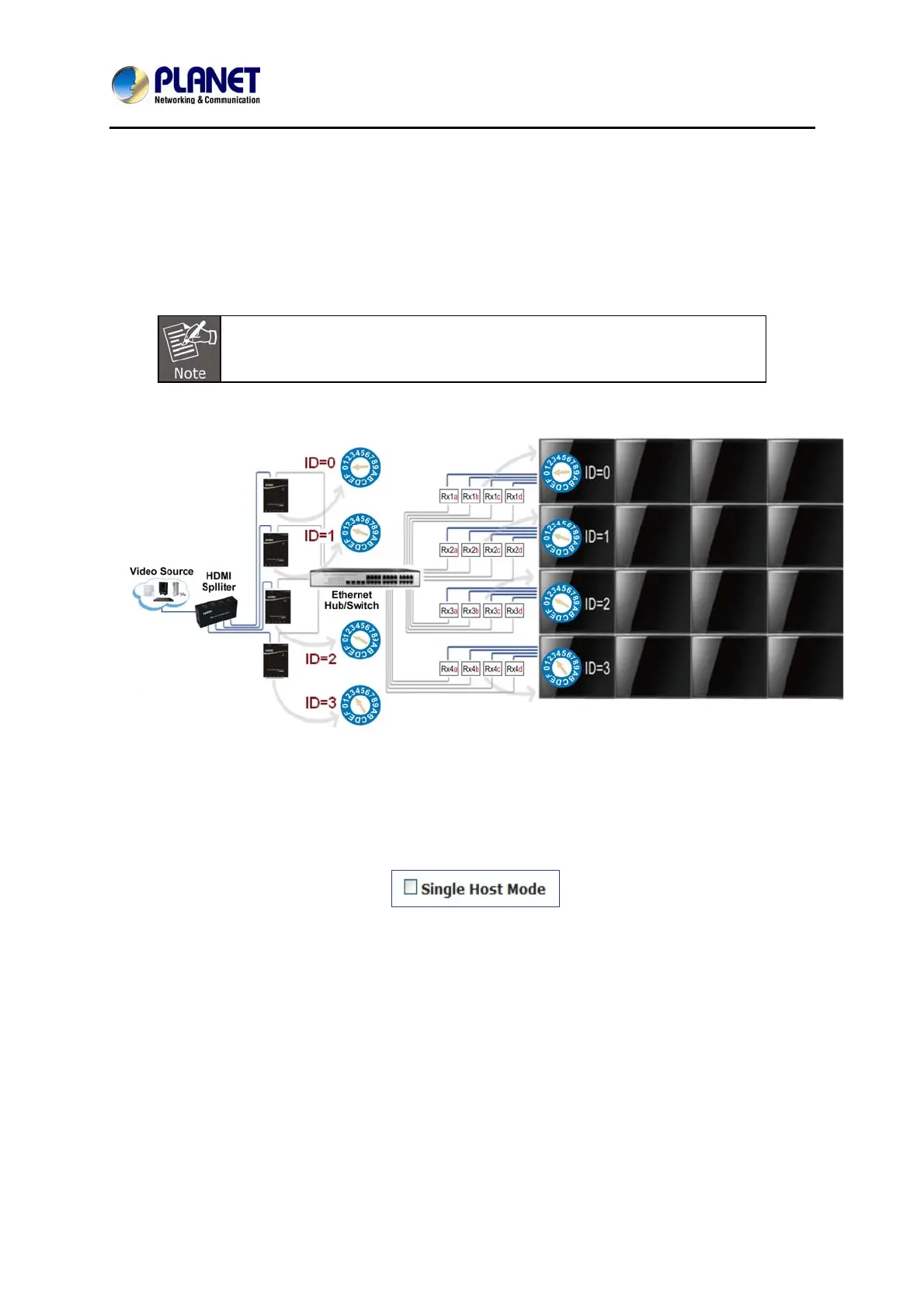
3. Hardware solution: Using multiple Tx units. The following is a 4 x 4 example of
hard solution.
Steps:
1. Add more Tx units to the system for each row, and set up the ID number for each
Rx unit; see below.
To connect multiple Tx units, you can use multiple ports HDMI splitter.
2. Enter “Video Wall Setup”
3. Set up “Wall Size and position Layout”
4. Un-check “Single Host Mode”
5. Set up Vertical/Horizontal Monitor Count; for example, 4 x 4.
6. Set up Row/Column Position of Tx units:



 To Next Page