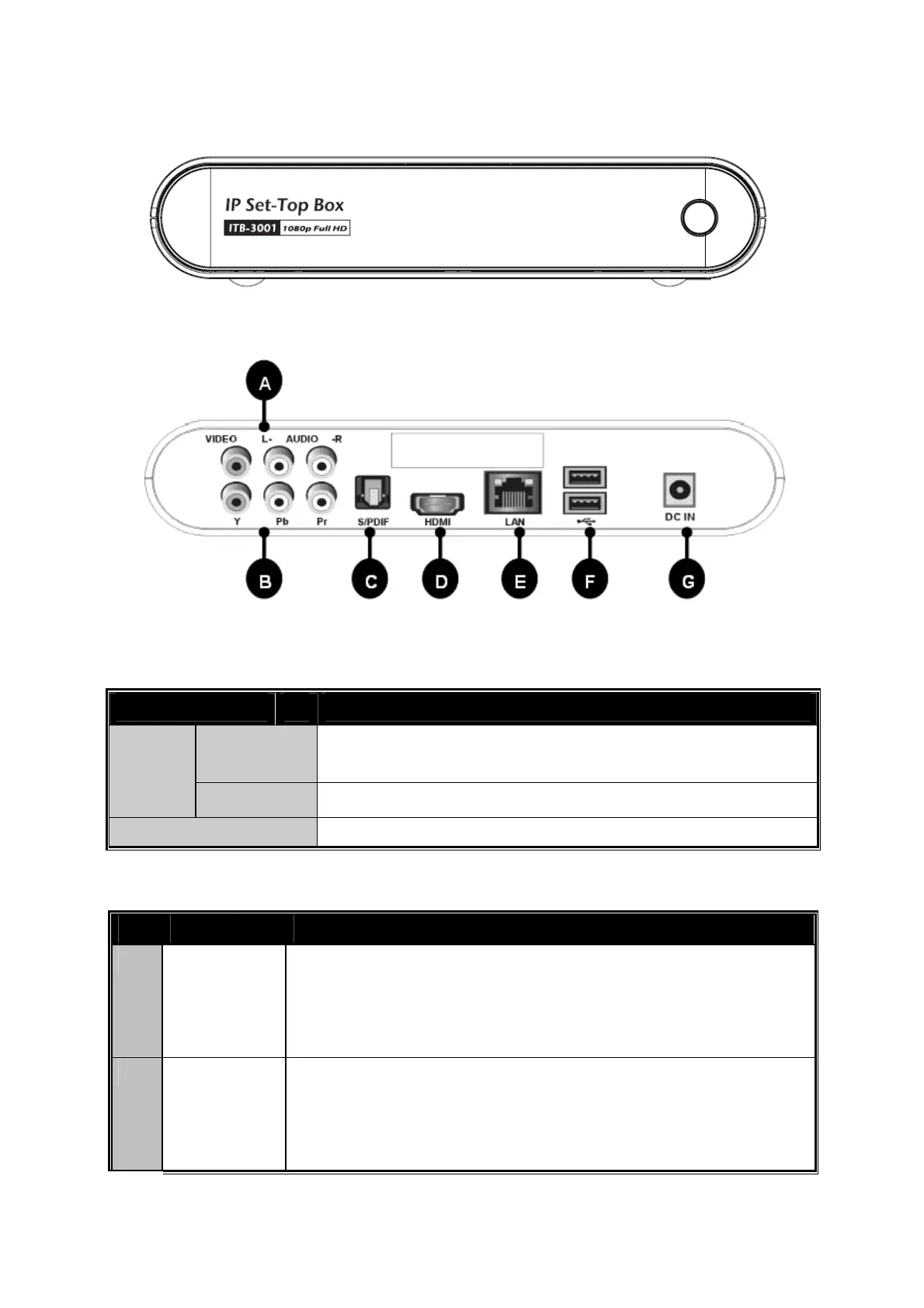
Front Panel
Rear Panel
Front Panel and LED Definition
Connector Description
ON/OFF The LED li
ht will turn “Blue” color when turn on the
STB
Power
Standby The LED light will turn “Red” color
LAN Access LAN with “Blue” color
Rear Panel Port and Button Definition
No. Connector
Description
A Audio
L-/R-
VIDEO
Use AV cable to connect to the VIDO IN/ AUDIO L/R IN
jacks on the TV sets or Home Entertainment systems in
your home in your home by using VIDEO
(Yellow)/AUDIO L (White)/R (Red) cables.
B Y/Pb/Pr Connect to a Y/Pb/Pr-compatible display using three
video (Y/Pb/Pr) and two audio jacks (AUDIOL/R),
throu
h a component video cable with
reen, blue, and
red connectors.
8



 To Next Page