12
n Air flow around the unit and through the vents in the side of the case is not
restricted (company recommend that you provide a minimum of 25mm inch
clearance)
To prolong the operational life of your units:
n Do not place objects on top of any unit or stack
n Do not obstruct any vents at the sides of the case
3.2 Connecting VC-102M/S
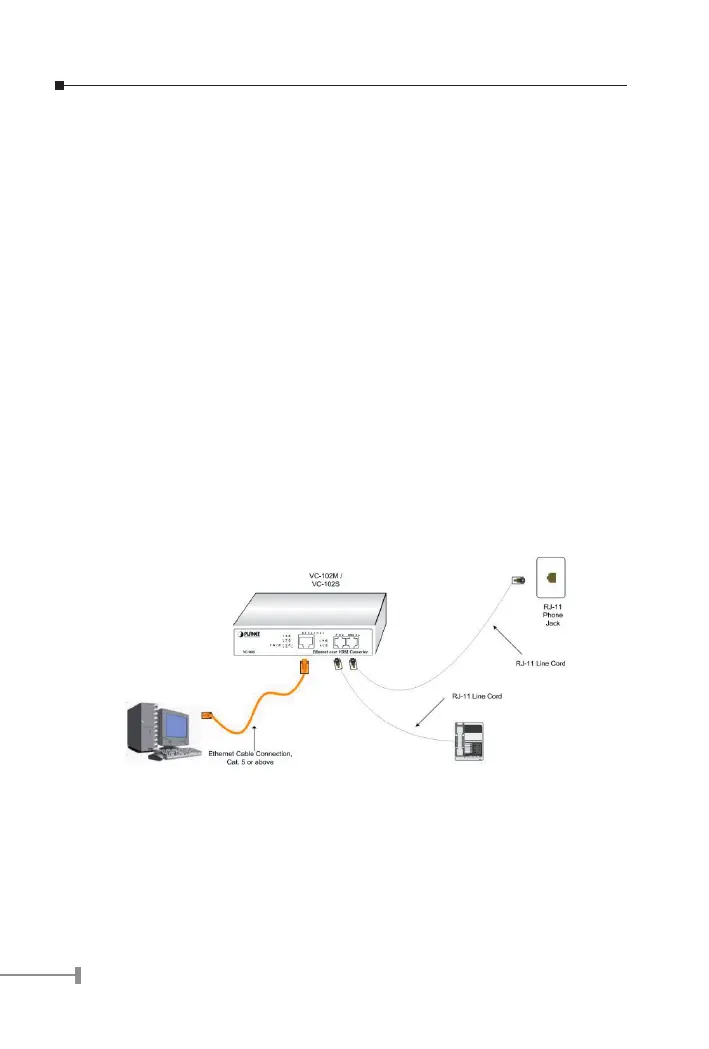
3.2.1 Connecting Standalone PC
Refer to the following procedures to setup the VC-102M/S to a standalone PC.
1. Power on the VC-102M/S by connecting its power source.
2. Power LED will illuminate.
3. Connect VDSL line from another VDSL device to VDSL port of the VC-102M/S.
4. LNK LED will illuminate.
5. Connect telephone to the POTS port.
6. Connect Ethernet port to PC Network Interface Card (NIC) via regular Cat. 5
cable.
3.2.2 Connecting Multiple PCs to an Ethernet LAN
Refer to the following procedures to setup the VC-102M/S to an Ethernet LAN.
1. Power on the VC-102M/S by connecting its power source.
2. Power LED will illuminate.
3. Connect VDSL line from another VDSL device to VDSL port of the VC-102M/S.
4. LNK LED will illuminate.



 To Next Page