Need help?
Do you have a question about the Planet XT-705A and is the answer not in the manual?
Details the items included in the XT-705A Media Converter package.
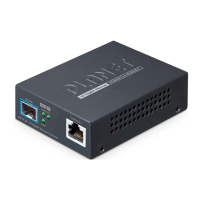
Provides a general description of the XT-705A Media Converter's capabilities and applications.
Lists the key physical and layer 2 features of the XT-705A Media Converter.
Outlines the technical specifications, including hardware and converter details.
Presents the physical dimensions of the XT-705A Media Converter in millimeters.
Describes the front panel layout and the functions of the LED indicators.
Details the rear panel and explains power requirements for the Media Converter.
Provides step-by-step instructions for installing the Media Converter as a standalone unit.
Guides users on how to mount the Media Converter on a wall.
Explains installation into a chassis and optional DIN-rail mounting.
Instructions on how to insert an SFP+ transceiver into the SFP+ slot.
Guidelines for connecting fiber optic cables and removing SFP+ transceivers.
Explains how to connect Unshielded Twisted Pair (UTP) cables to the RJ45 port.
Provides solutions for common problems like LED status and network connectivity.
Lists approved PLANET SFP+ transceivers compatible with the Media Converter.
Details RJ45 pin assignments and cable color coding for network connections.
 General
| Jumbo frames | 16000 |
|---|---|
| Duplex system | Full, Half |
| Auto MDI/MDI-X | Yes |
| Networking standards | IEEE 802.3ab, IEEE 802.3ae, IEEE 802.3an, IEEE 802.3bz, IEEE 802.3u, IEEE 802.3x |
| Cable types supported | Cat5, Cat5e, Cat6, Cat6a, Cat7 |
| Ethernet interface type | 2.5 Gigabit Ethernet, 5 Gigabit Ethernet, 10 Gigabit Ethernet, Fast Ethernet, Gigabit Ethernet |
| Maximum data transfer rate | 10000 Mbit/s |
| Fiber ethernet cabling technology | 10GBASE-X |
| Fiber optic connector | SFP+ |
| Connectivity technology | Wired |
| Ethernet LAN (RJ-45) ports | 1 |
| Internal | No |
| Certification | FCC Part 15 Class A, CE |
| LED indicators | Link, Power |
| Housing material | Metal |
| Input current | 2 A |
| Input voltage | 5 V |
| Power consumption (typical) | 26 W |
| Wavelength | - nm |
| Fiber mode structure | Multi-mode, Single-mode |
| Maximum transfer distance | 60000 m |
| Fiber cable diameters supported (core/cladding) | 9/125, 50/125, 62.5/125 µm |
| Storage temperature (T-T) | -10 - 70 °C |
| Operating temperature (T-T) | 0 - 50 °C |
| Operating relative humidity (H-H) | 5 - 95 % |
| Harmonized System (HS) code | 85176990 |
 Weight and Dimensions
| Depth | 70 mm |
|---|---|
| Width | 94 mm |
| Height | 26 mm |
| Weight | 180 g |


 To Next Page