18
Caution
1. Never push the converter into the slot with
force; it could damage the chassis.
2. The Media Converter Chassis supports hot-
swap; there is no need to turn off the whole
chassis before sliding in the new converter.
3.4 Optional DIN-rail Installation
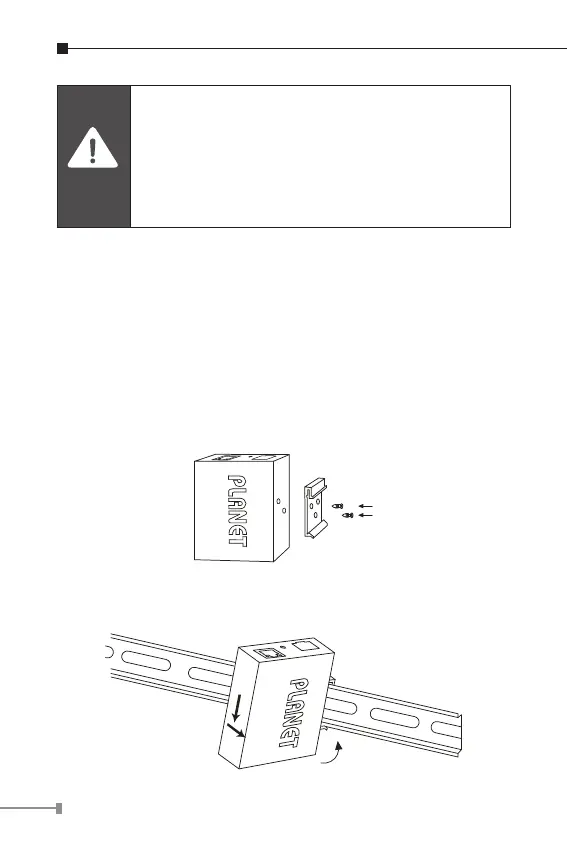
There are two DIN-rail holes on the left side of the XT-705A
that allows to be easily installed by DIN-rail mounting. PLANET
optional DIN-rail mounting kit – RKE-DIN -- can be ordered
separately. Refer to the following steps for the DIN-rail
mounting of the XT-705A:
Step 1: Screw the DIN rail on the XT-705A
Step 2: Now slide the DIN rail into the track.



 To Next Page