17
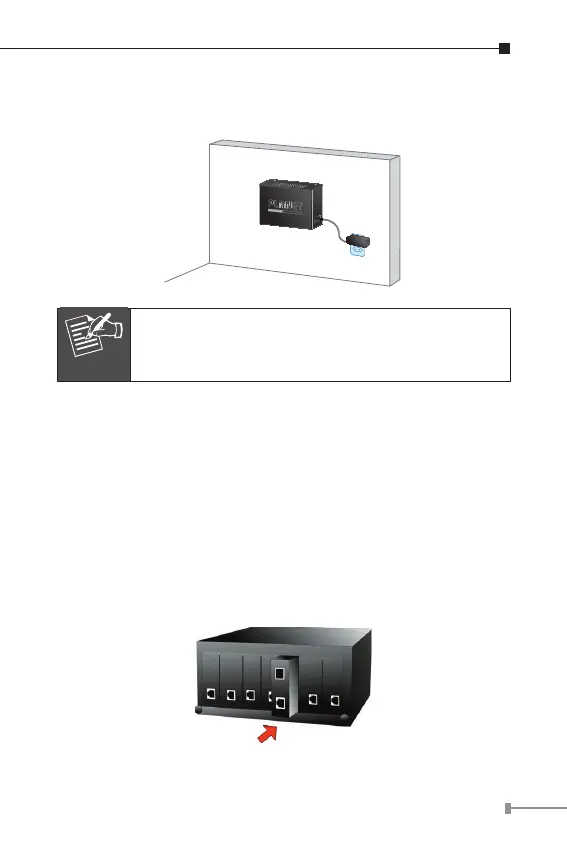
Step 4: Refer to Chapter 2.4 Power Information on power
supply to the Media Converter.
10GBASE-T to 10GBASE-X
XT-705A Switch Bottom Side
Ø7mm
Ø4mm
5V DC
Note
Before mounting the device to the wall, please
check the location of the electrical outlet and the
length of the Ethernet cable.
3.3 Media Chassis Installation
To install the Media Converter in a 10-inch or 19-inch standard
rack, follow the instructions described below.
Step 1: Place your Media Converter on a hard at surface, with
the front panel positioned towards your front side.
Step 2: Carefully slide in the module until it is fully and rmly
tted into the slot of the chassis; the Power LED of the
Media Converter will turn ON.
Figure 3-2: Insert Gigabit Media Converter into an available slot



 To Next Page