5
Per PoE Output Port (Ports 1 ~ 4)
LED Color Function
LNK/ACT Green
Lights to indicate the port is linked up.
Blinks to indicate that the WGS-E304PT is actively
sending or receiving data over that port.
PoE-in-Use Amber
Lights to indicate the port is providing PoE power.
OFF to indicate the connected device is not a PoE PD
2.3 DIP Switch
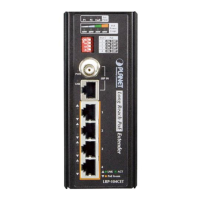
The front panel of Industrial PoE Extender provides one DIP switch for
Standard, VLAN and Extend mode selections. The detailed descriptions are
shown in the following table.
DIP Switch Mode Function
Standard
(default)
This mode makes the WGS-E304PT operate as a general
switch and all ports operate at 10/100/1000Mbps auto-
negotiation.
VLAN
This mode makes the WGS-E304PT operate as a VLAN
isolation switch and
Port 1 to port 4 will isolate respectively.
Port 1 to port 4 can only communicate with port 5 (uplink
port).
Extend
This mode makes the WGS-E304PT operate as a distance
extension switch and port 1 to port 4 can only transmit
distance of 250m at speed of 10Mbps.
Please reboot the Industrial PoE Extender after adjusting the
DIP switch.



 To Next Page