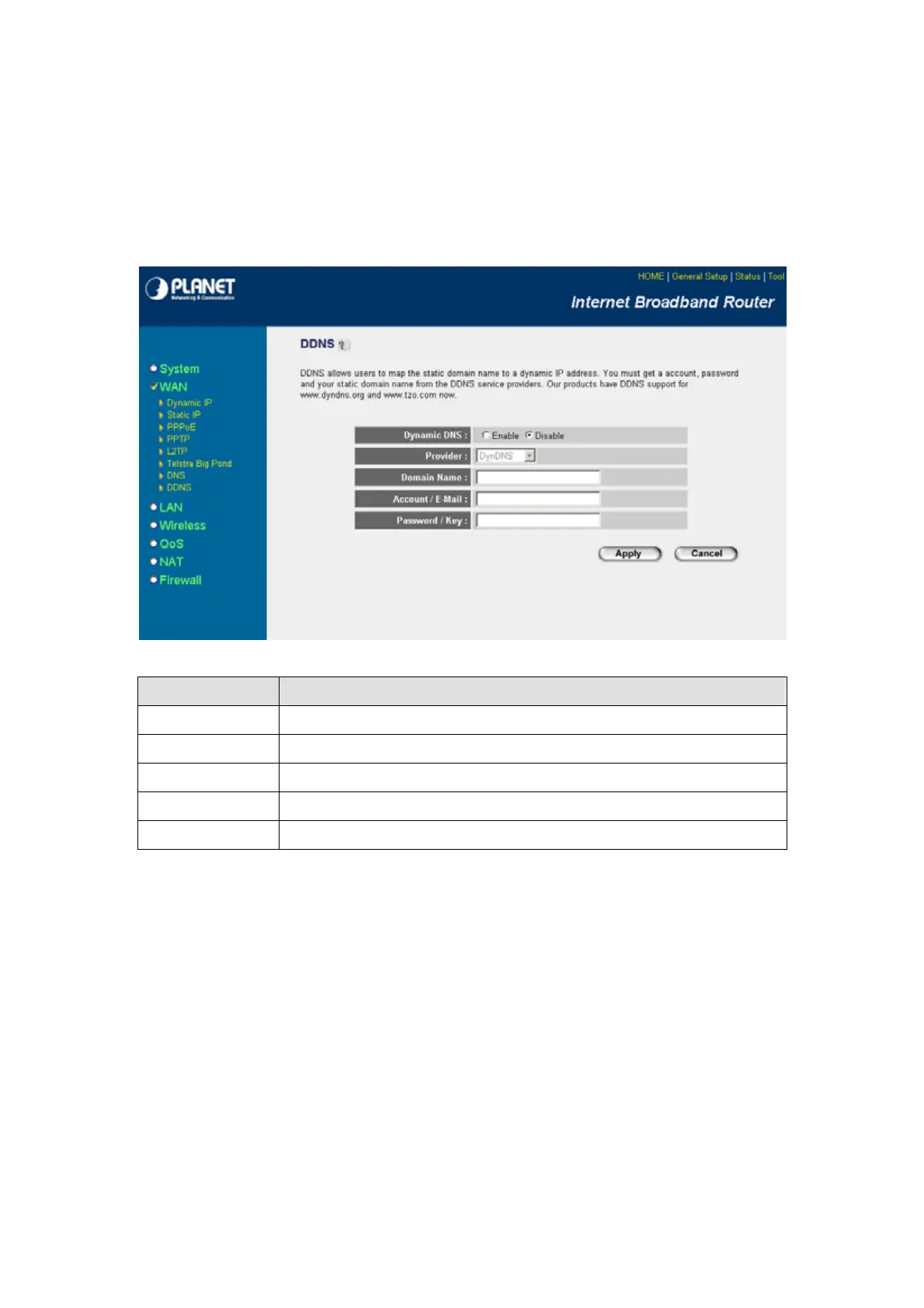
5.2.8 DDNS
DDNS allows you to map the static domain name to a dynamic IP address. You must get an account,
password and your static domain name from the DDNS service providers. This router supports
DynDNS and TZO.
Parameters Description
Dynamic DNS Enable/Disable the DDNS function of this router.
Provider Select a DDNS service provider. The default setting is “DynDNS”.
Domain name Your static domain name that use DDNS.
Account / E-mail The account that your DDNS service provider assigned to you.
Password / Key The password you set for the DDNS service account above.
After configuration complete, please click “Apply” button to save the configuration. Then you will see a
screen to prompt you the settings are save successfully. You may press “Continue” for configure other
settings or “Apply” to restart WRT-414 with new configuration.
5.3 LAN
The LAN Port screen below allows you to specify a private IP address for your router’s LAN interface.
- 31 -



 To Next Page