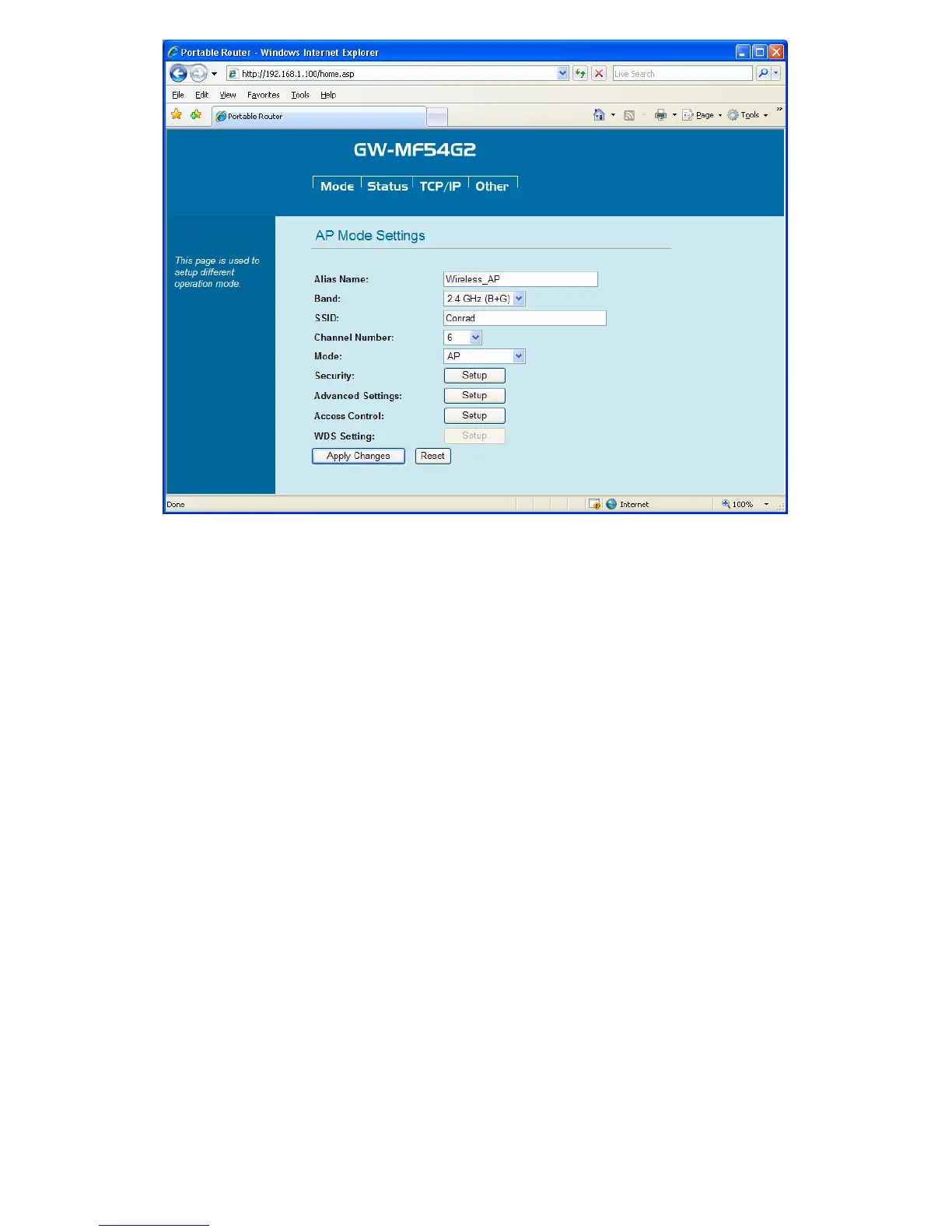
1. AP Mode Configuration
Alias Name: Please enter a name for GW-MF54G2.
Band: Scroll down the list to choose a band width. There are six kinds of modes: 2.4 GHz (B),
2.4 GHz (G), and 2.4 GHz (B+G).
SSID: Every SSID is unique in the WLAN (SSID can be 16-digitASCII characters and
case-sensitive). SSID can prevent two nearby WLAN from combining to be one. You can give
GW-MF54G2 an SSID, and only whose SSID is the same with it can connect with it. The default
SSID is “Conrad”. Notice: When entering your SSID, please don't use special characters
such as "@", "#", "$", "%", "^", "&", "*", "(", and ")". Using special characters or
symbols could cause wireless connection difficulties.
Channel Number: Here shows the channels provided by the local wireless connection. The
setting of the channels of the wireless network should be the same as the wireless APs.
Mode: Scroll down to choose one of the mode.
AP: Standard Access Point mode.
Repeater: GW-MF54G2 will be connected with other wireless routers and expand the
range of the wireless network.


 To Next Page