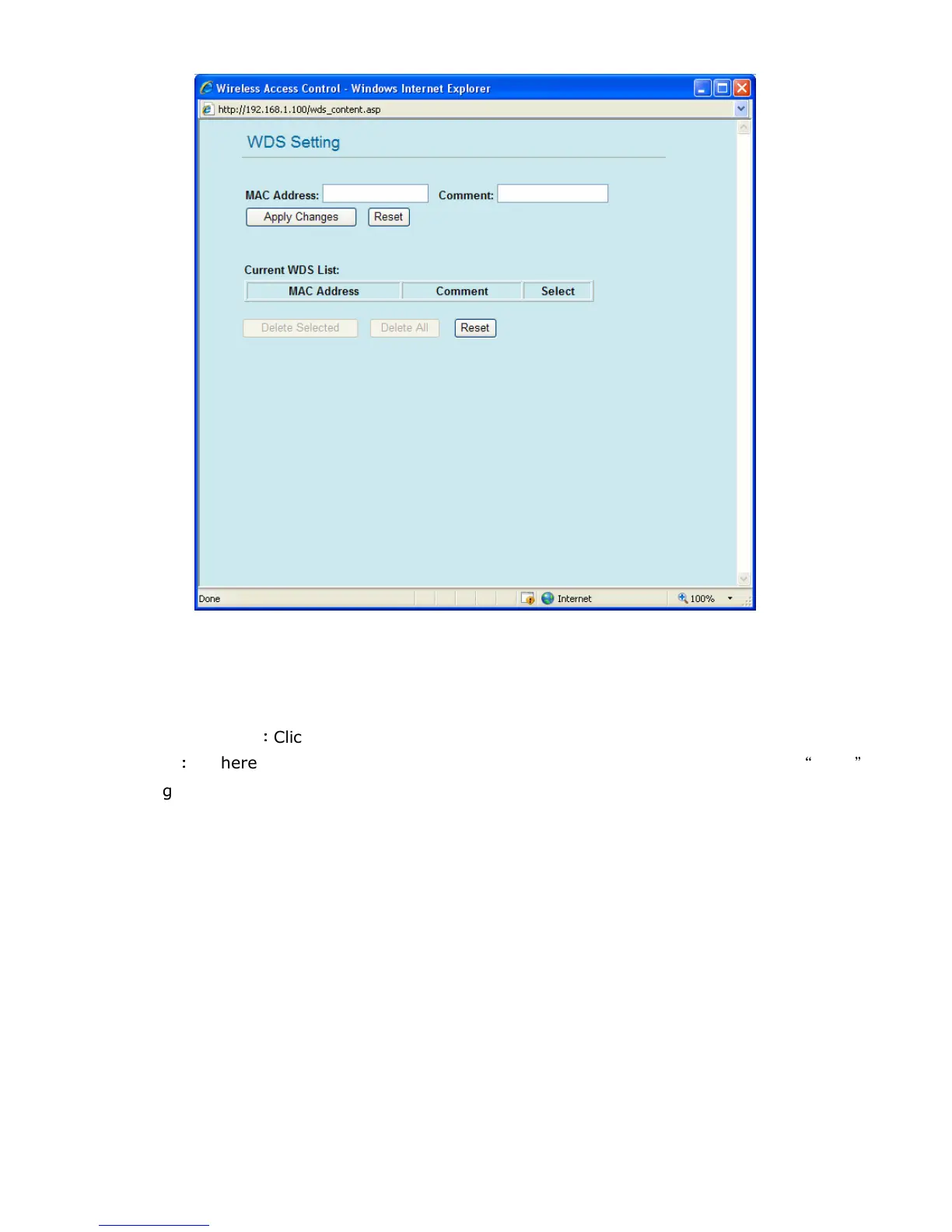
5. WDS Setting
MAC Address: Please enter the MAC address of the other GW-MF54G2 that you would like to link
with WDS mode here.
Comment: You can add some comments, description or information about this MAC address.
Apply Changes
:
::
:
Click this button to save the settings and restart GW-MF54G2.
Reset
:
::
:
If there is anything wrong with the settings you made, you can click
“
reset
”
to
configure the page again.
Current WDS List: You can check the list of all the MAC address you added. If you would like to
delete a MAC address from the list, please click the check box on the right side of that MAC
address, and click “Delete Selected”. If you want to delete all the MAC addresses on the list,
please click “Delete All”.



 To Next Page