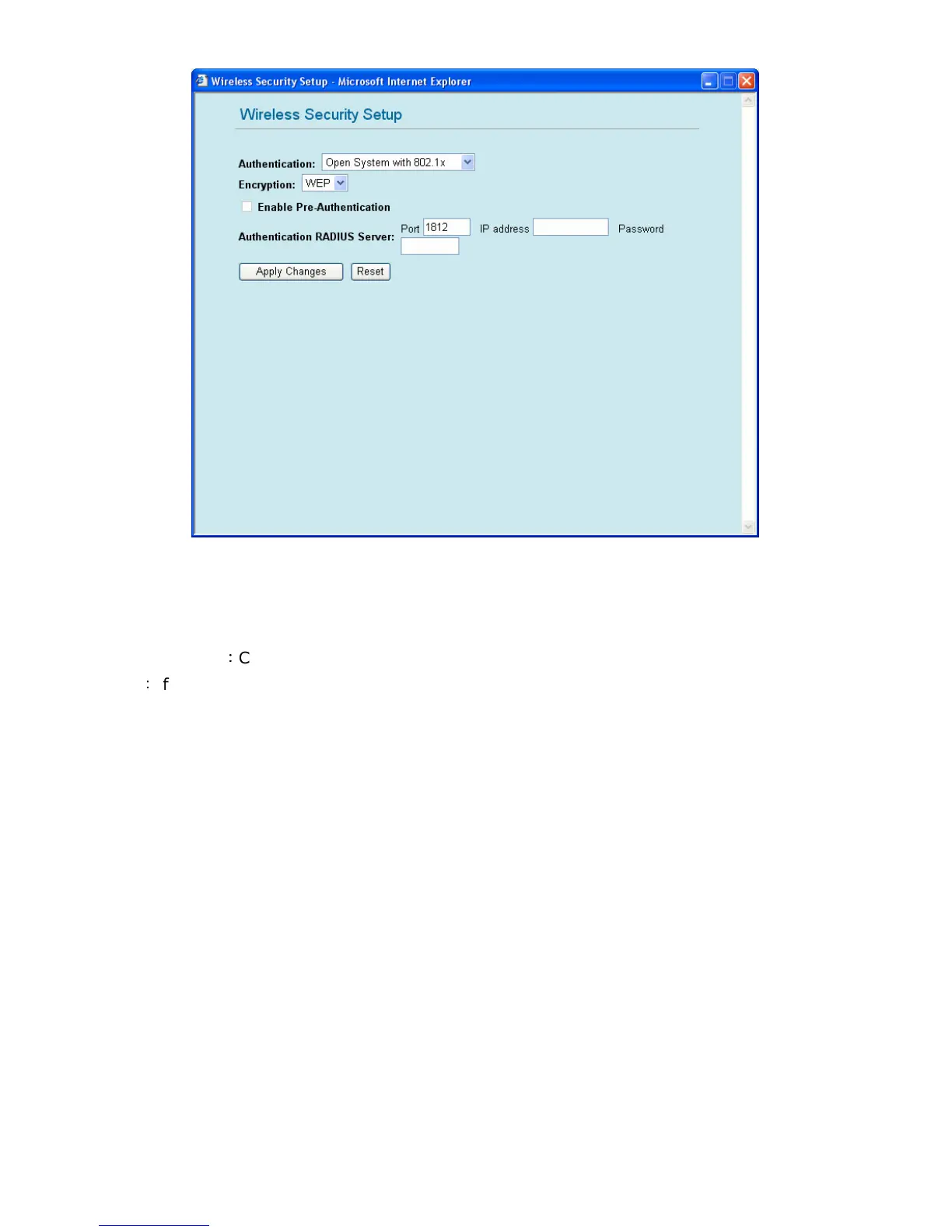
1.2. Open system with 802.1x
Authentication RADIUS Server:
Port: Please input the port number of your RADIUS authentication server here.
IP address: Please input the IP address of your RADIUS authentication server here.
Password: Please input the password of your RADIUS authentication server here.
Apply Changes
:
Click this button to save the settings and restart GW-MF54G2.
Reset
:
If there is anything wrong with the settings you made, you can click “reset” to configure the
page again.



 To Next Page