10. IP Filtering
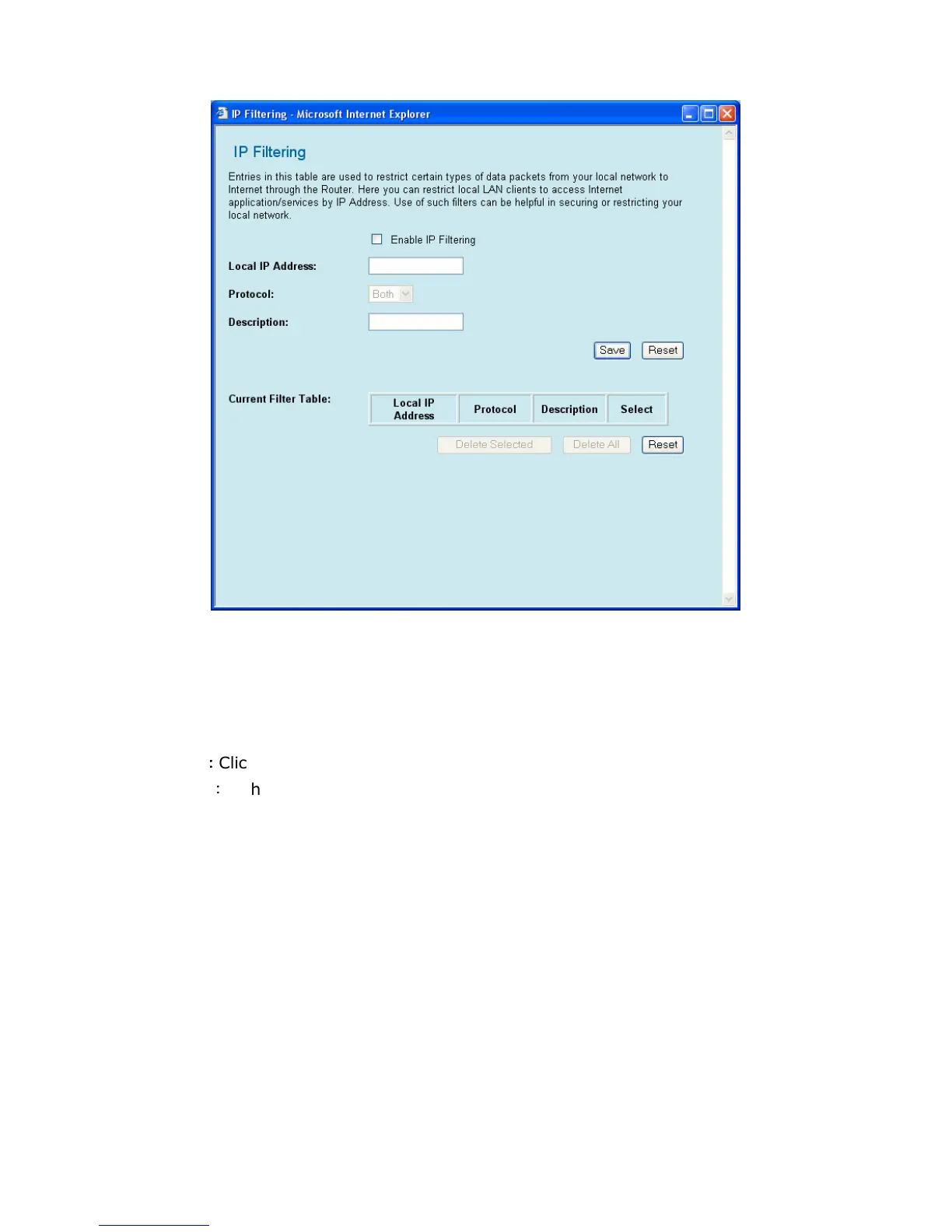
You can block out IPs on your local network from accessing GW-MF54G2 by configuring this page.
Enable IP Filtering: Click this check box to activate the IP Filtering function.
Local IP Address: Please enter the local IP Address you would like to filter out.
Protocol: You can set the protocol of the virtual server to be TCP, UDP, or BOTH.
Description: Enter any text to describe the IP which you want to be filtered out.
Save
:
::
:
Click this button to save the settings and restart the router.
Reset
:
If there is anything wrong with the settings you made, you can click “reset” to
configure the page again.
Current Access Control List: You can check the list of all the IP addresses you added. If
you would like to delete a IP address from the list, please click the check box on the right side
of that IP address, and click “Delete Selected”. If you want to delete all the IP addresses on
the list, please click “Delete All”.



 To Next Page