Copyright Planika Sp. z o.o. www.planikafires.com 12
4) Device IP
It shows device IP that is essential in operating the device via the configured appliance. Additional
information can be found in the manual concerning Configuration of the module with Wi-Fi and
Smart Home System.
5) Remote Control
Remote control attached to the device is already programmed. This function allows to program the
remote control if there is such a need after some time or if one remote control is to control few
units.
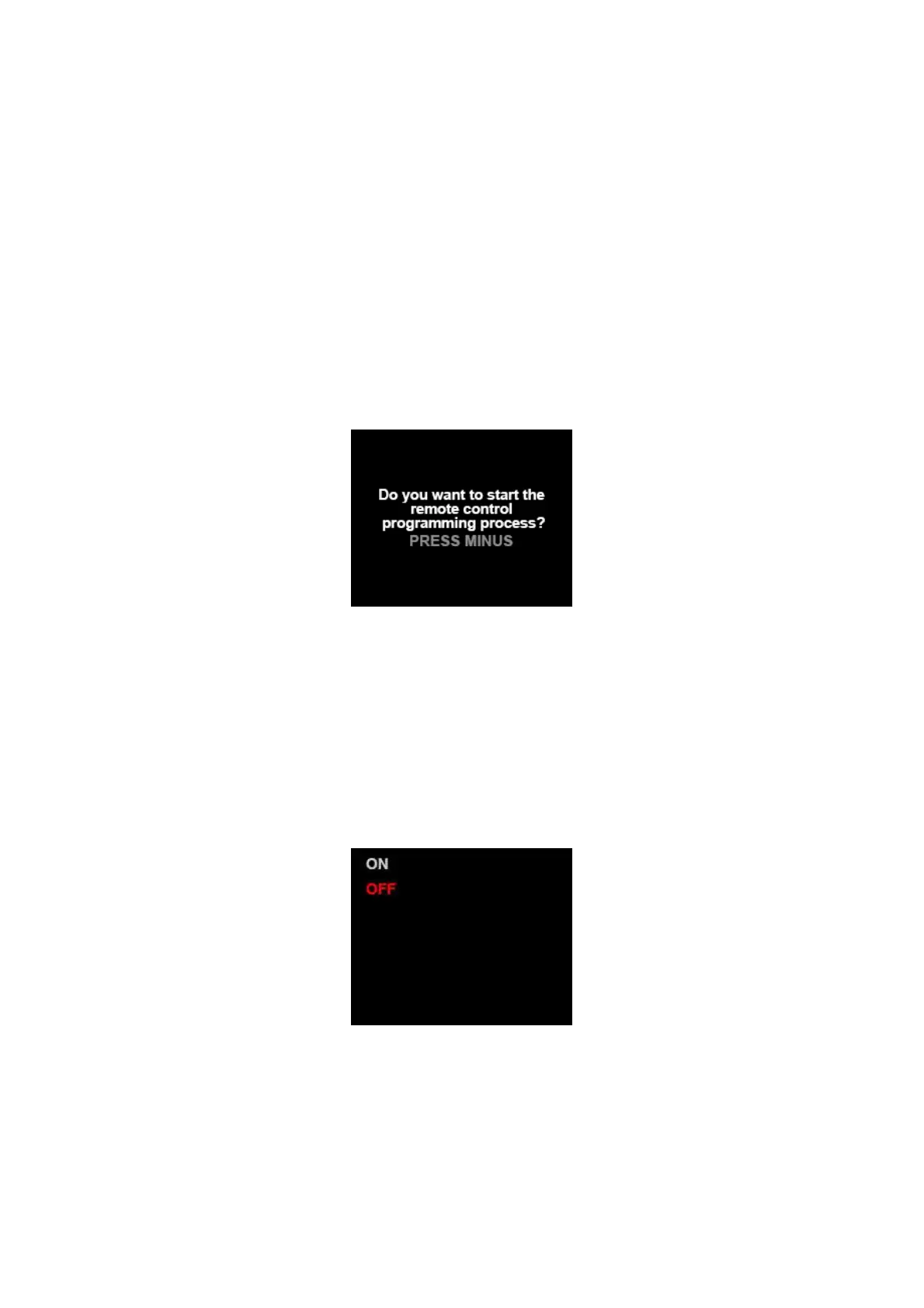
To program the remote control press ‘+’, choose ‘Remote Control’ and confirm with ‘-‘ button. This
screen will appear:
Press ‘-‘ button to confirm. Then press in sequence (hold until next message appears) START, STOP,
PLUS, MINUS. After the remote control has been programmed the messages disappear and main
display appears. Remote control is programmed.
6) Fast start
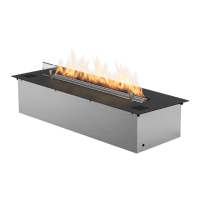
When ‘Fast start’ function is turned on, time of waiting for the flame to appear is much shorter. Fire
Line Automatic is automatically programmed with ‘Fast start’ function turned on. To turn it off press
‘-‘ button on the control panel. The screen will appear:
Using ‘+‘ button choose OFF option and confirm with ‘-‘ button. The device automatically returns to
main display and ‘Fast start’ function will be turned off.
To restart this function choose ON option in menu of ‘Fast start’ function.


 To Next Page