Planmeca SingLED operating light 5
USING OPERATING LIGHT
User’s Manual
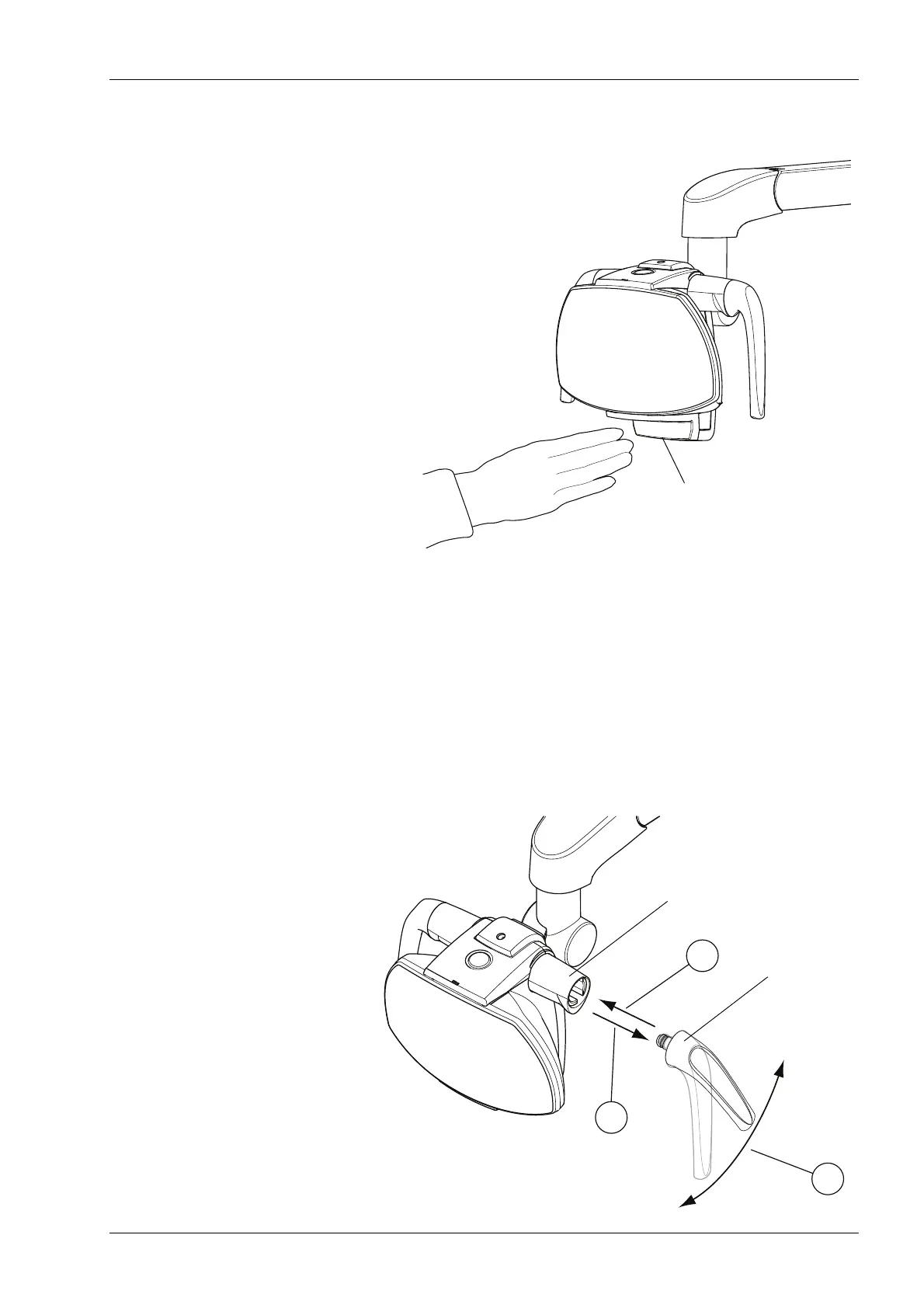
You will hear a signal tone when the maximum/minimum
brightness is reached.
NOTE If the operating light is installed to another
manufacturer’s dental unit, the brightness adjustment
can be done only from the operating light.
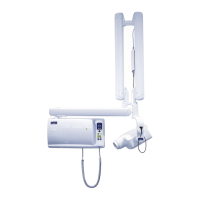
5.3 Adjusting handle positions
Remove the handle by pulling it carefully outwards (1).
Rotate the handle to desired angle (2) and push it back to
its position (3).
Rotate the plastic sleeve so that it fits the handle.













 To Next Page