16 | F200 and F300 User Manual
8.1.2 How to Run P-Plus with the Pasture Cover Module
Once the installation is complete, go to your desktop and
double click on your P-Plus Icon to start the program.
Alternatively, from the windows task bar click on the Start
menu, select All Programs then from the P-Plus Program
Group, select P-Plus.
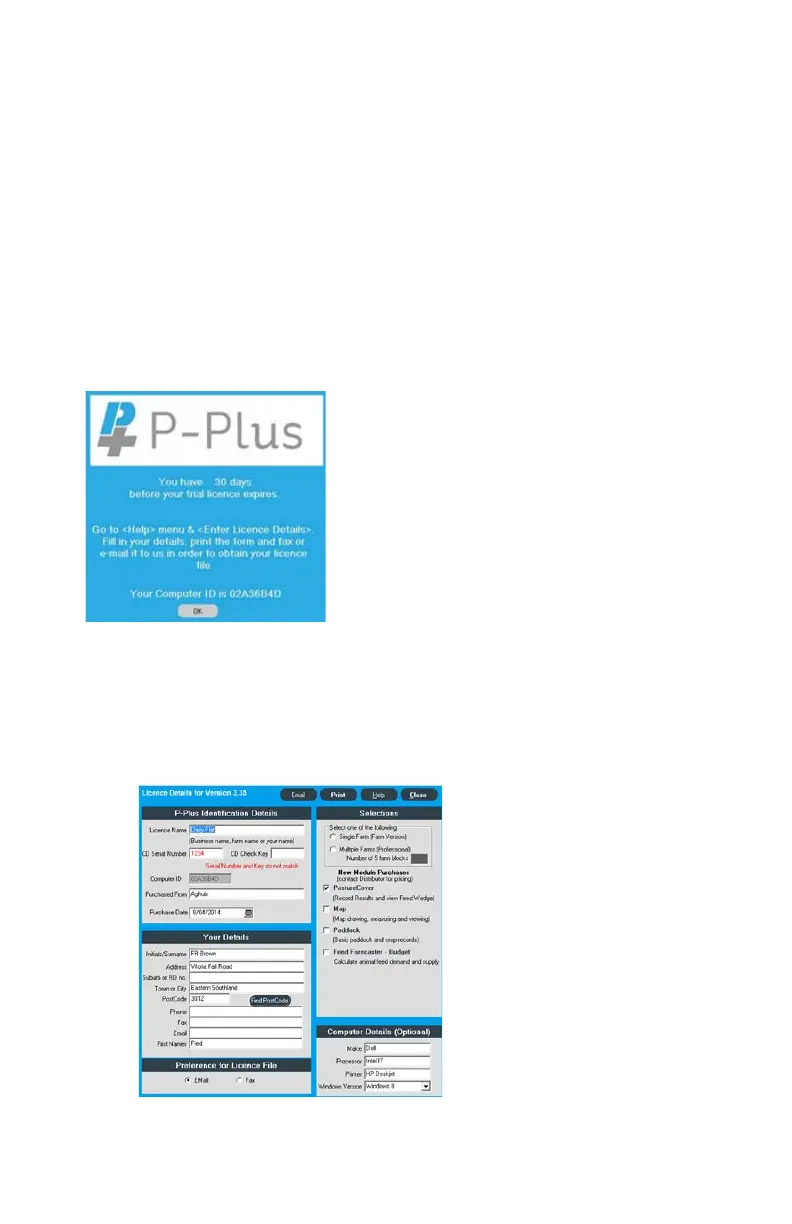
On opening P-Plus the window in the image below will
appear. This is simply a warning window advising the
number of days left in the trial licence to evaluate your
P-Plus software.
8.1.3 How to Licence P-Plus Software
This screen will automatically appear after OK button is pressed
on the 30-day trial period screen.
This screen will disappear when you
have registered P-Plus correctly.
Please click on OK to close the screen.
If you are upgrading from a licenced
copy of P-Plus the warning window
may not appear.


 To Next Page