Section 2. Installing Your PX-708A Internal Drive
PX-708A Installation and Users Manual
27
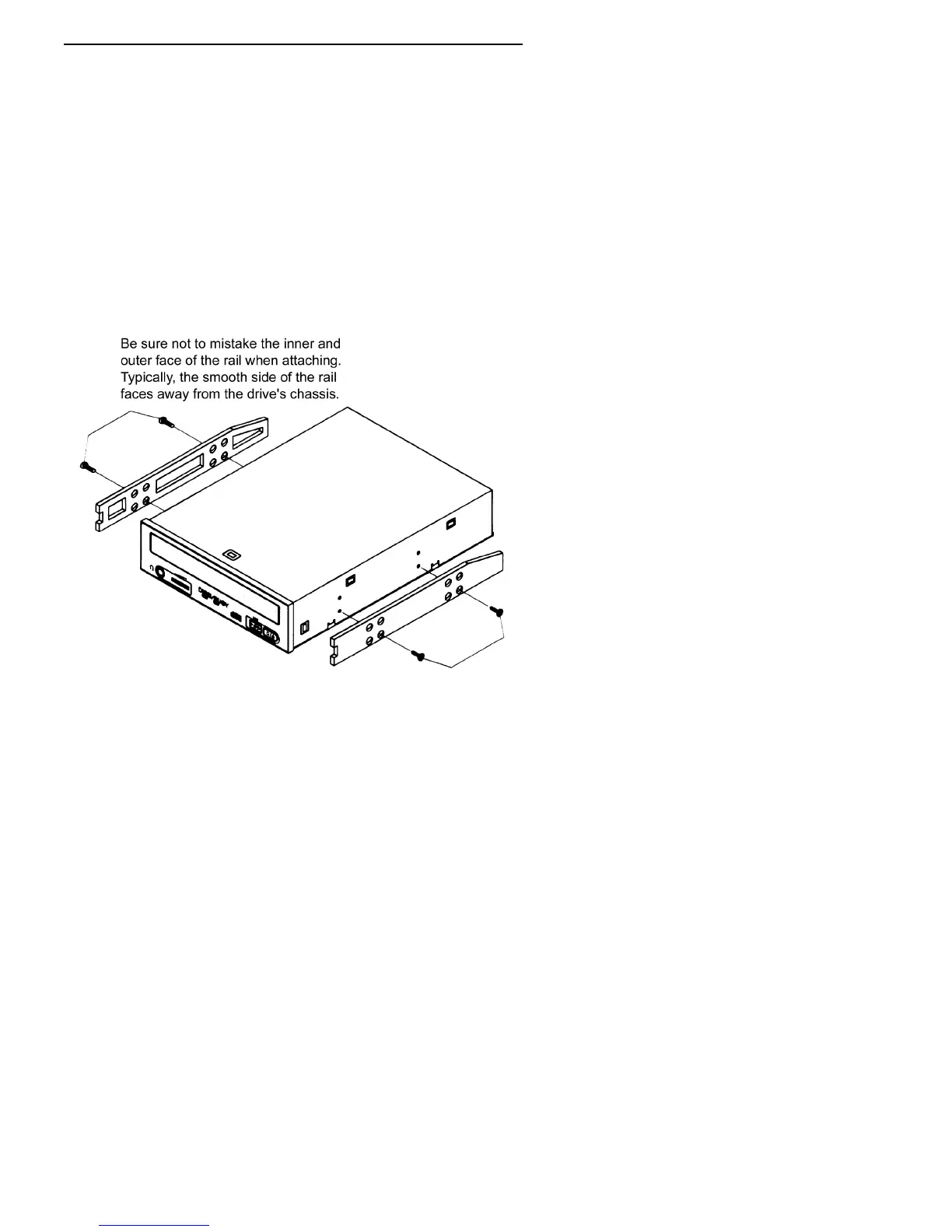
4. Determine if you must install mounting rails on the sides of your
drive. To do so, insert the drive into the open bay. If the drive fits
tightly with little or no clearance on either side of the drive, you will
not have to use mounting rails. The drive can be mounted directly
into your computer. Go to step 6.
NOTE:
Plextor does not provide rails. If you need rails, you can
obtain them from the computer manufacturer or from a computer
supply retail or mail-order store.
5. If you must use mounting rails, fasten the rails to the lower pair of
holes as shown in Figure 15. (In some instances, you may need to
fasten the rails to the upper set of holes.) After fastening the rails,
check their positioning by sliding the drive into the bay before you
mount the drive or connect any cables.
Figure 15: Installing mounting rails (if needed)



 To Next Page