Section 2. Installing Your PX-708A Internal Drive
PX-708A Installation and Users Manual
29
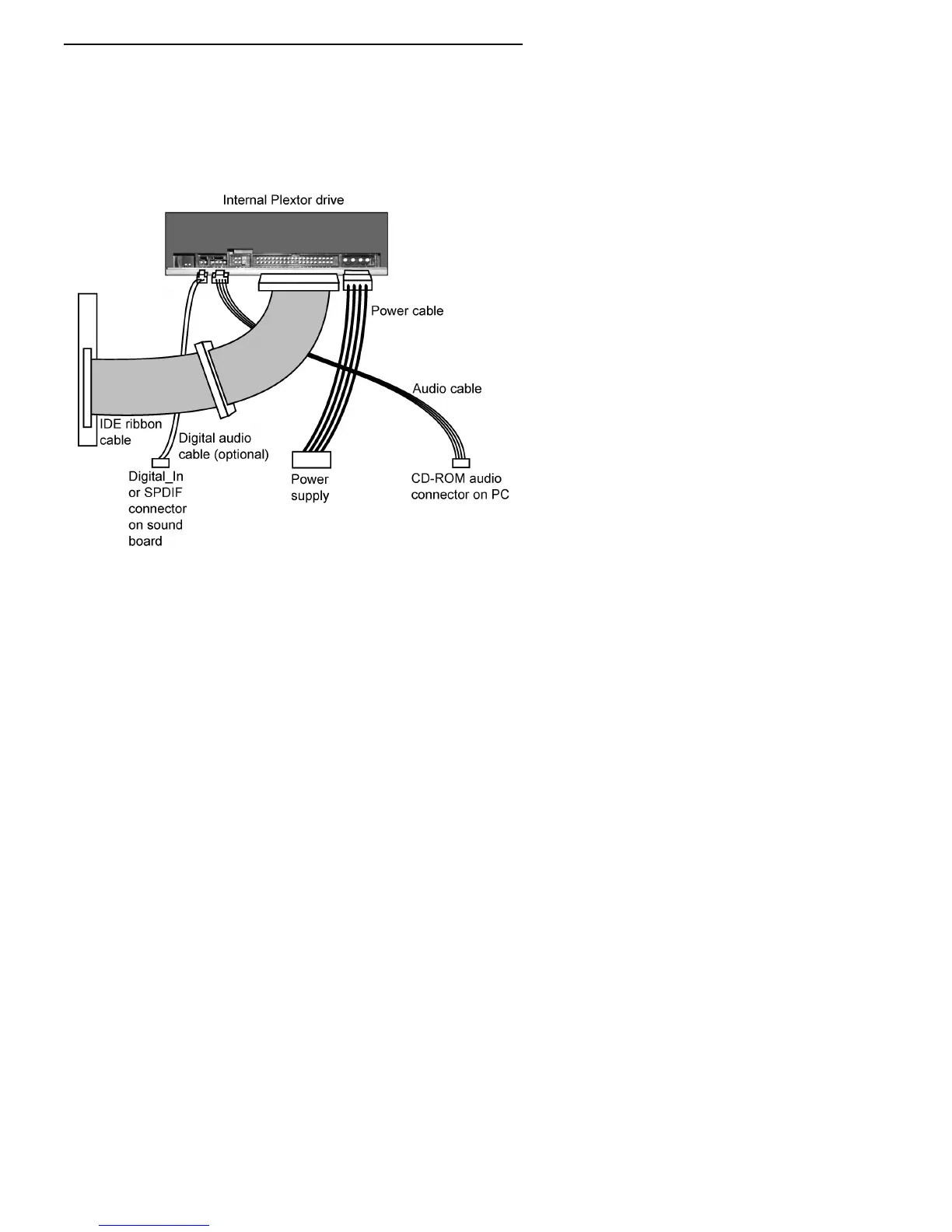
9. Connect a power cable from the computer to the power connector
(DC INPUT) of the drive. In most computers, you will find free
power connectors that are ready for your use.
CAUTION
: The power connector on the cable and the receptacle on
the drive are keyed. Do not force the power connector into the drive,
or the drive and/or the computer may be damaged.
Figure 17: Cable connections for an internal IDE drive
10. Connect the analog audio cable if you want to use a sound board in
your system. This cable runs from the four-pin analog audio output
connector on the rear panel of your drive to the CD-ROM audio
connector on the PC or your sound board. See “Using Sound Boards
and Audio Cables” below for more information about audio cables.



 To Next Page