Page 11/22
5 Screen displays and training videos
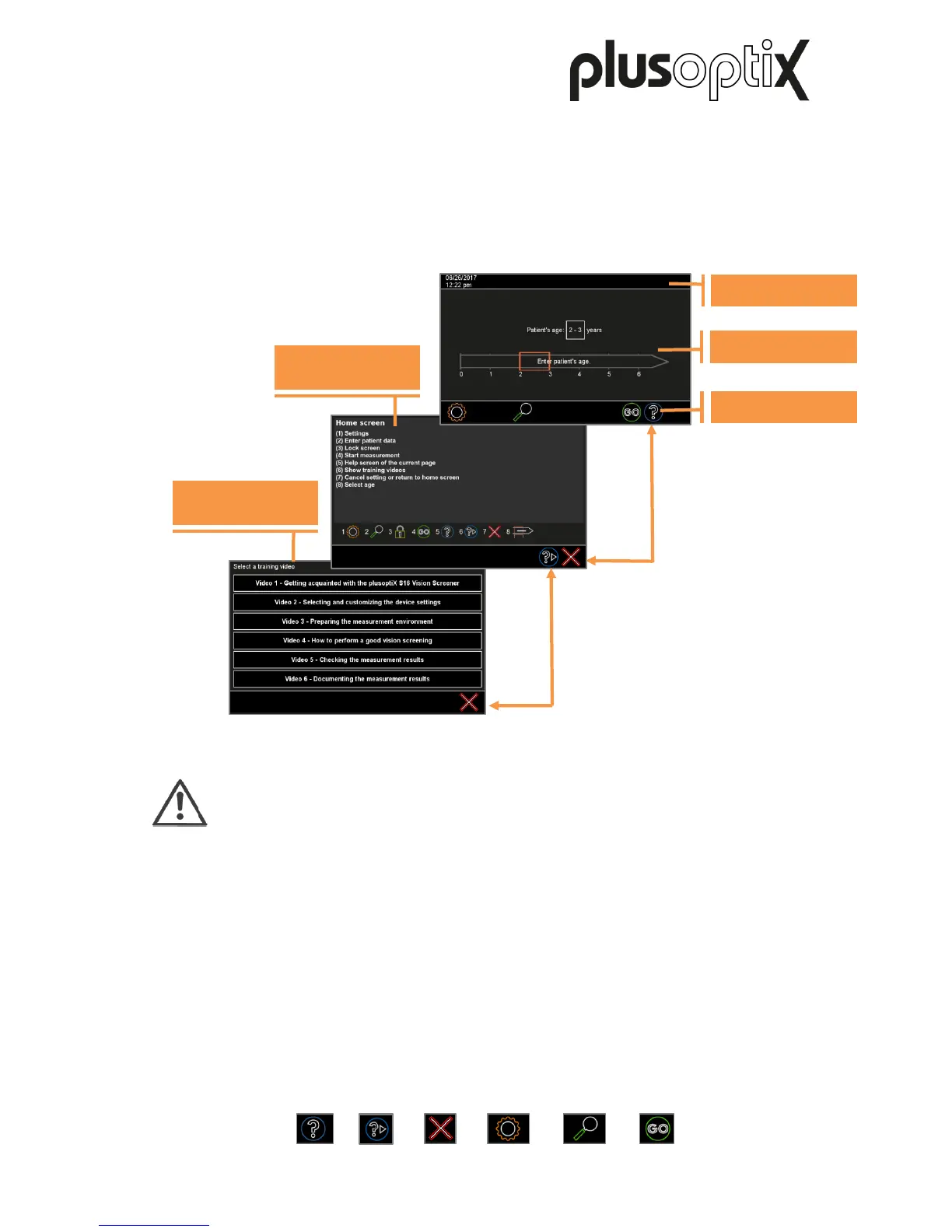
All the screen displays of the “plusoptiX S16” are the same. The header is above, the
information part in the middle and the navigation bar below. The button with the blue "?" (1)
takes you to the help page, which explains the displayed buttons. The button with the blue "?
►" (2) takes you to the overview of available training videos. The red "X" (3) takes you back
to the previous home page.
Note:
Watching training videos does not replace the need to read the user manual.
They serve only to aid visualisation of what is written in the user manual.
The header shows the status. This includes, among other things:
- Date and time on the left side
The navigation bar operates the device. Among other things, you can select:
- the gear wheel (4) to access the settings
- the magnifier (5) to call up the database
- the “GO” button (6) to start a measurement
(If the “GO” button is flashing, a measurement can be started by touching it)
- the blue “?” (1) to access the available training videos
- the red “X” (3) which interrupts without saving and returns you to the previous page.
1) 2) 3) 4) 5) 6)



 To Next Page