User manual 6
Engli sh
» Install the stop in the opening direction of the gate to prevent the engine
from running uncontrollably.
Engine installation
» Choose your engine installation location carefully.
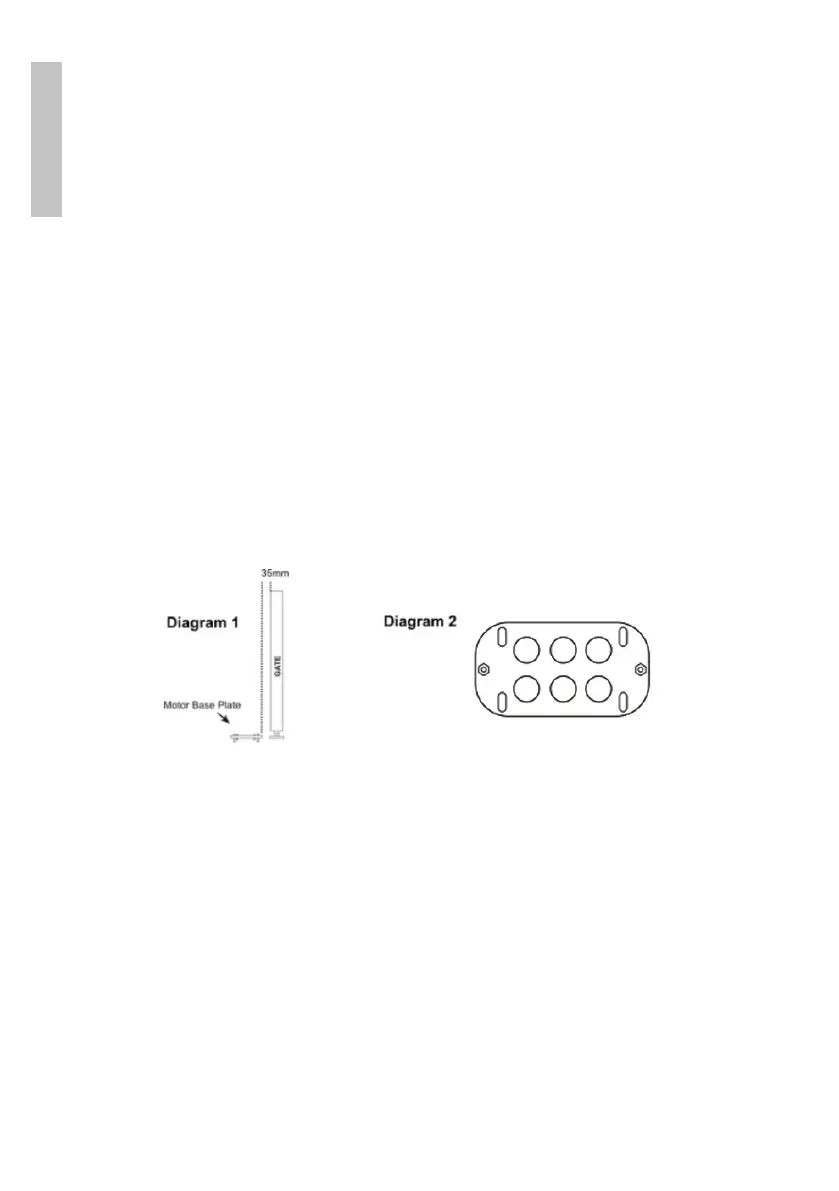
» Temporarily place the engine mounting base at a distance of 35 mm from
the gate. (Diagram 1)
» Put the engine on the stand.
» Test with a piece of rack positioned on the gear wheel if the engine is at
the right height.
» Make a drawing around the engine mounting bracket.
» Lower the engine from the bracket.
» Mark on the ground where you need to drill the 4 holes to fix the support.
(Diagram 2)
» Make 4 holes in the marked places.
» Secure the bracket and motor using screws and dowels.
Rack installation (rack not included)
» With the key included in the package, open and pull the lever to manually
close the gate.



 To Next Page