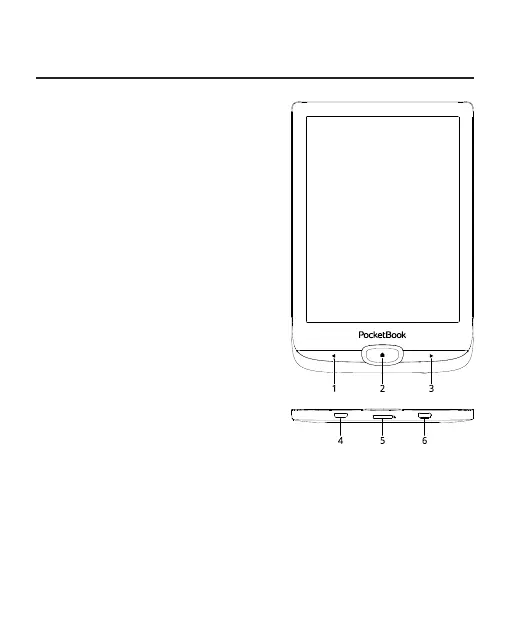
Appearance
1. Backward – in reading
mode turns page backward.
2. Home – return to Main
menu.
3. Forward – turns page
forward.
4. Micro-USB – connect
the Device to a PC or charge us-
ing USB-cable.
5. MicroSD slot – to install
external microSD/SDHC card (up
to 128 GB (file system FAT32)).
6. On/Off – continuous
press turns the Device on/off.
NOTE: You can configure key mapping to your own in Settings > Personalize > Key map-
ping. Navigation and page turning buttons mapping depends on screen orientation.















 To Next Page