Getting Started 25
• Simple (WEP) – after you select this option, you
will need to specify WEP Authentication type – Open
System or Shared Key either.
• WPA/WPA2 PSK – you will need to enter net-
work key (up to 64 symbols).
4. To check network configuration and connect to a
network, return to the Connection to hidden network sec-
tion and press Connect.
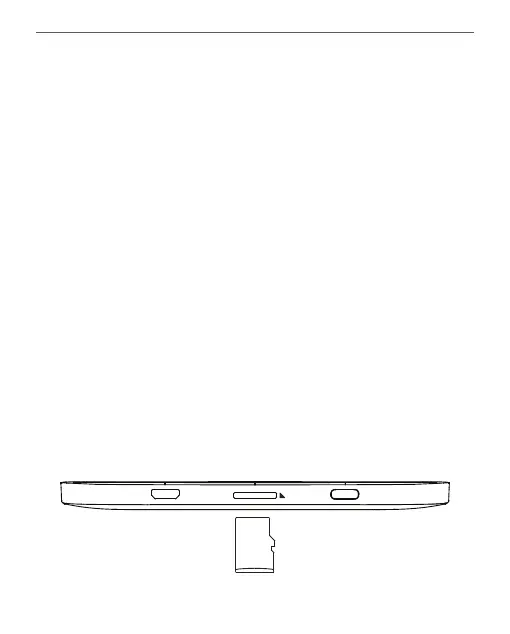
INSERTING MICRO SD CARD
The Device already has 8 GB of internal storage, but you
can extend it by using micro SD card (up to 128 GB (file
system FAT32)). Insert it to the slot, like it is shown on a
figure, and slightly push until card will be fixed.















 To Next Page