4.4 Notes: Capturing Thoughts and Ideas
Quickly capture thoughts, reminders, ideas, drawings and phone numbers with
Notes. You can create a written note or a recording. You can also include a
recording in a note. If a note is open when you create the recording, it will be
included in the note as an icon. If the note list is displayed, it will be created as a
stand-alone recording.
Tap
Æ
Programs Æ Notes to switch to the program.
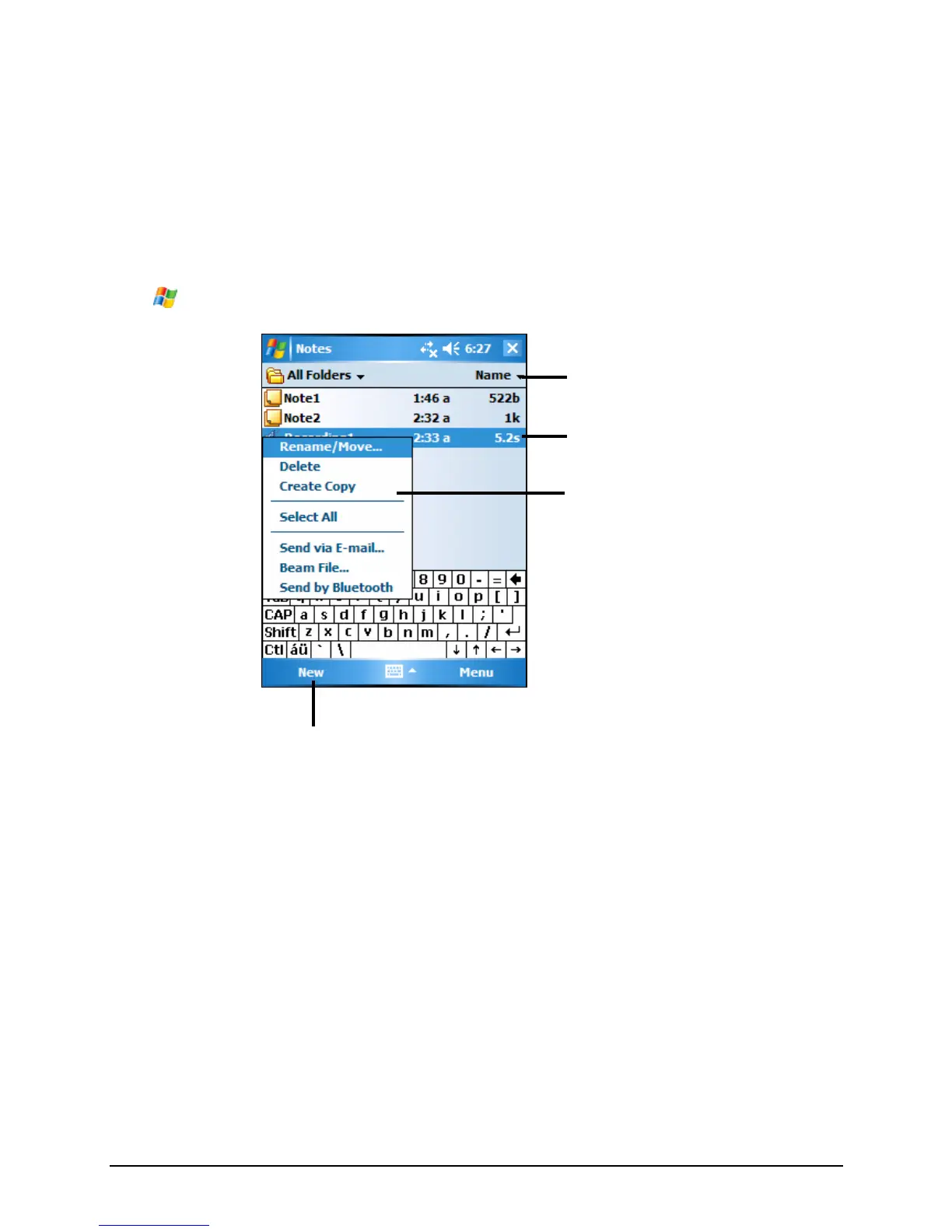
Tap to create a new note.
Tap to change the sort order of
the list.
Tap to open a note or play a
recording.
Tap and hold to display the
shortcut menu
Creating a Note
1. In Notes, tap New.
2. Create your note by writing, drawing, typing, or recording. For more
information about using the Input panel, writing, and drawing on the screen
and creating recordings, see section 2.8.
45



 To Next Page