5.2 Word Mobile
Microsoft Word Mobile works with Microsoft Word on your desktop computer to
give you easy access to copies of your documents. You can create new documents
on your Pocket PC or you can copy documents from your desktop computer.
Tap
Æ ProgramsÆ Word Mobile to switch to the program.
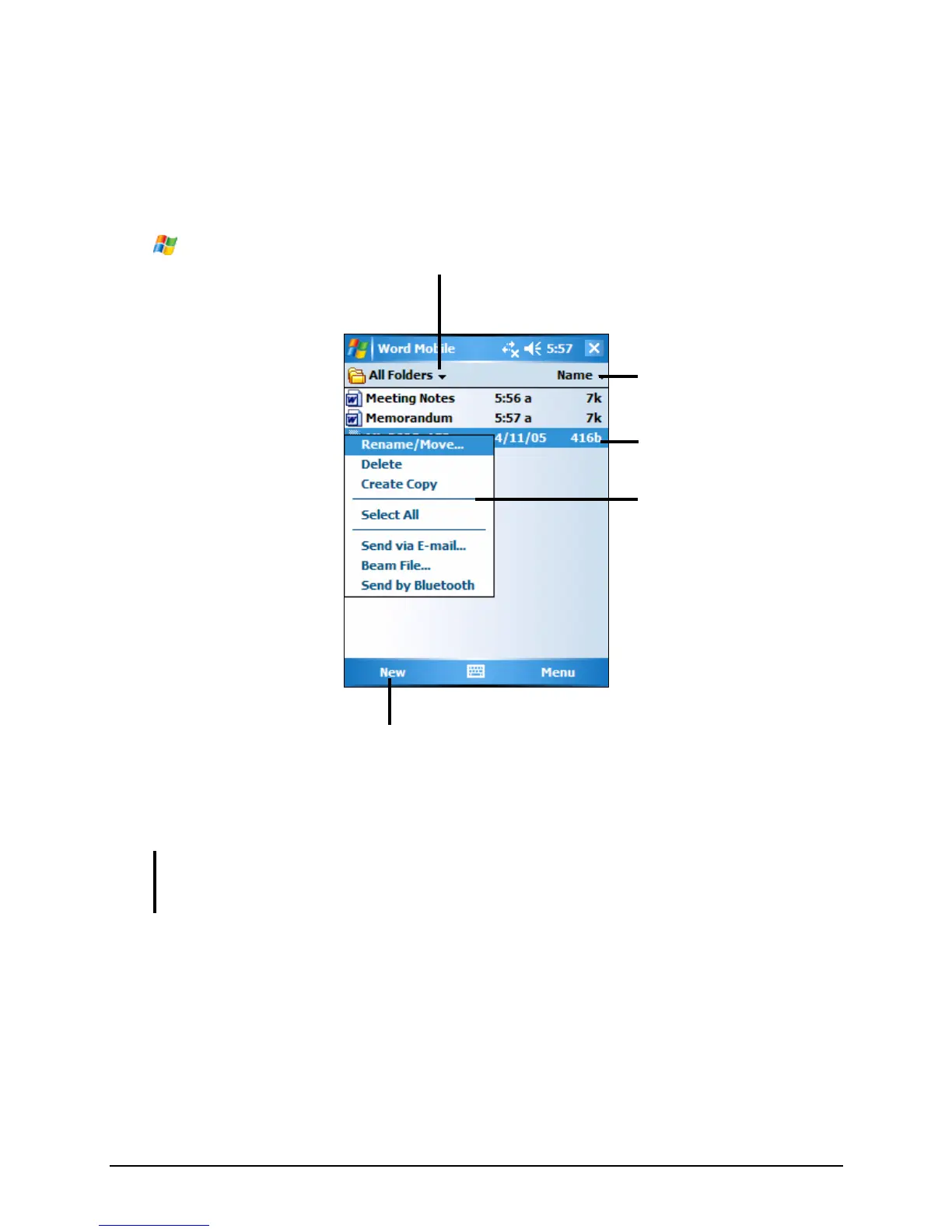
Select the type of folder you
want displayed in the list.
Tap to create a new document.
Tap to change the sort
order of the list.
Tap to open a document.
Tap and hold an item to see
a shortcut menu of actions.
Creating a Document
1. In Word Mobile, tap New.
NOTE: To open a template rather than a blank document, select a template for new
documents. Tap Menu Æ Options and select the desired template. When you tap New,
the template appears with appropriate text and formatting already provided.
2. Enter the information. (For more information on using the input panel, see
section 2.8 or Pocket PC Help.)
55



 To Next Page