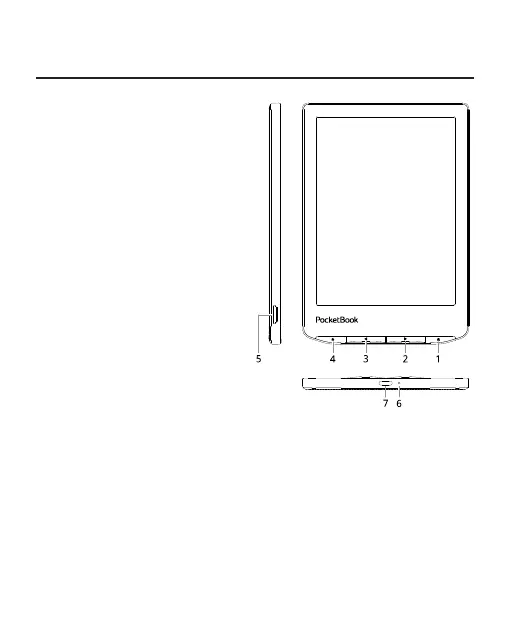
Appearance
1. Menu | On/O – open
context menu (if available);
continuous press turns the
Device on/o.
2. Forward – turns page
forward.
3. Backward – in reading
mode turns page backward; in
navigation mode – goes to the
previous menu or page of the
list.
4. Home – return to Main
menu.
5. MicroSD slot - to install
external microSD/SDHC card (up
to 128 GB (le system FAT32)).
6. LED indicator.
7. USB Type-C connector – connect the Device to a PC or
charge using USB-cable.
NOTE: You can congure key mapping to your own in Settings > Per-
sonalize > Key mapping. Navigation and page turning buttons mapping
depends on screen orientation.















 To Next Page