Reading Books 56
Adjust SMARTlight and Frontlight brightness in
reading mode
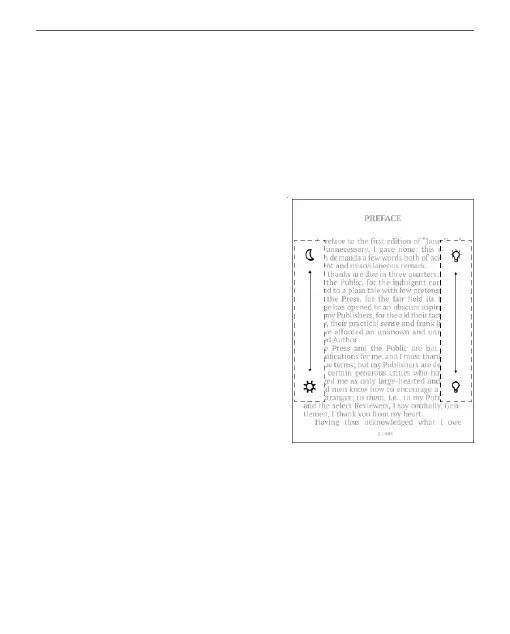
You can adjust the Frontlight brightness and the
SMARTlight colour temperature using gestures.
To change brightness or the
colour temperature without
leaving your book, just swipe
your nger across the screen
as shown in the illustration.
If the Frontlight and SMAR-
Tlight automatic adjustment
mode is enabled, then the
device will ask if you want to disable it and cong-
ure the settings manually, without interrupting your
reading.















 To Next Page