15
L
B
OPERATION INSTRUCTIONS
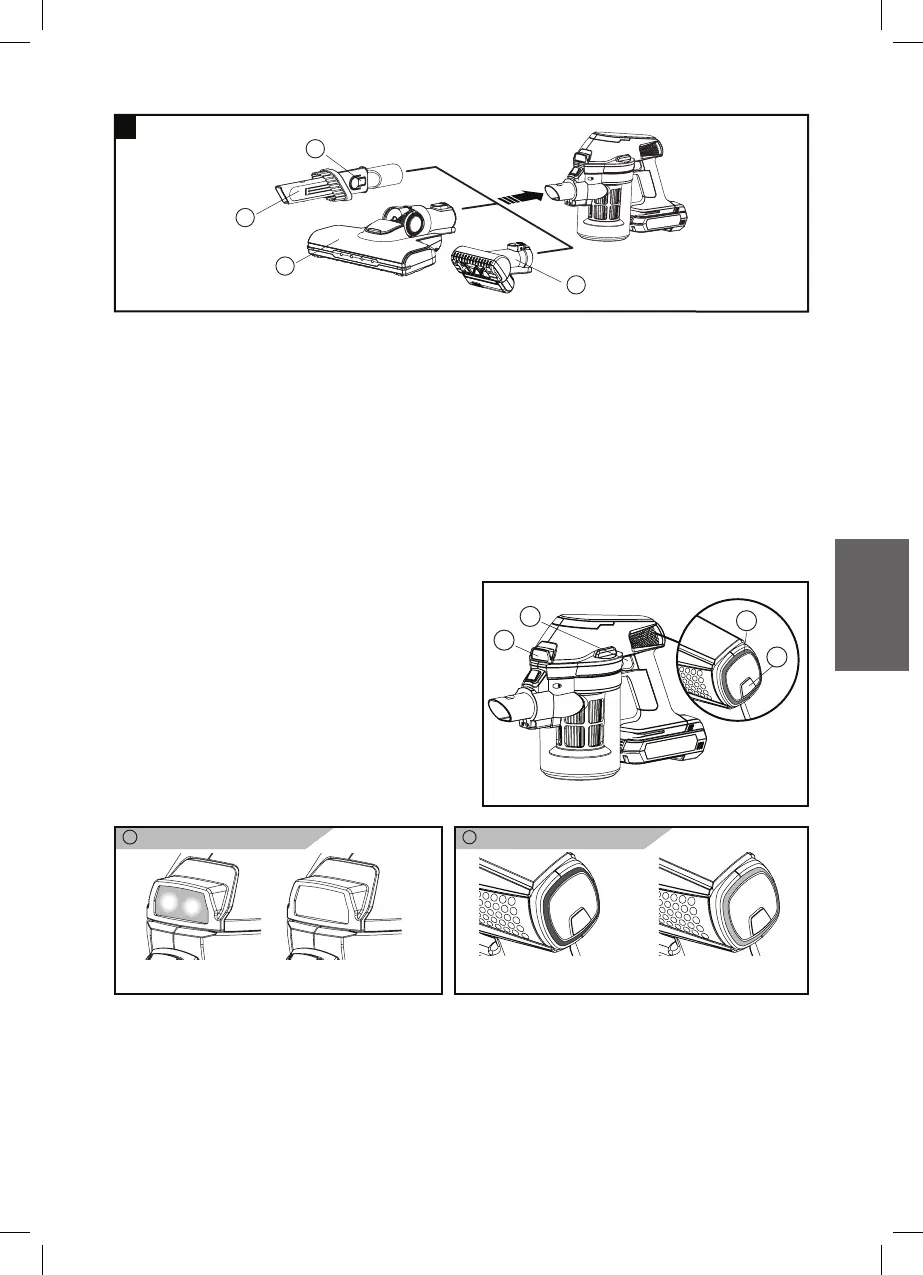
1. Choose what feature you will use and fit the appropriate tools into
the main unit.
2. To switch on the vacuum cleaner, press the ON/ OFF switch (G)
once. When “Power ON” the White LED lights (B) will ON.
3. To stop, press the ON/OFF switch (G) once again the LED lights (B)
will OFF.
4. Select either the “Turbo” or “Normal” mode by press the Speed
switch (H). The “Turbo” mode
provide maximum suction power
and the “Normal” mode operates
at a lower sound level.
Power indicator Speed indicator
Power ON
(White LED light)
Note: This product is for dry pick-up only.
“Normal” mode
(Blue LED light)
“Turbo” mode
(White LED light)
Power OFF
S
N
M
G
H
L
B
Z
2



 To Next Page